

Reviewing Your Markets
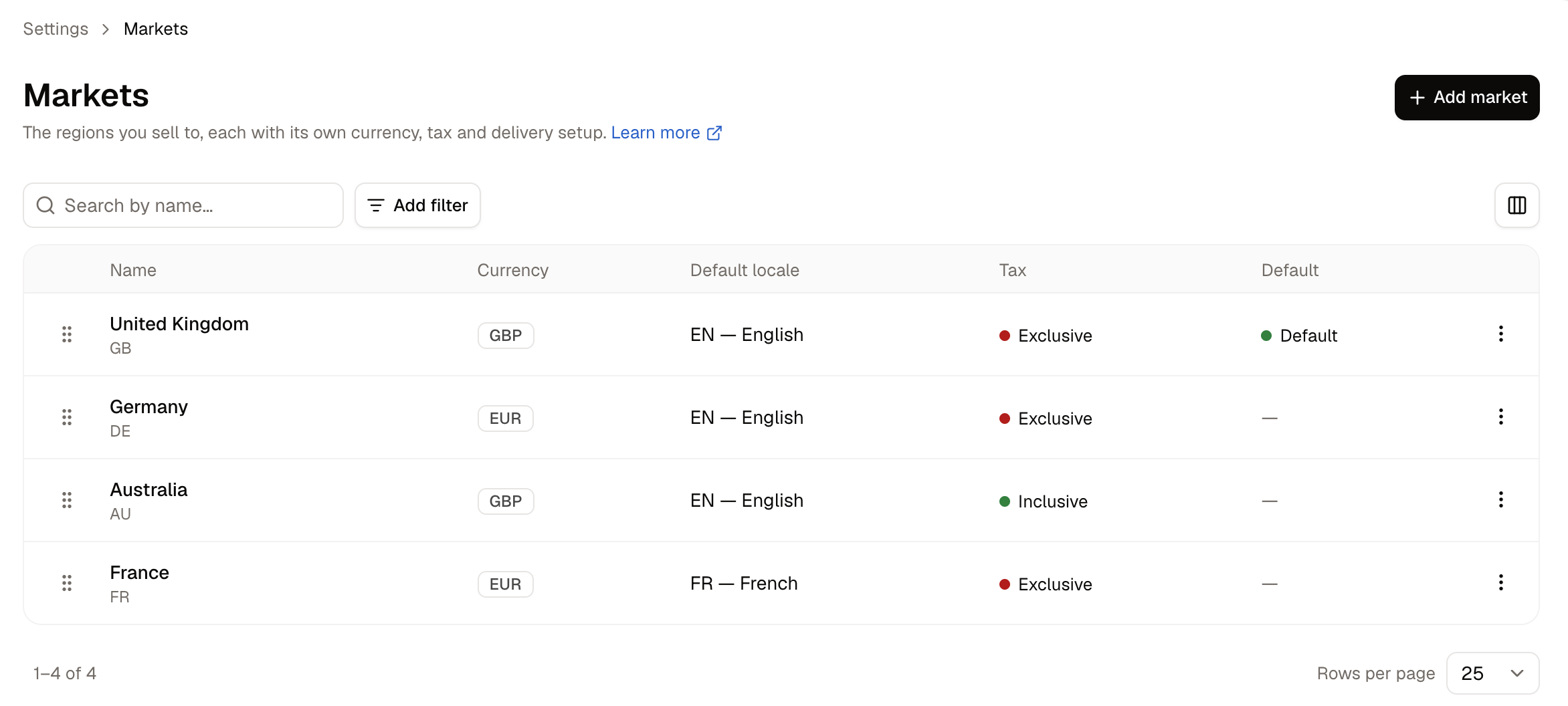
- Name - What the market is called. The countries it covers are listed beneath.
- Currency - The currency all prices in this market are held in.
- Default locale - The language shoppers in this market see first.
- Tax - Whether prices in this market include tax or have it added at checkout.
- Default - The market shown to shoppers whose country is unknown.
How to Create a Market
Click Add market.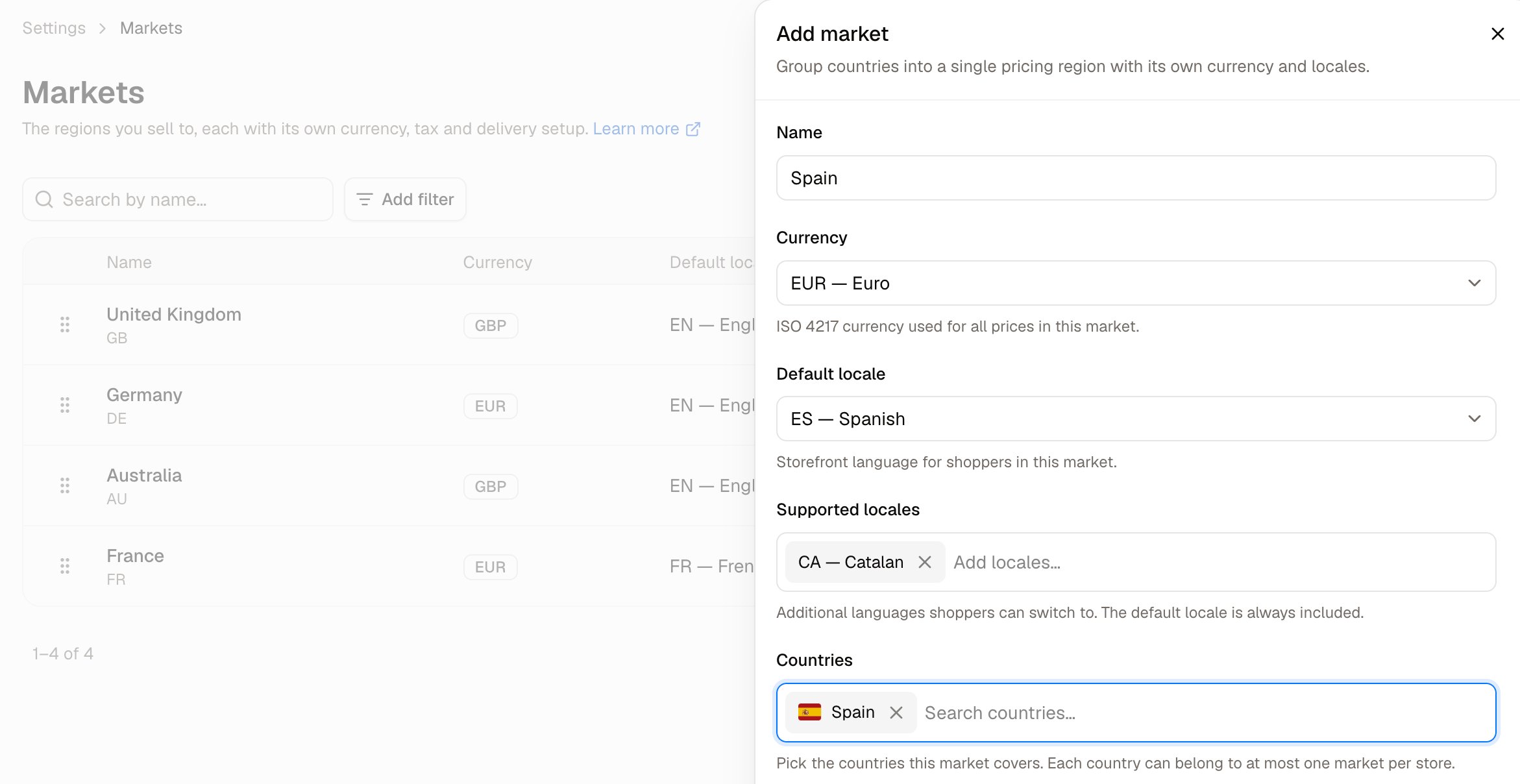
- Name - What the region is called internally, such as Europe or DACH.
- Currency - The currency used for all prices in this market.
- Default locale - The storefront language shoppers in this market see first.
- Supported locales - Additional languages shoppers can switch to. The default locale is always included.
- Countries - The countries this market covers. Search for each one and add it.
- Tax engine - Which engine calculates tax for orders in this market. Leave this as it is unless another engine has been installed for your store.
- Prices include tax - Turn this on when the prices you enter for this market already include tax, as is usual in Europe. Leave it off when tax is added at checkout, as is usual in North America. See below.
- Default market - Shoppers without a known country see this market. Only one can be default per store.
Prices include tax, or tax added at checkout
This switch is the difference between how European and North American stores usually work, and getting it wrong misprices everything in the market. Take a product priced at 120, with a 20% tax rate:
Every customer of the market pays the price you entered, wherever they are. With the switch on, a customer in a country with a different rate pays the same price, with their own country’s tax inside it.
To charge customers in some countries a different price, put those countries in a market of their own and give it a price list with a market rule.
What the built-in tax engine does not calculate
Spree’s built-in tax engine handles the rates you configure per country or state. Four things it does not do are printed under the Tax engine chooser, and each one can mean collecting the wrong amount of tax:- US local tax - “County, city and district rates are not applied, only the rates configured per country or state. Sales into US states that levy local tax will be under-collected.”
- EU reverse charge - “A VAT-registered business buyer is charged tax instead of receiving a zero-rated invoice. Their registration number is recorded but does not change the tax.”
- Distance-selling thresholds - “Crossing the EU-wide cross-border threshold does not switch to destination-country rates automatically, because it depends on annual turnover across every destination rather than on any single order.”
- Proportional delivery tax - “Delivery is taxed at the single rate its delivery method names, not split across the rates of the goods being delivered. A basket mixing tax rates collects the wrong amount on delivery.”
Tax rates and their calculators are configuration for the built-in engine, and do not decide which engine a market uses. Setting a rate’s calculator does not move that market off the built-in engine. See Tax Rates for what rates do.
How to Edit a Market
Click a market’s row to open it. The panel carries the same controls as the creation form, with chosen locales and countries shown as removable chips.Changing a market’s currency
Changing the currency does not convert the prices you already have. It changes which currency the market’s prices are read from, and nothing is carried across:- Products need a base price in the new currency.
- Price list entries for that market appear with empty prices until you fill them in.
How to Delete a Market
Open the row menu and choose Delete.Further Reading
- Tax Rates - The rates charged in each market
- Tax Categories - The tax classes products are assigned to
- Price Lists - Using a market as a pricing rule
- Delivery Profiles - Where goods can be shipped, and at what price