

Reviewing Customers
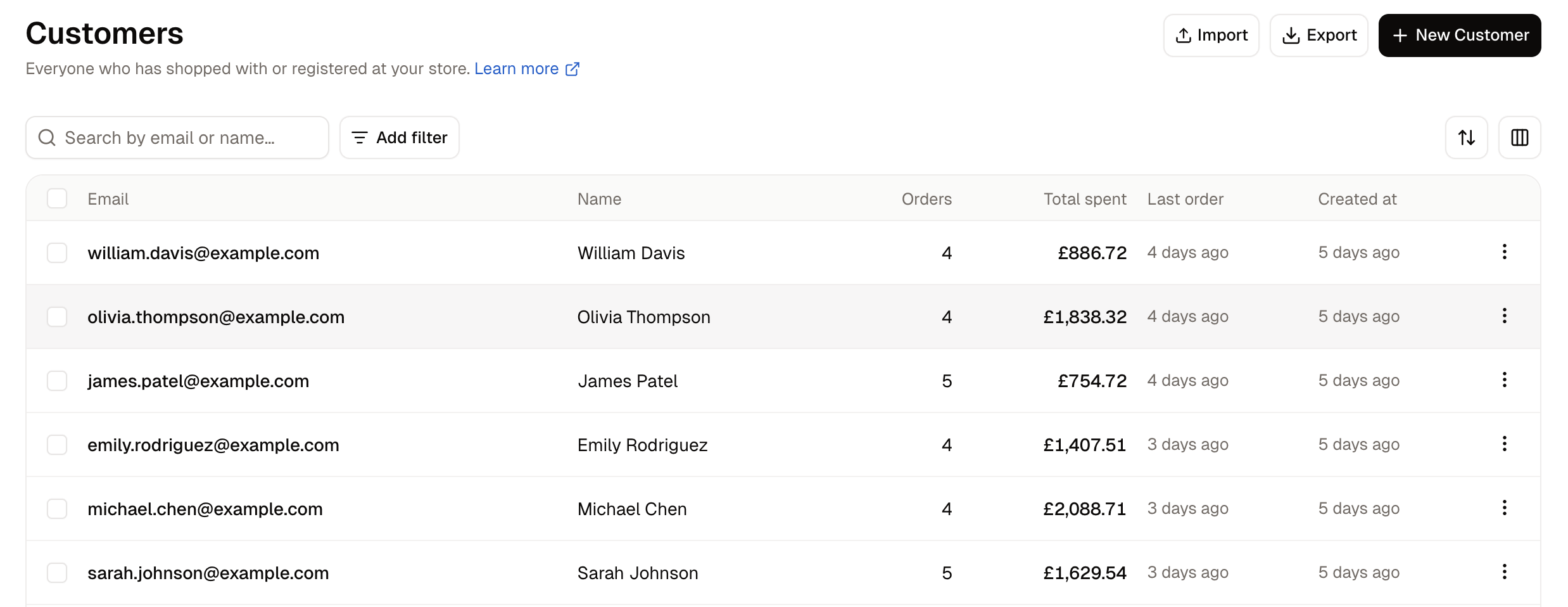
Columns adds further columns: phone, the groups and companies they belong to, their tags, whether they are subscribed to marketing, whether their personal data has been erased, and when the record was created or last updated. Sort orders the list by email, name, phone, newsletter status, or either date.
Finding a Customer
The search box matches a customer’s name and email address. Add filter narrows the list by phone, group, company, tags, newsletter subscription, erased status, or when the record was created or last updated.Searching for a company name only finds people whose own name or email happens to match it. To see everyone who buys for a company, use Add filter → Companies instead.
How to Add a Customer
Most customers create their own account at checkout. You add one by hand when the account has to exist before they shop, or when they are not in front of a screen. A shopper who signs up at the till in your shop is one case: take their email there and then, and they already have an account when they visit online. A business buyer who calls to open an account is another, and the more common one, because you often need the account to exist before you can attach it to a company, put it in a group, or build an order for them.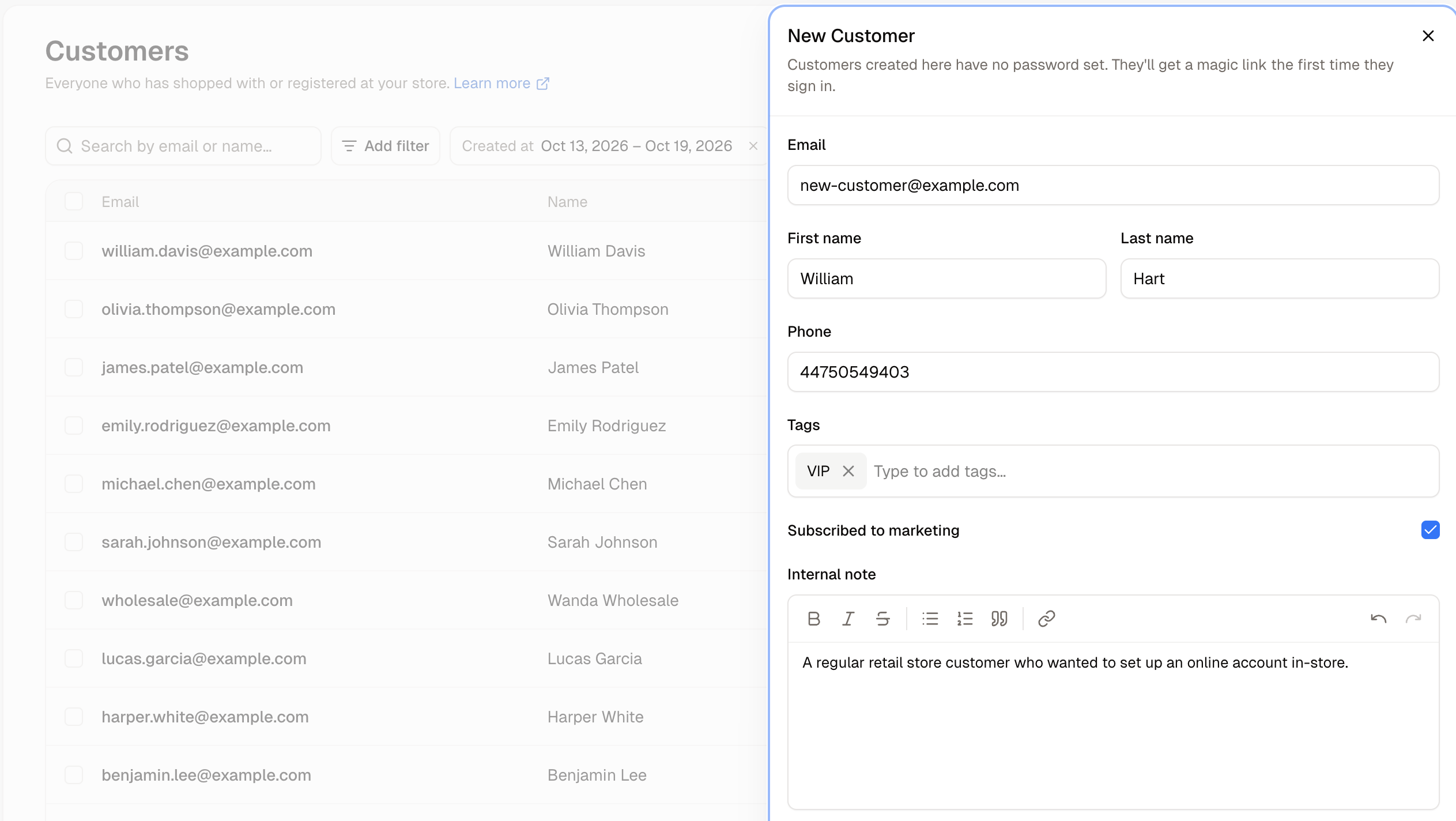
- Email - The customer’s email address. It is the only required field.
- First name and Last name - Their name.
- Phone - A contact number.
- Tags - Your own labels, such as
VIPortrade. Type a new one to create it. - Subscribed to marketing - Whether they have agreed to receive marketing.
- Internal note - Anything your team should know. Staff only.
A customer created here has no password, and no email is sent to them. They receive a magic link the first time they sign in, or they can set a password themselves with Forgot password? on your storefront.
Update Customers in Bulk
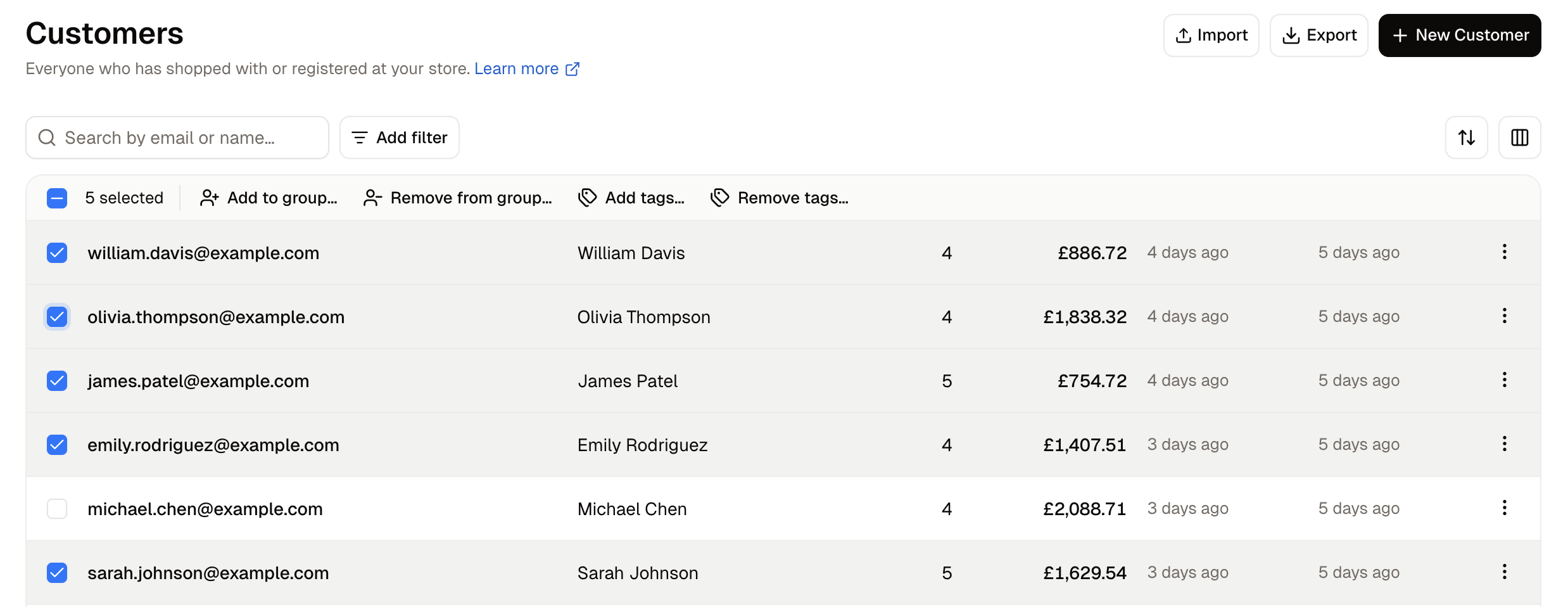
This is the quickest way to build a group in the dashboard: filter the list to the customers you want, tick them, and add them all at once.
How to Import and Export Customers
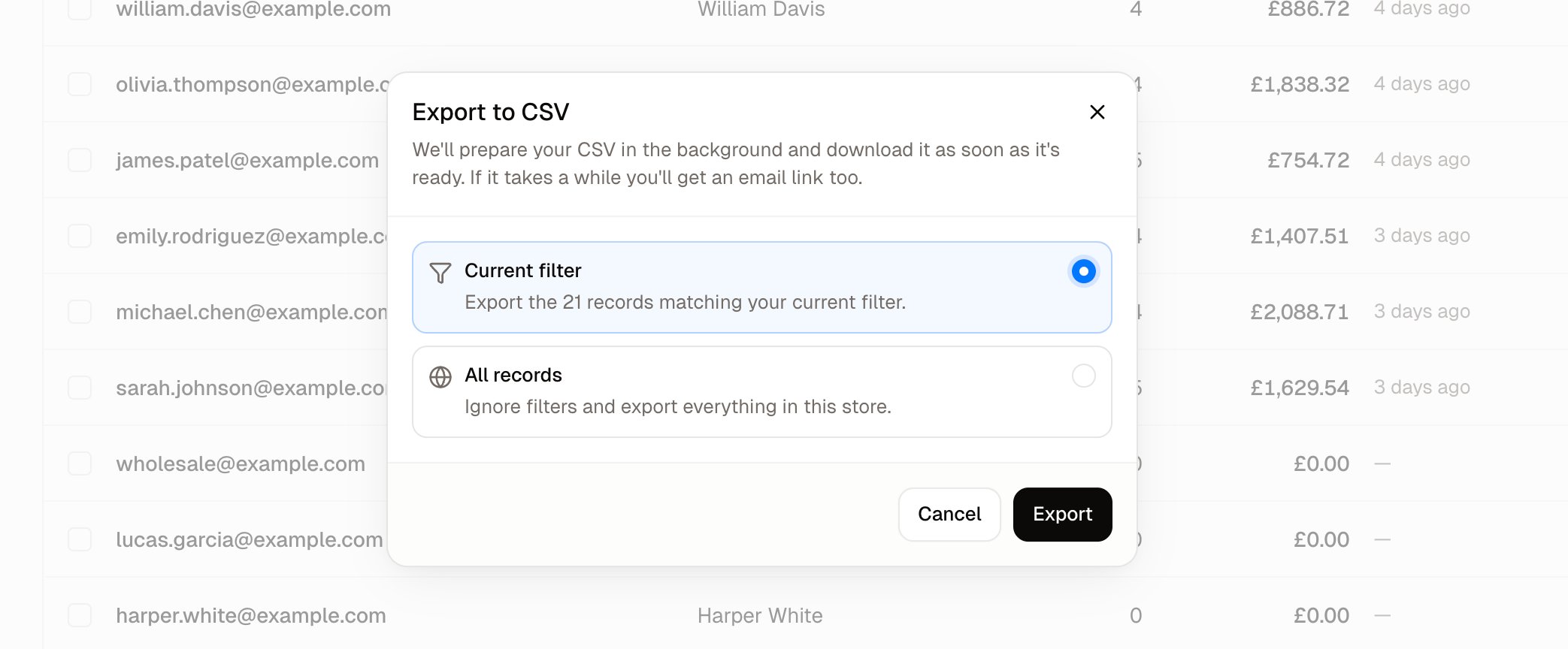
The export carries each customer’s name, email, phone, marketing consent, company, default address, tags, total spent and order count. It does not carry passwords, saved payment methods, store credit or gift card balances, individual orders, internal notes, or the groups they belong to.
To get everything the store holds about one person, use Export data on their own page, which produces a full record rather than a spreadsheet row. See Customer Profiles.
Further Reading
- Customer Profiles - Everything on one customer’s page, and how to change it
- Customer Groups - Grouping customers for promotions and pricing
- Companies - Business accounts, their people and their tax details
- Orders - The orders these customers have placed