

A group sets no price by itself. A discount comes from a promotion that names the group, and a different range or different prices come from a catalog assigned to it. Price lists cannot target a group at all, as their rules work on channel, market and volume.
Reviewing Groups
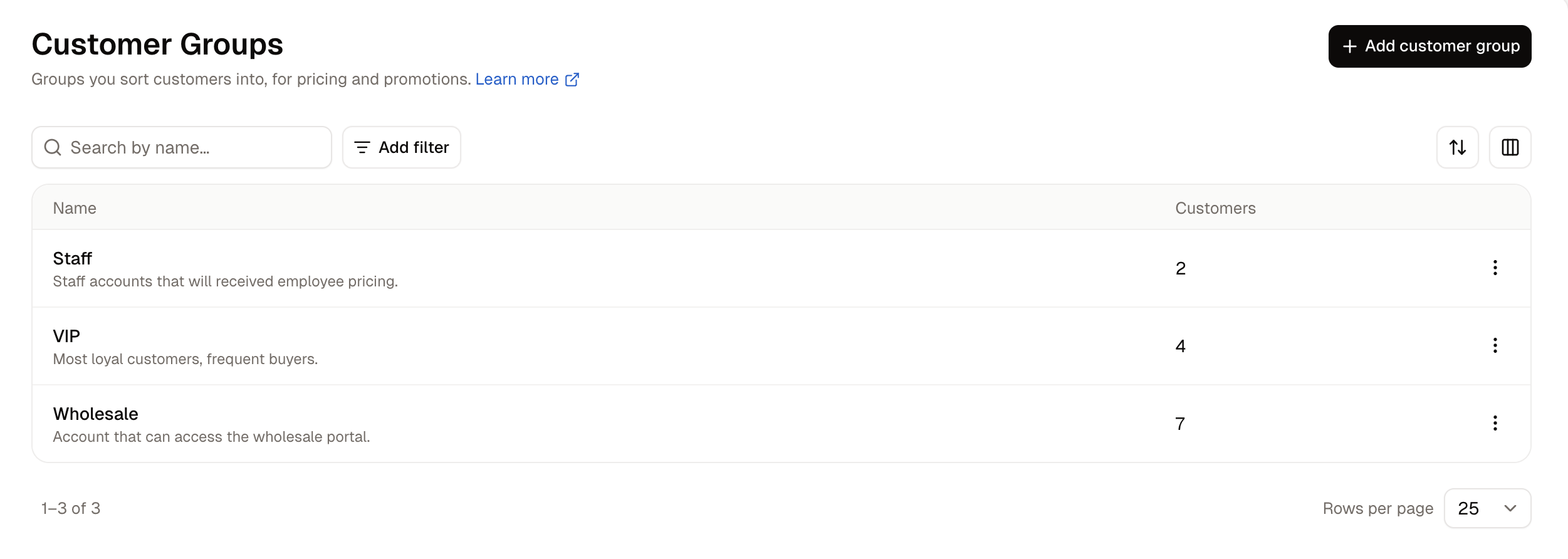
Search by name finds a group by what it is called, so typing “Dealer” lists every group with Dealer in its name. Add filter narrows the list by when a group was created or updated, Sort orders it by any of the four columns, and Columns chooses which of them are shown. The ⋮ button at the end of a row opens Edit and Delete.
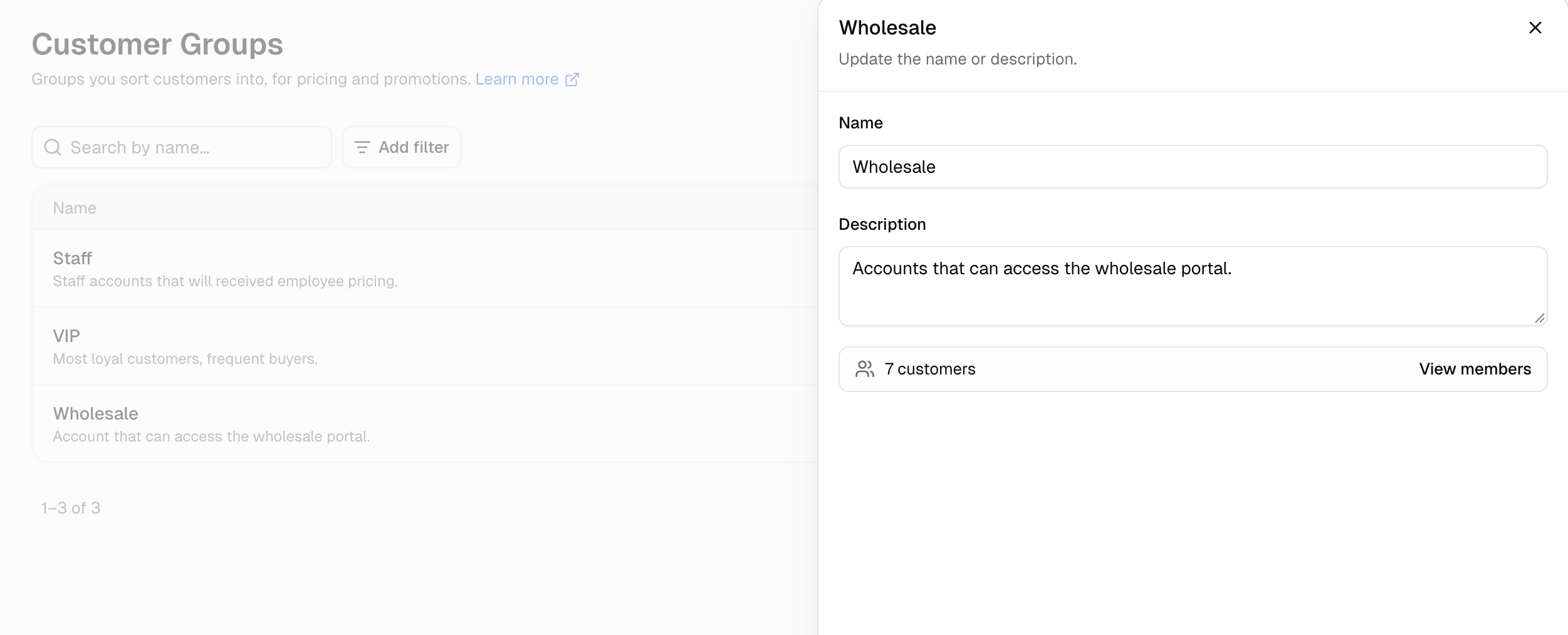
Seeing Who Is in a Group
How to Create a Group
- Click Add customer group.
- Enter a Name, which is what your team will call the group, such as VIP.
- Enter a Description if the name alone will not tell your team what the group is for. It is internal and appears under the name in the list.
- Click Create customer group.
How to Add Customers to a Group
A group is filled from the customer’s side rather than its own. Opening a group lets you rename it and see how many members it has, but it has no control for putting anyone in it. For one customer- Navigate to Customers and click the customer’s email address.
- On the Customer groups card, click Edit.
- Search for the group and pick it. A customer can be in several groups at once.
- Click Save.
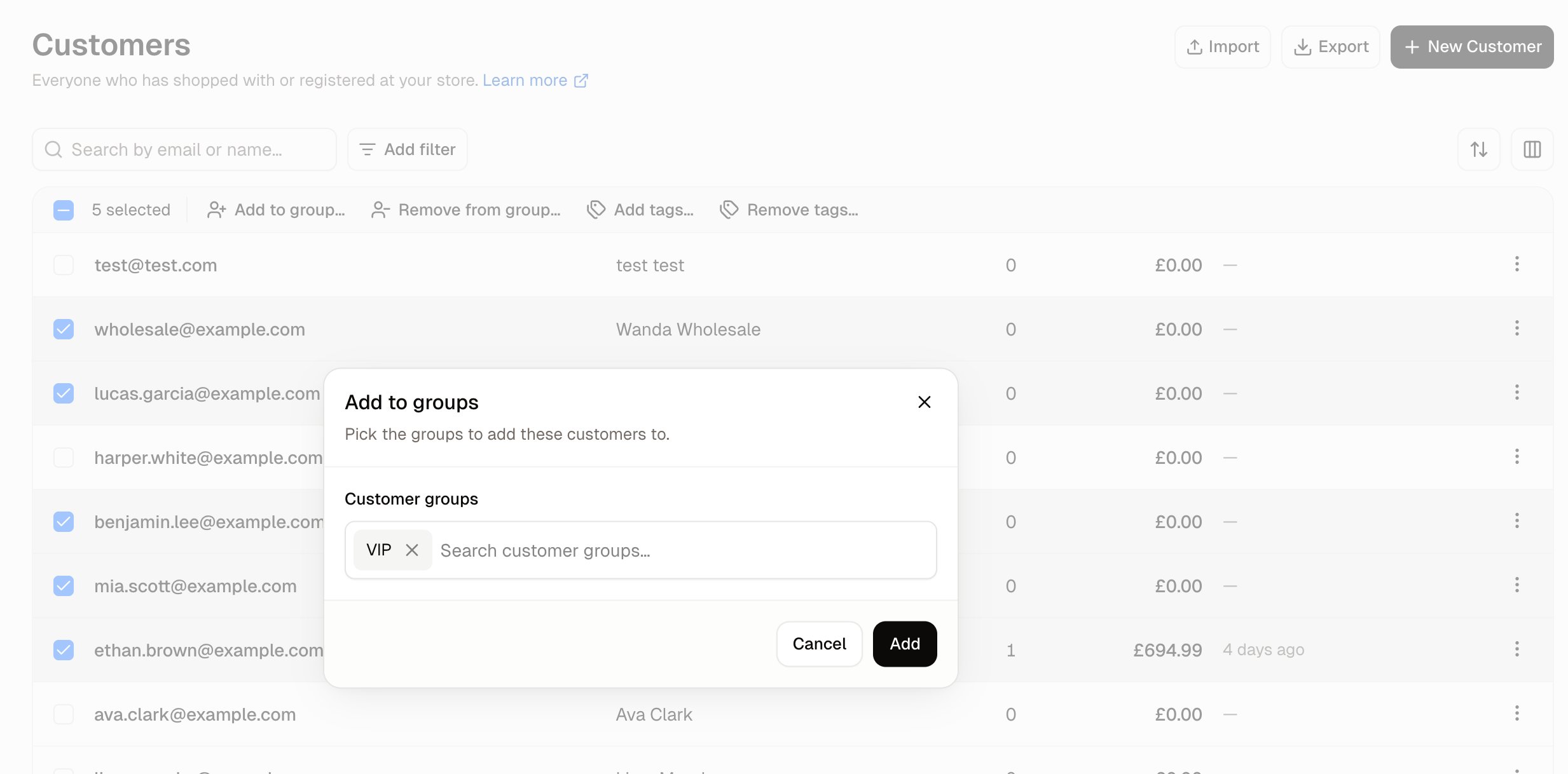
- Navigate to Customers and narrow the list to the people you want, using the filters or the search box.
- Tick their rows. A bar appears above the list showing how many are selected.
- Click Add to group…, pick the groups, and click Add.
How to Remove Customers from a Group
Removing somebody takes the same two routes as adding them, and neither deletes the customer.- For one customer, open their profile, click Edit on the Customer groups card, take the group out of the picker, and click Save.
- For several at once, tick their rows on the Customers list and click Remove from group…, then pick the groups and click Remove.
How to Delete a Group
- Click the ⋮ button on the group’s row and choose Delete.
- Read the confirmation, which names the group and states that Customers in this group are not deleted.
- Click Delete.
What a Group Changes
Two things in the dashboard can be pointed at a group, and between them they cover what a group is for.How to Give a Group a Discount
- Navigate to Promotions and start a new promotion.
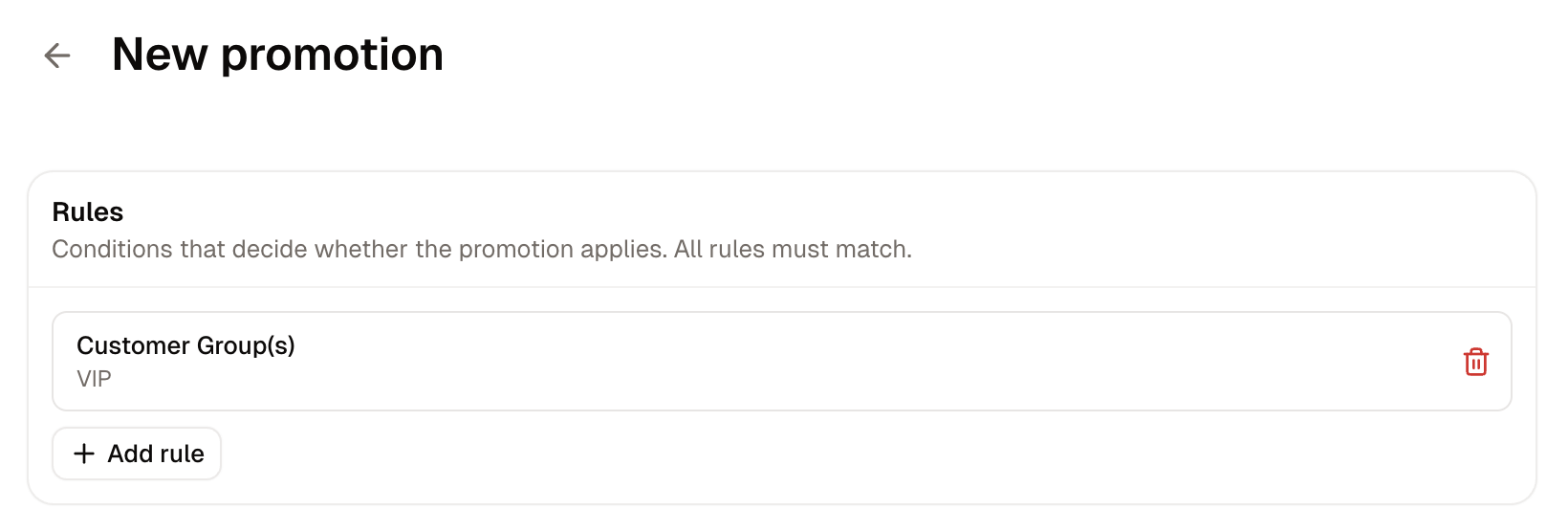
- On the Rules card, click Add rule, choose Customer Group(s), pick the group and save it.
- On the Actions card, click Add action and choose the discount itself, such as a whole-order adjustment of a flat percentage.
- Click Create promotion.
How to Give a Group Its Own Catalog
- Navigate to Products → Catalogs and click Add catalog.
- Under Details, name the catalog and say what the agreement is for. The description is internal and is never shown to shoppers. Click Next.
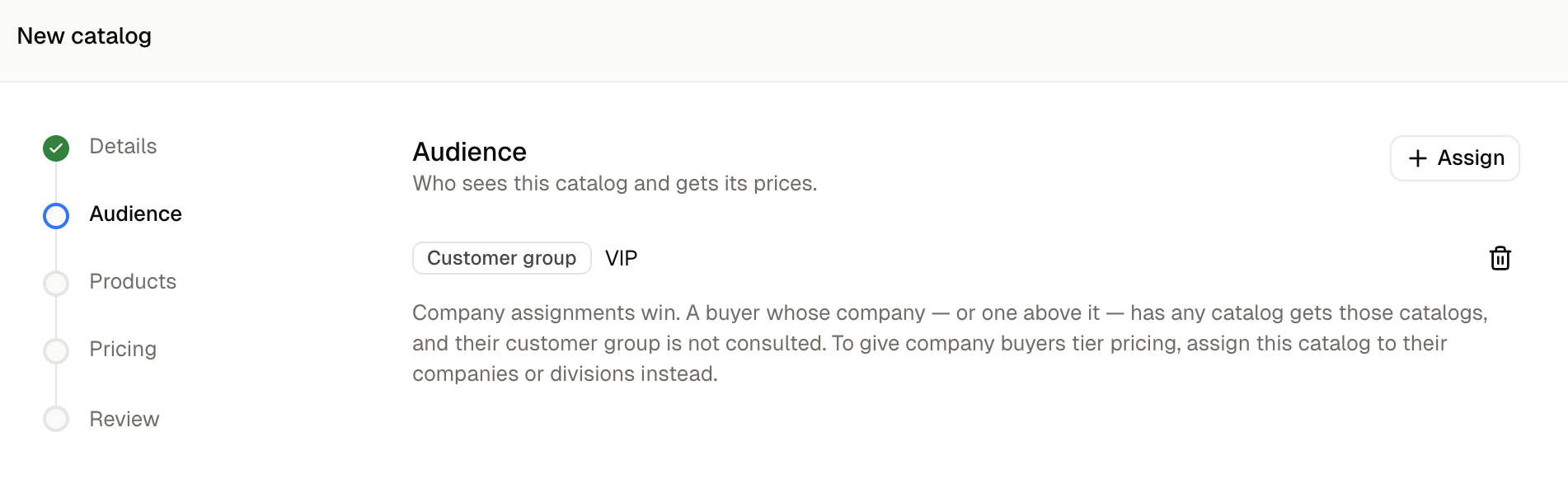
- Under Audience, click Assign, set Audience type to Customer group, pick the group and click Add. Click Next.
- Under Products, search for what the catalog covers and add the products one at a time. Click Next.
- Under Pricing, choose what the group pays: Normal prices, Prices I enter for this catalog, or A percentage off base prices. Click Next.
- Check the summary and click Create catalog.
A company’s catalog takes priority over a group’s. Customer group catalogs reach only buyers whose company, and every company above it, has no catalog. To change what a company’s buyers see, assign the catalog to the company or division instead.
Further Reading
- Customers - The list, its filters, and the bar for ticked customers
- Customer Profiles - Where the Customer groups card lives
- Companies - Business accounts, and why their catalogs win over a group’s
- Create a Promotion - Every part of the promotion form
- Catalogs - What a catalog holds and who it reaches