

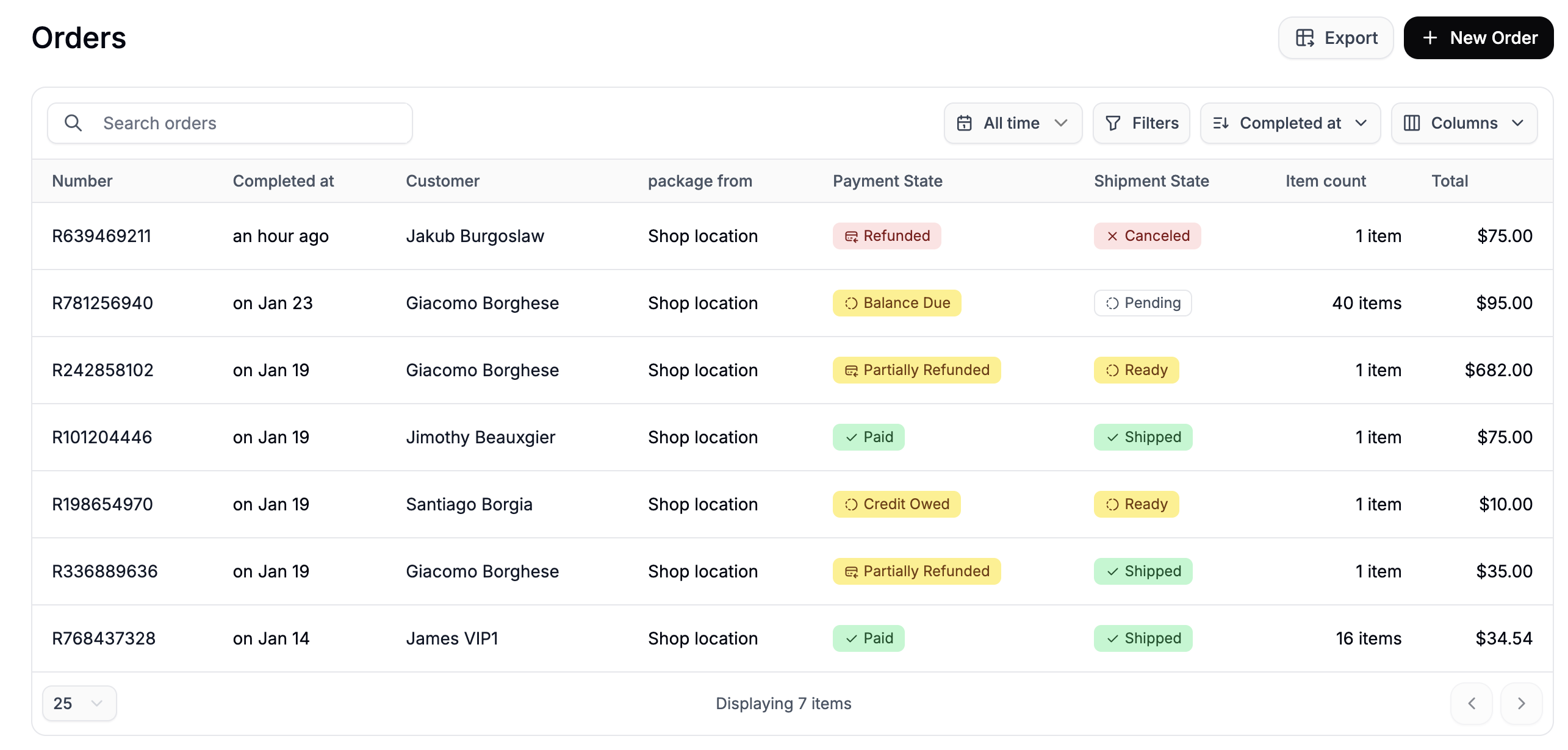
Order status
An order is one of three things:
There is nothing to advance. A placed order does not move to “complete” — its payment and fulfillment statuses say how far along it is.
Payment status
What has been collected against the order, worked out from its payments and refunds and compared with the order total.
A refund reduces both sides of the comparison, so an order refunded for a removed item still reads Paid rather than Partially refunded once the total matches what the customer kept.
Fulfillment status
What has happened to the goods, rolled up from the order’s fulfillments (its parcels, pickups or downloads).
Cancelled parcels are ignored while any other parcel is live, so an order whose second parcel was recalled is still described by the first.
What to do next
Related
- Processing orders — capturing payment and shipping
- Discounts, fees and taxes — the changes that move an order’s total after it was paid
- Cancelling orders
- Returns — what the returns window opens once an order is delivered