

Reviewing Exchanges
The Exchanges list shows every exchange across your store, one row each.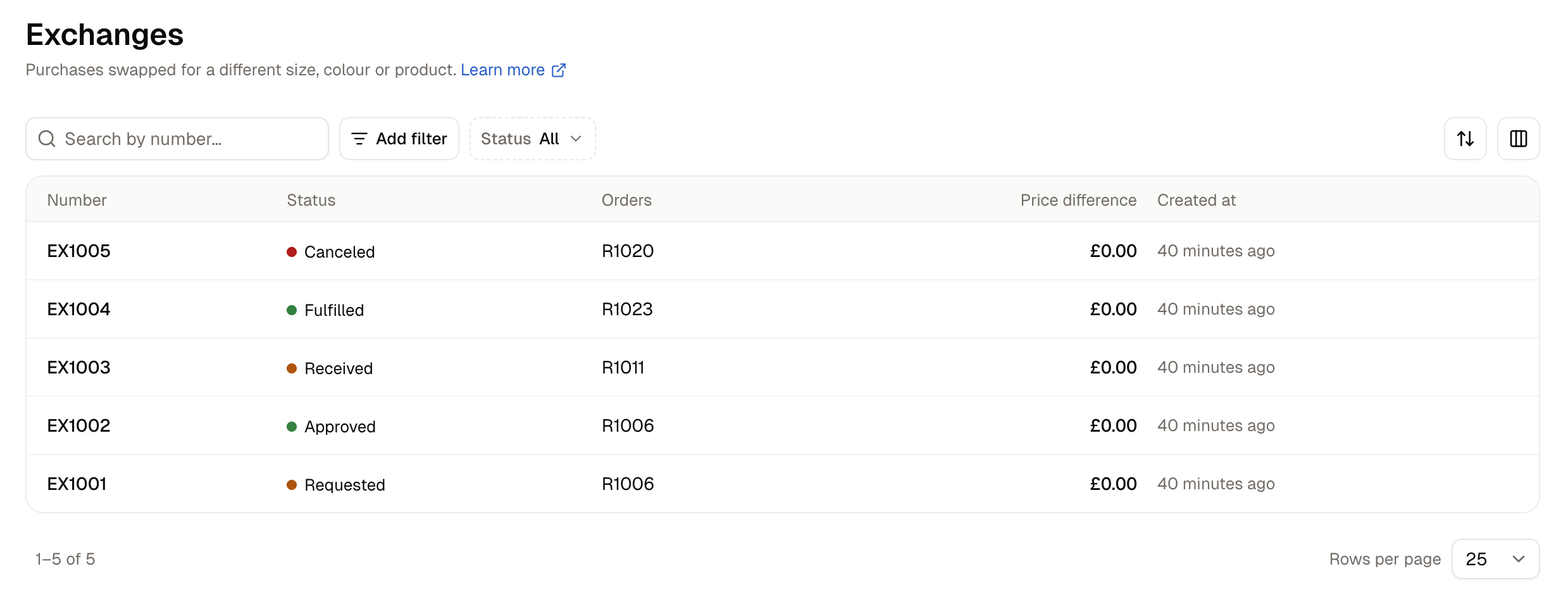
Use the Status filter to see only the exchanges at one stage, for example everything still Approved and waiting for the item to come back. The search box finds an exchange by its number, and Add filter narrows the list by number or by the date an exchange was created or last updated.
The Open exchanges tile on the Home page counts exchanges that are not yet fulfilled, so you can see at a glance how many swaps still need finishing.
How to Create an Exchange
Exchanges are started from the order, not from the Exchanges list. Open the order and click New exchange on its Exchanges card.The order must be fulfilled before you start an exchange. The dialog offers only items that have gone out to the customer, and only up to the number that was sent.
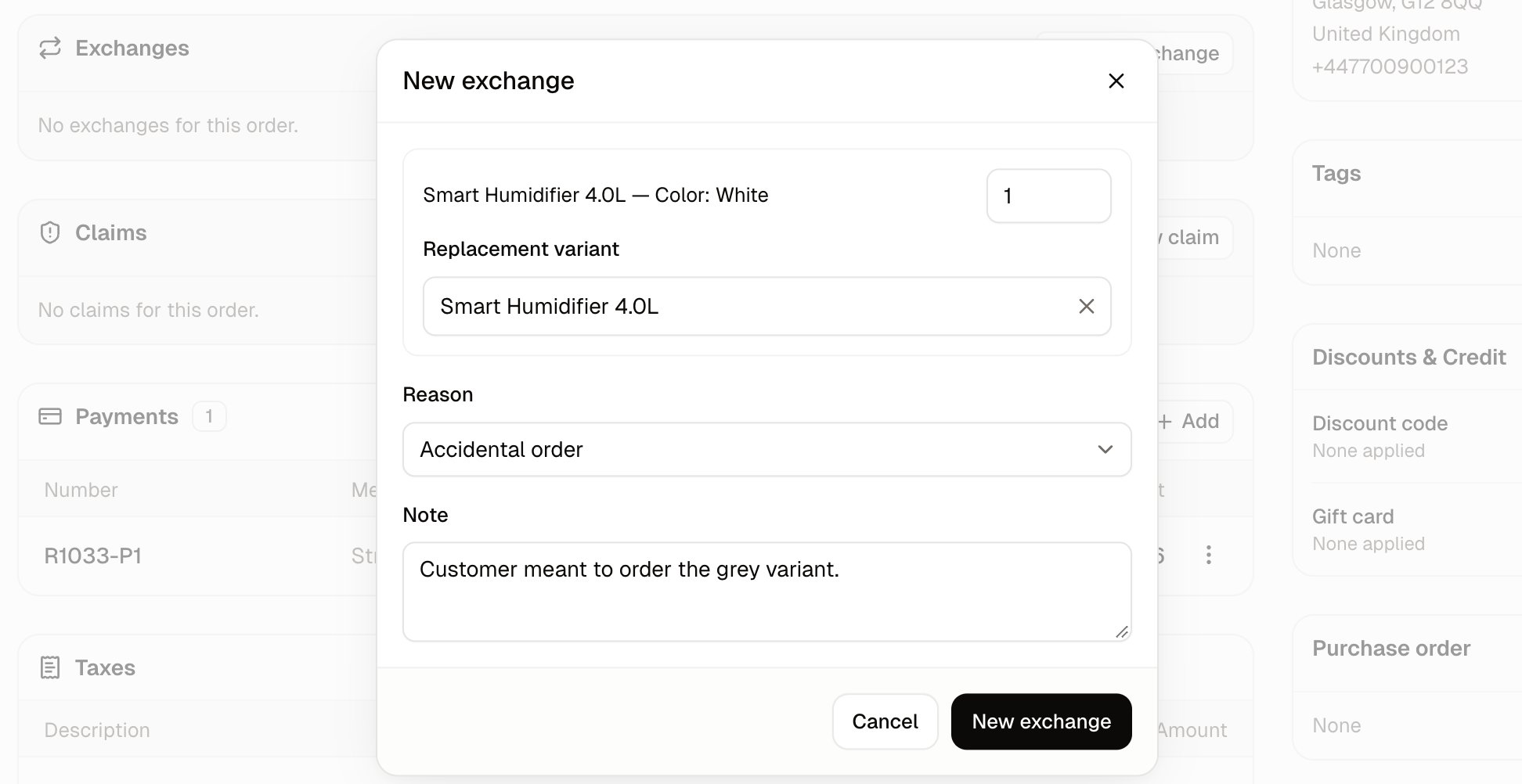
- Quantity - How many of this item the customer is sending back to swap. You cannot enter more than were sent.
- Replacement variant - What goes out instead. It appears under an item as soon as its quantity is above 0. Search by product name, and pick the exact size or color. You can choose any product in your catalogue, not only another version of the same one.
- Reason - Why the customer wants to swap, which over time shows you which products are swapped most and why. Exchanges use the same list of reasons as returns.
- Note - Anything your team should know about this swap, such as what the customer said when they got in touch.
- Enter a Quantity for the item coming back.
- Search in Replacement variant and pick the item going out.
- Choose a Reason and add a Note if it helps.
- Click New exchange. The button stays disabled until you have entered a quantity and chosen a replacement.
How to Process an Exchange
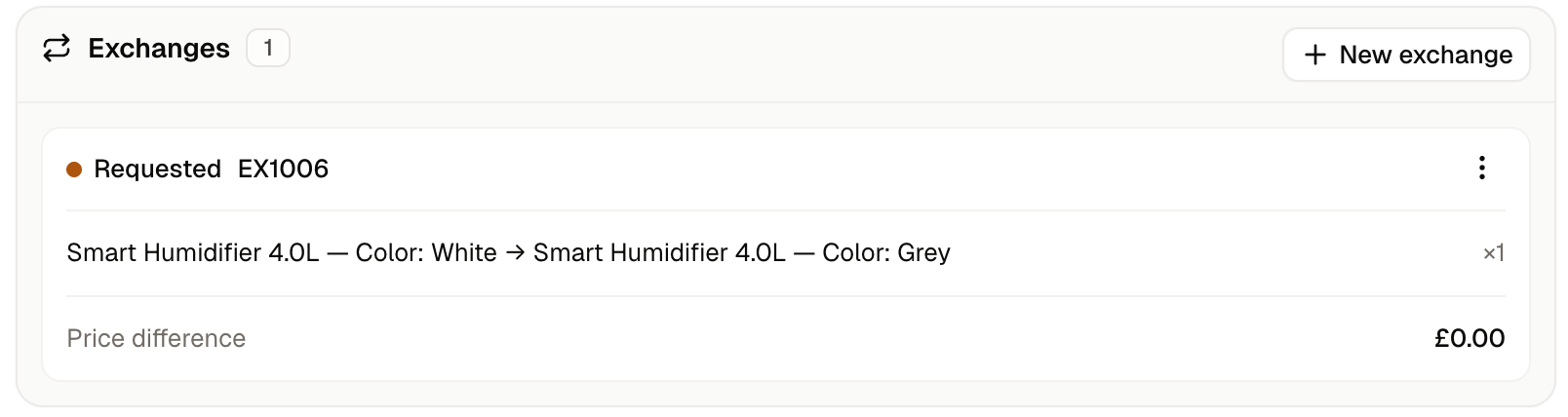
Each exchange has an Actions button on the order’s Exchanges card, and the menu offers only the next step for the exchange’s current status.- Click Actions, then Approve. The exchange changes to Approved straight away, with no confirmation step.
- When the item arrives back, click Actions, then Receive items. The exchange changes to Received at once, and the returned item goes back into your stock as sellable.
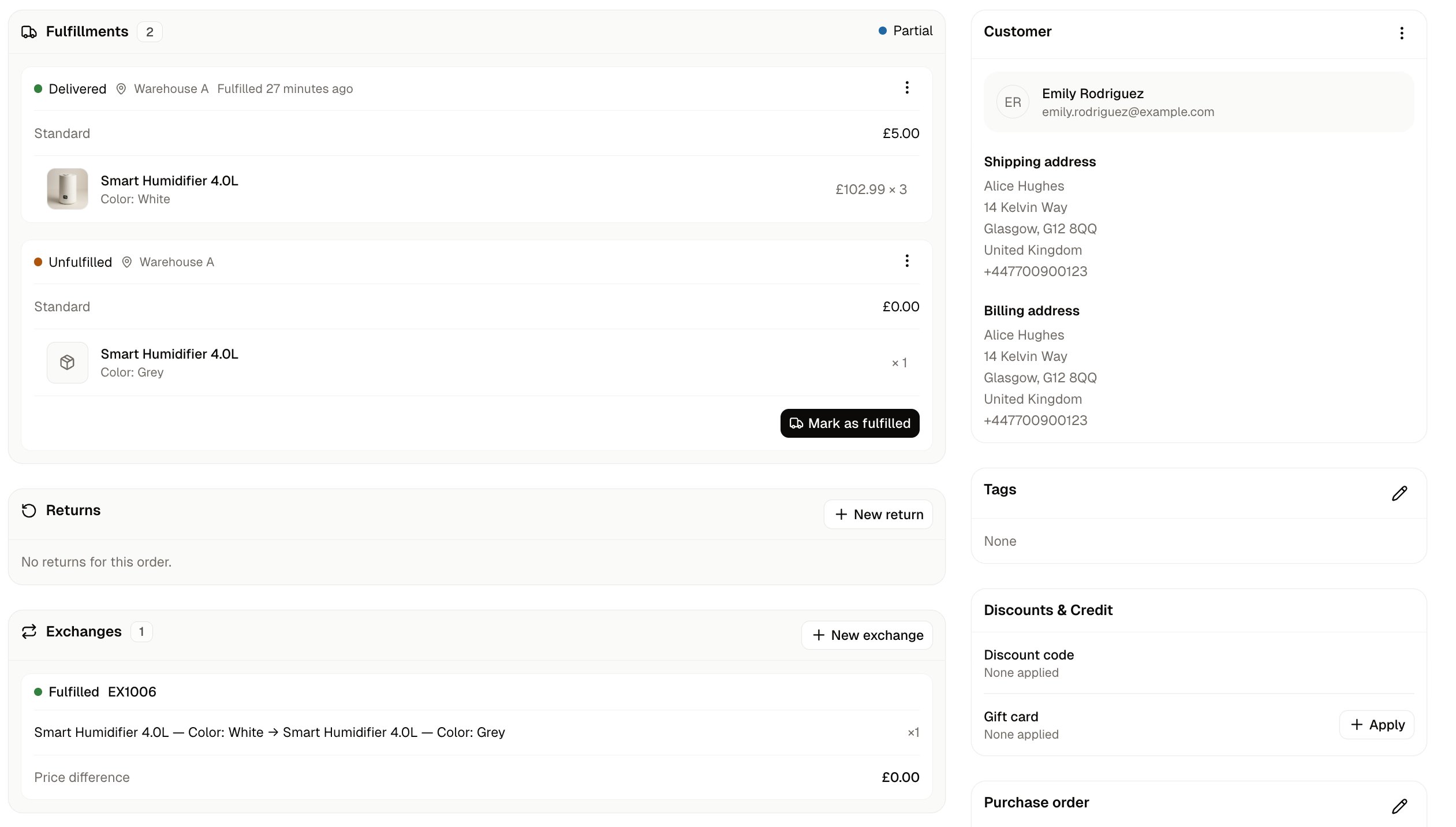
- Click Actions, then Ship replacement. The exchange changes to Fulfilled and its Actions button goes away. A new fulfillment appears on the order’s Fulfillments card holding the replacement, marked Unfulfilled, with a delivery charge of $0.00, and the order’s own status changes to Partial.
- Send the replacement as you would any other item: click Mark as fulfilled on the new fulfillment, then Fulfill items. The replacement comes out of your stock and the order shows as Fulfilled again.
An exchange reads Fulfilled as soon as you click Ship replacement, before the replacement has left your warehouse. Look for the Unfulfilled fulfillment on the order to see what still needs sending.
Further Reading
- Returns - When the customer wants their money back instead of a different item
- Claims - Resolving a delivery that arrived damaged, incomplete or wrong
- Processing Orders - Marking an order as fulfilled, which an exchange needs first
- Returns & Reasons - Adding to the list of reasons that returns and exchanges share
- Orders - The order page where every exchange is worked