

How It Works
Adding Items from Multiple Vendors
Customers shop across all vendor catalogs as one experience. Products from different vendors are added to a single shared cart — to the customer, it feels like shopping any normal online store.
Selecting Shipping Methods at Checkout
At checkout, customers are shown the shipping methods available for each vendor’s package separately, grouped by vendor. They select one shipping method per vendor and continue without needing to leave the checkout flow.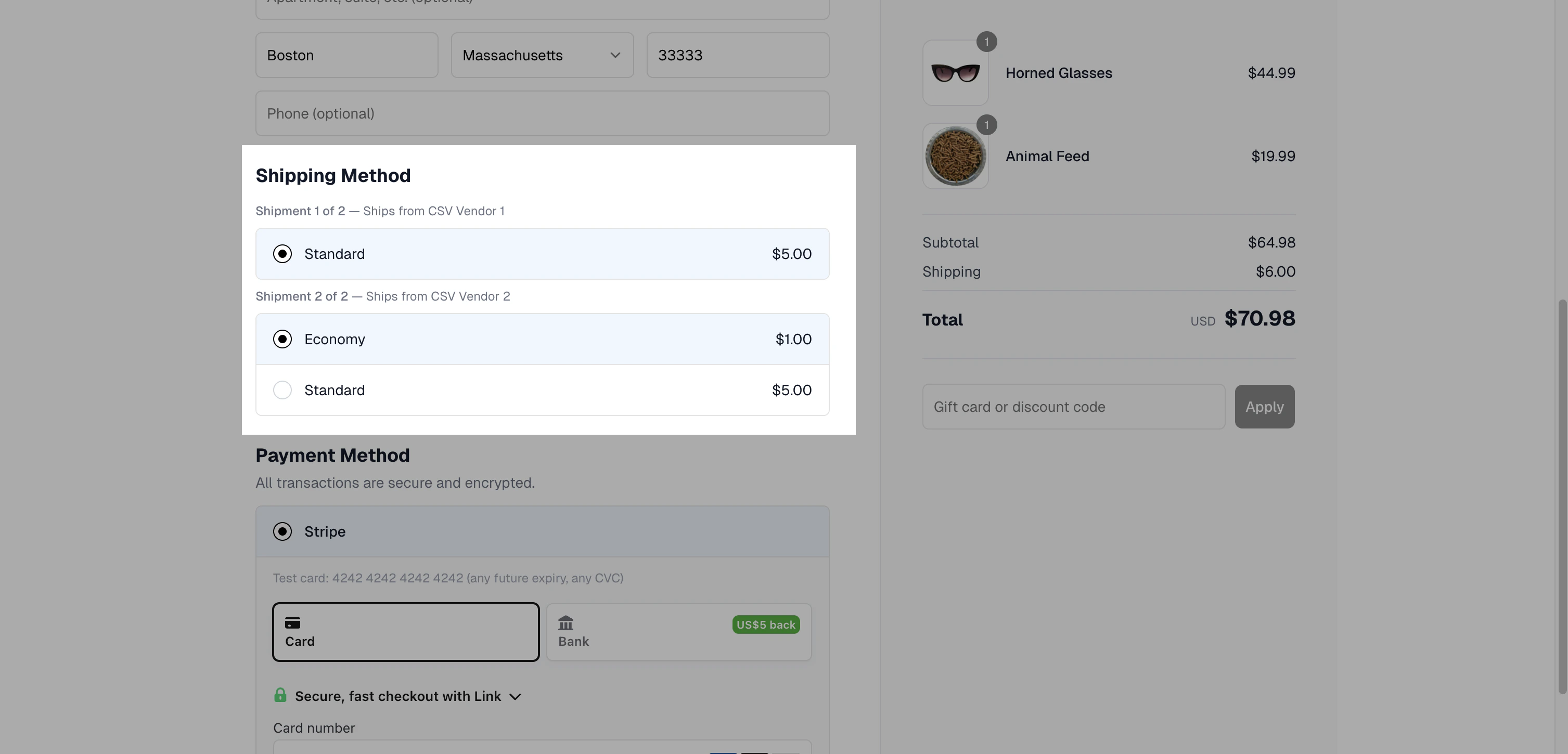
Completing Payment
The customer pays once for the full order, with all vendor totals consolidated into a single transaction. Behind the scenes, Spree records the order as a single customer purchase but prepares it to be split into separate suborders for downstream processing.What Happens After Checkout
Once the order is placed, Spree automatically splits it into suborders — one per vendor involved in the order. Each suborder is then routed to where the vendor will actually fulfill it:- Manual/CSV vendors see their suborder in their Spree vendor dashboard.
- Shopify vendors see their suborder in their Shopify admin (in addition to their Spree vendor dashboard), thanks to the marketplace’s Shopify sales channel app.
- WooCommerce vendors see their suborder in their WooCommerce admin (in addition to their Spree vendor dashboard), via the WooCommerce integration.