

How to Export Orders
To export orders to CSV, navigate to the Orders tab of the admin dashboard.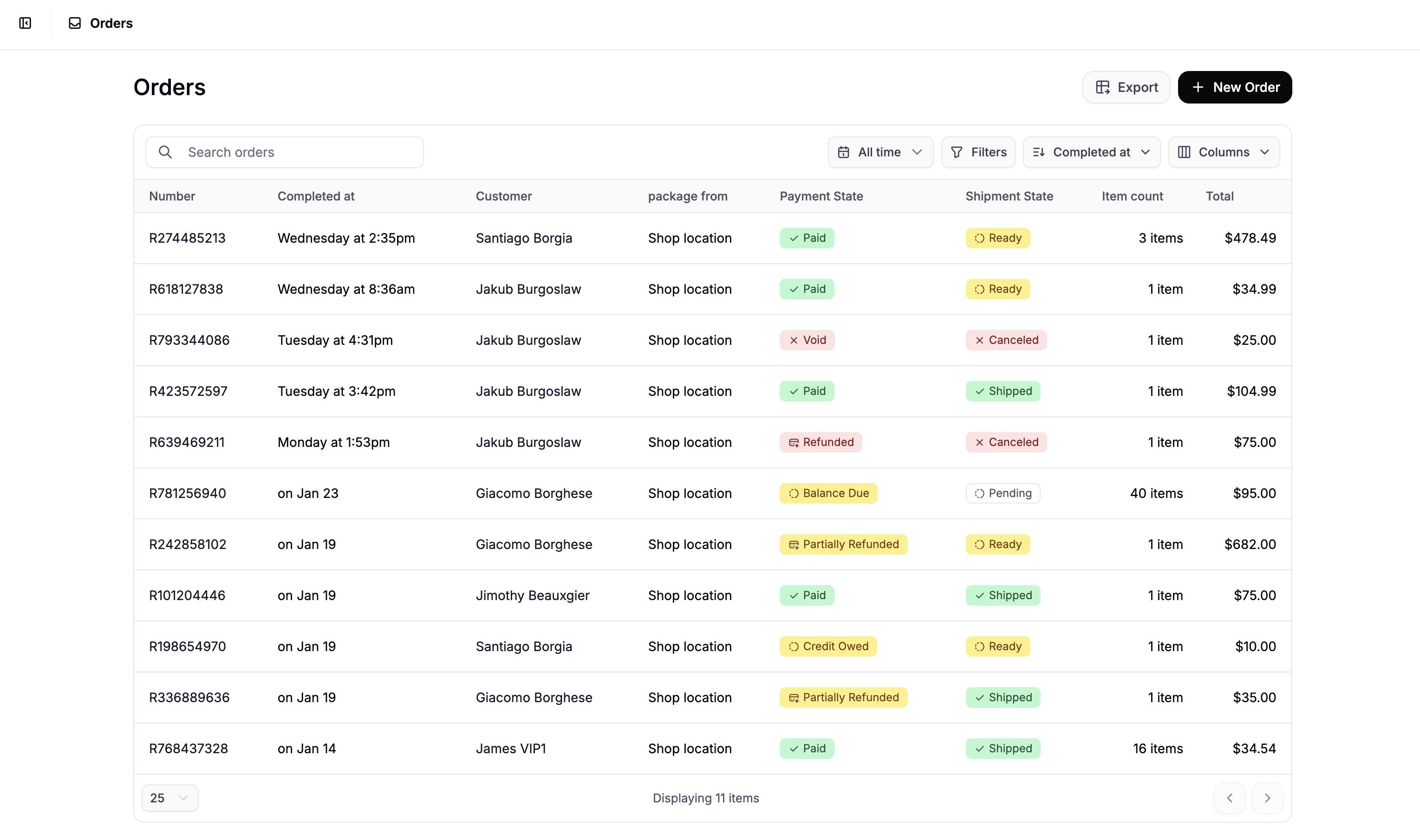
If you only want to export a subset of the data, apply filters using the filter controls at the top of the order view before clicking Export.
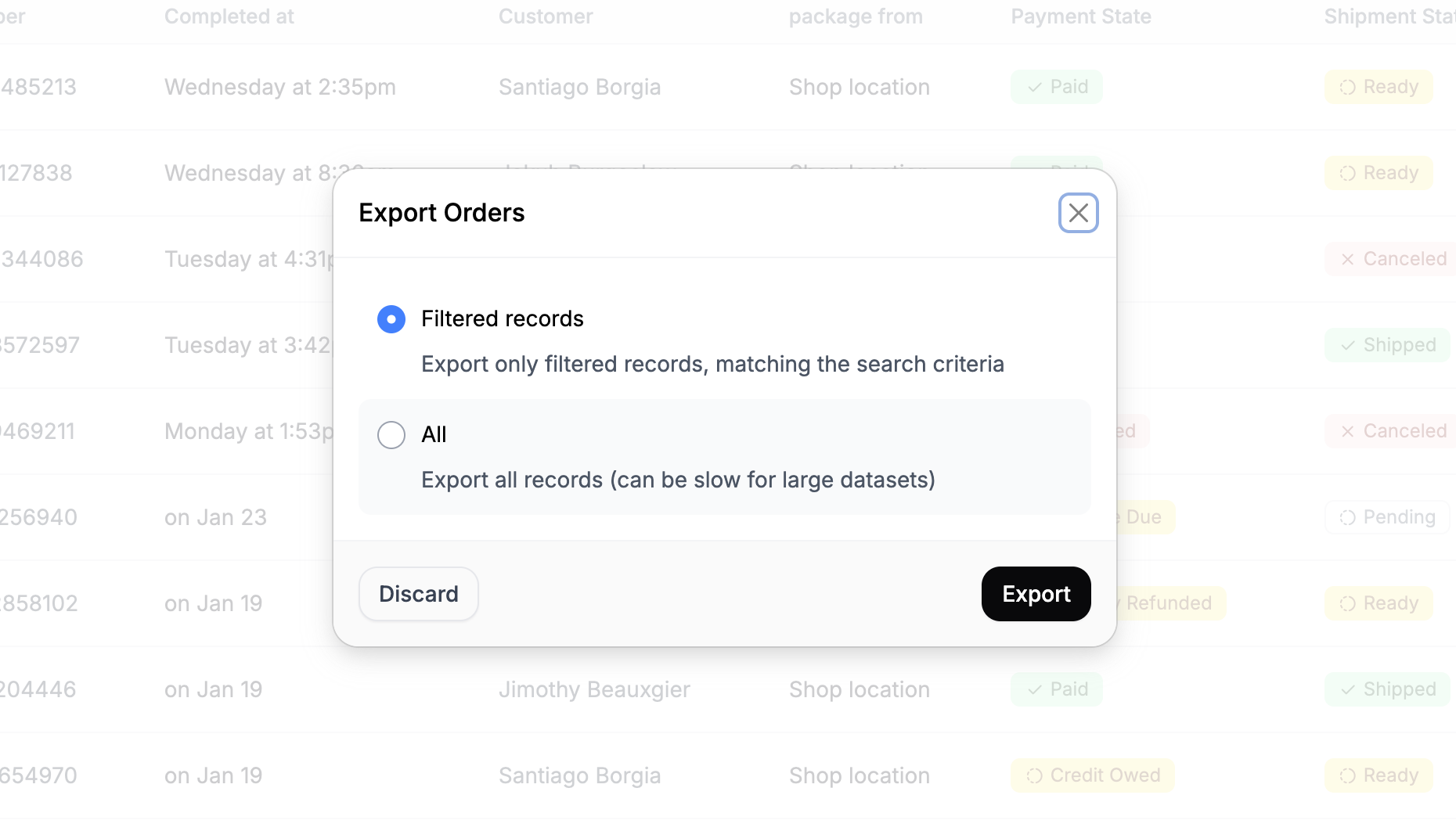
- Filtered Records - Exports only the orders currently visible based on your applied filters (e.g., date range, payment state).
- All - Exports the entire order history.