

What Puts a Seller’s Product on Sale
Three separate things all have to be true before a shopper can buy a product one of your sellers listed.- The seller is approved. A seller still working through onboarding, or one who has been rejected or suspended, has nothing on sale whatever their products say. A seller in holiday mode keeps their listings visible but unbuyable until the date passes. See Sellers.
- The product is approved. The seller submits it and you approve it, which sets its status to Active.
- The product is listed on a sales channel. This is a separate step from approving, described below.
What Makes a Seller Product Different
A seller product is an ordinary product with a seller attached to it. From the admin dashboard your team can edit all of it exactly as you would one of your own listings, down to the price and the stock count. The one thing that cannot be changed is which seller it belongs to. What differs is the seller’s side. Their panel reaches part of the listing and not the rest.
Being able to edit a seller’s listing is not the same as it being yours to maintain. The seller holds the stock and sets their own prices, so corrections to either should normally come from them, and editing a seller’s product is usually reserved for corrections rather than fully managing their catalog.
Filing is the marketplace’s side of the bargain. Tags in particular belong to the whole marketplace rather than to one product, so a seller adding one would be writing into shared vocabulary. The product type and the delivery profile are theirs to pick because the type is what hands their product its options, and the profile is what decides how their goods can be shipped at all.
Product Statuses
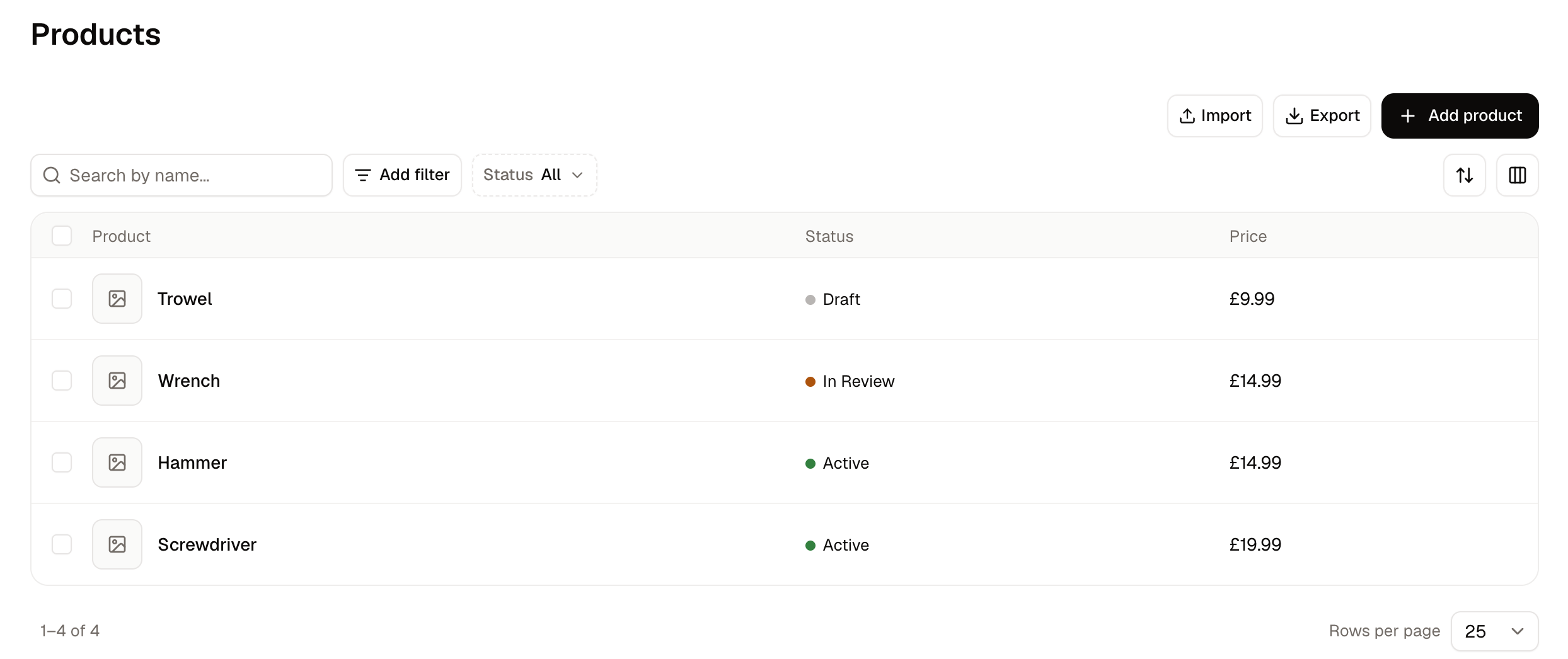
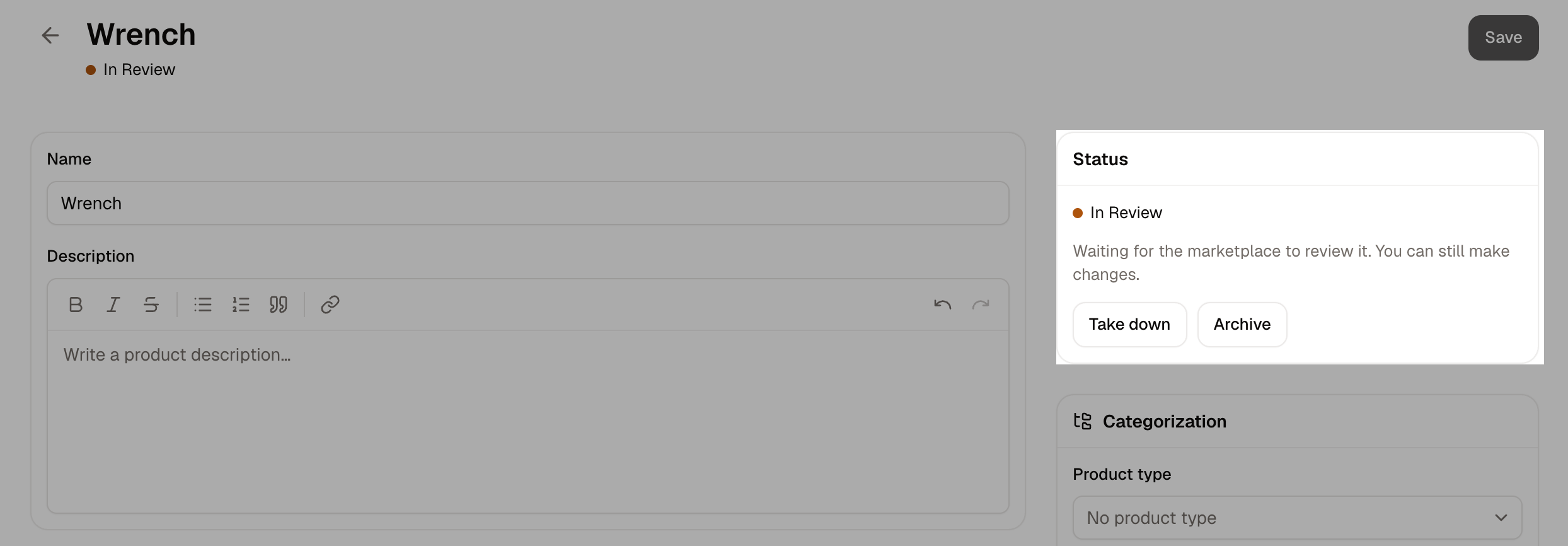
A product carries one of five statuses. The seller panel and the admin dashboard do not always name them the same way, and the two review statuses are read differently in the products list than on the product’s own page.
A seller never sets a status directly. Draft and Archived they reach through their own actions, and the other three move only through submission and your decision.
How a Seller Submits a Product
How to Review a Submitted Product
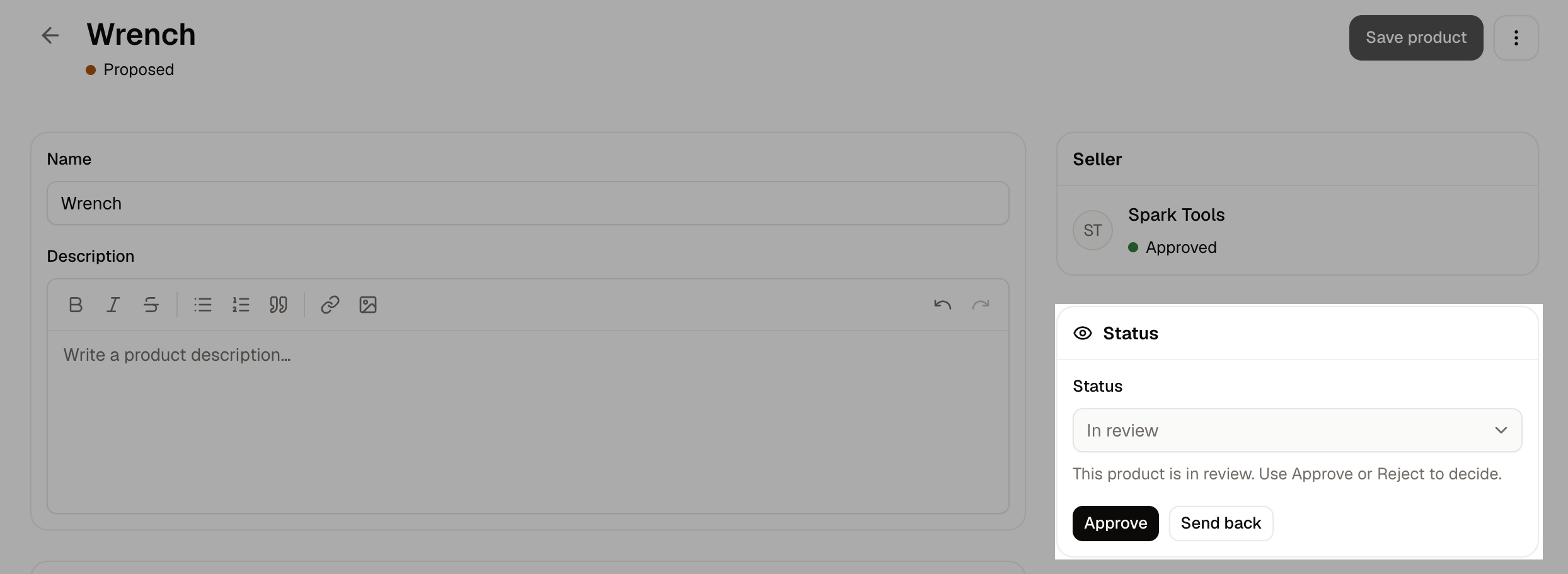
- Navigate to Products and open the product.
- Read what the seller wrote, and check the price, the media and the stock.
- File the listing on the Categorization card, choosing its categories, collections and tags.
- Click Approve on the Status card and confirm, or click Send back.
Switching on Publish seller products automatically under Marketplace Settings approves a product the moment it is submitted, with nobody reviewing it. The approval is recorded as automatic rather than against anyone’s name.
How to Send a Product Back
Sending a product back returns it to the seller to work on, rather than turning it down for good.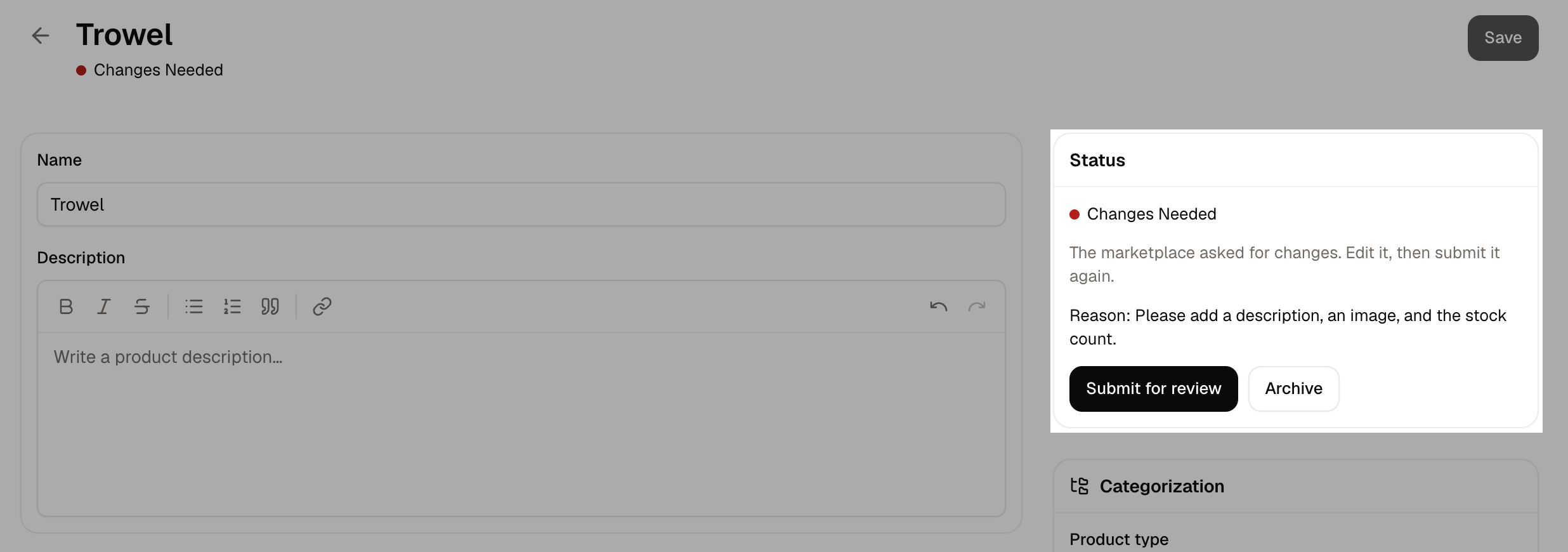
- On the product’s Status card, click Send back.
- Enter the reason, answering the question the box asks: what should the seller change.
- Click Send back again to confirm.
How to Publish an Approved Product
Approving a product does not put it in front of shoppers. Until a sales channel carries it, the Publishing card reads Not listed on any sales channel yet and the product cannot be found or bought.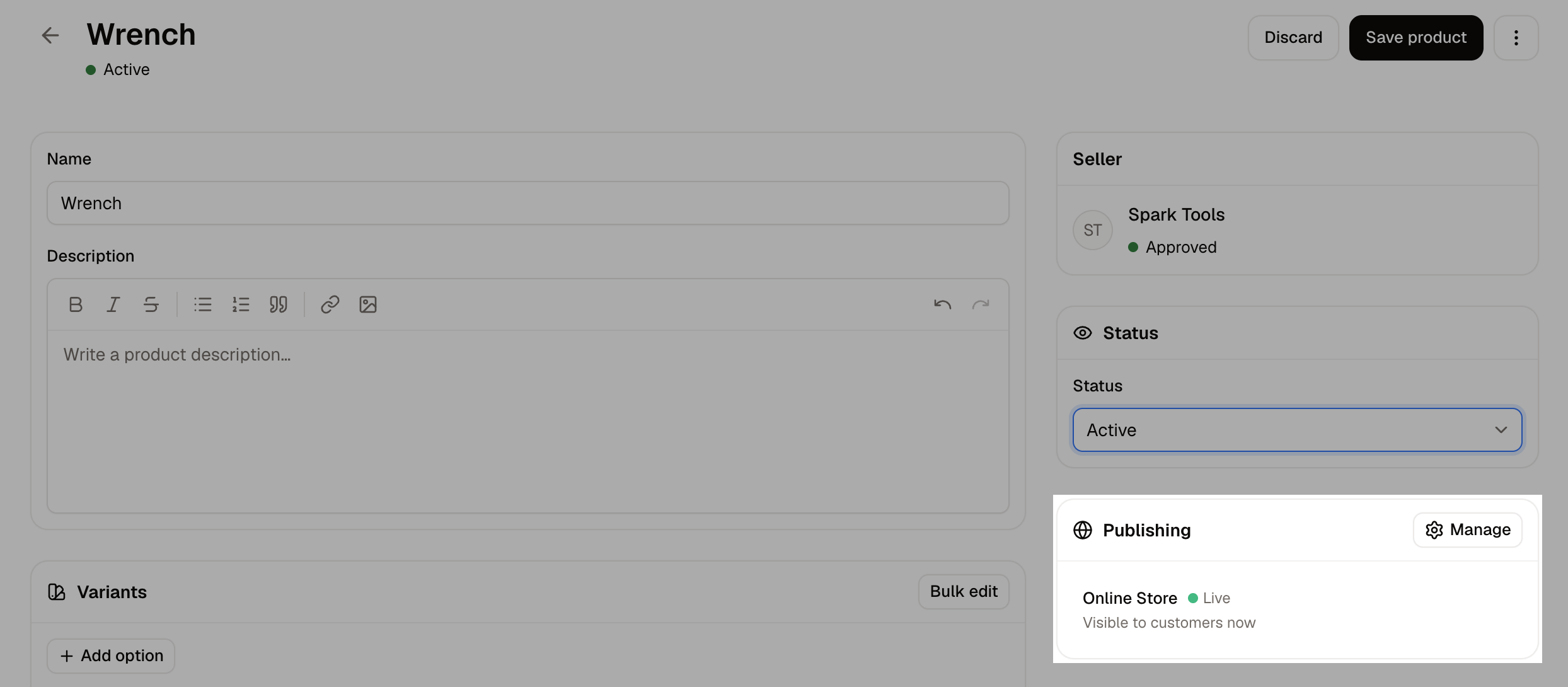
- On the product, find the Publishing card.
- Click Manage.
- Tick the sales channels the product should appear on.
- Click Done, then save the product.
Stock and Fulfillment
A seller’s product is stocked at the seller’s own location rather than yours, and the seller sets the count. When a shopper buys it, the order goes to that seller to fulfill and the stock comes off their location. This is why a seller has stock locations, delivery methods and package types of their own in their panel. The delivery options a shopper is offered at checkout come from the seller the product belongs to. See Onboarding.Importing and Exporting
Sellers can export their products to a CSV file and import changes back from their own panel, covering their own products only. This is how a seller with a long range updates prices or stock without working through each product one at a time. A product the import creates arrives as a draft, exactly as one built by hand does, so a new listing never reaches shoppers without your decision. A row that updates a product already on sale is applied straight away, so an existing listing’s price or description changes without coming back for review. The seller selects them in their list and uses the bulk Submit for review action to send the batch. See Import and Export for the file itself.Further Reading
- Sellers - The sellers themselves, and approving them
- Onboarding - How a seller lists their first products
- The Seller Panel - What a seller sees when building a product
- Marketplace Settings - Reviewing products automatically
- Products - The products list, which holds your own and your sellers’
- Sales Channels - The channels a product is listed on