

Reviewing Collections
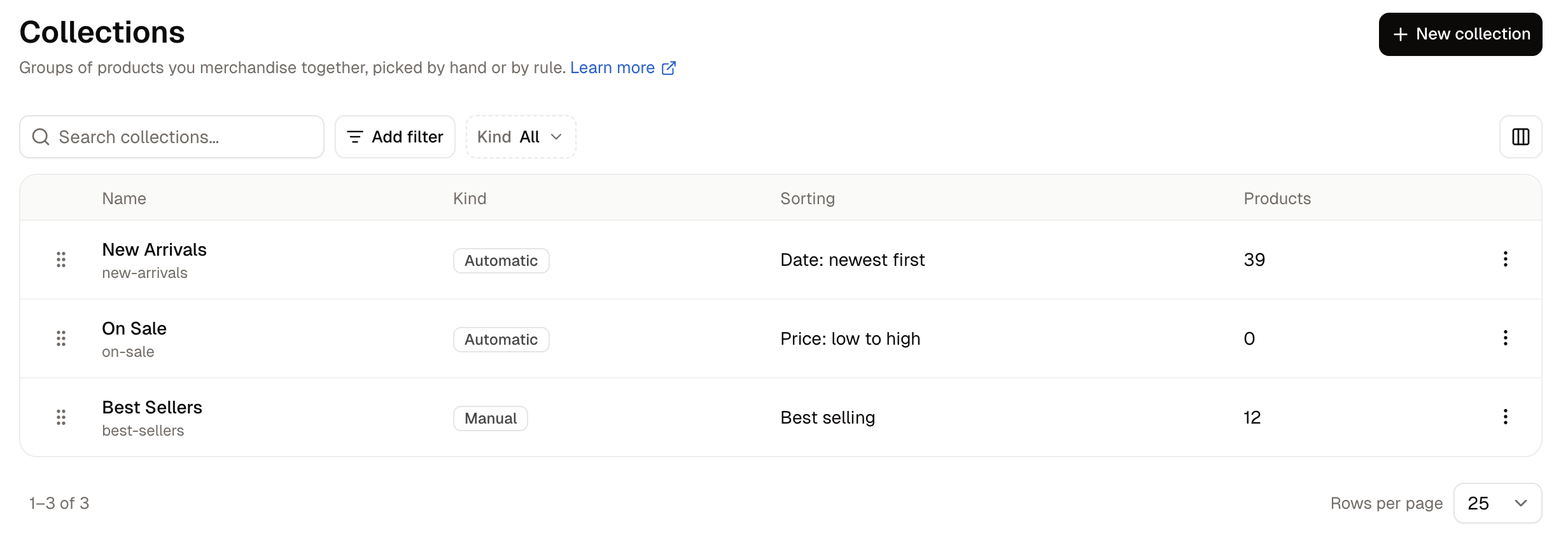
Use the Kind filter to see only manual or only automatic collections. Click a collection’s name to open it, or use the row menu for Edit and Delete.
How to Create a Manual Collection
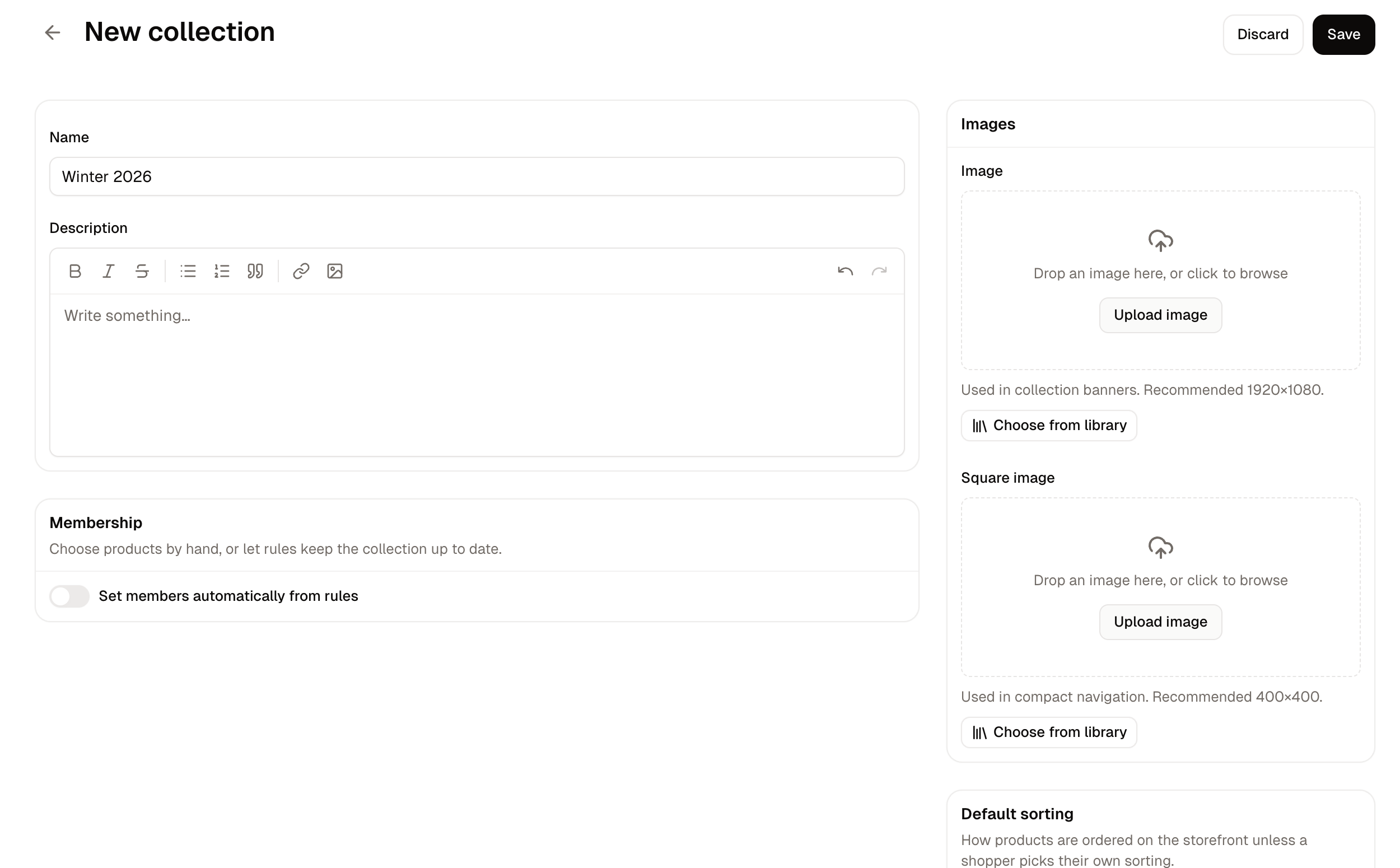
- Click New collection and enter a Name. Save is disabled until you do.
- Leave Set members automatically from rules switched off.
- Set Default sorting to the order the products should appear in, which can be manual, best selling, newest, price or name. A new collection starts on Manual.
- Click Save.
- In the Products card, click Add products, search your catalog, tick what you want, and click Add.
- Click Save again.
How to Create an Automatic Collection
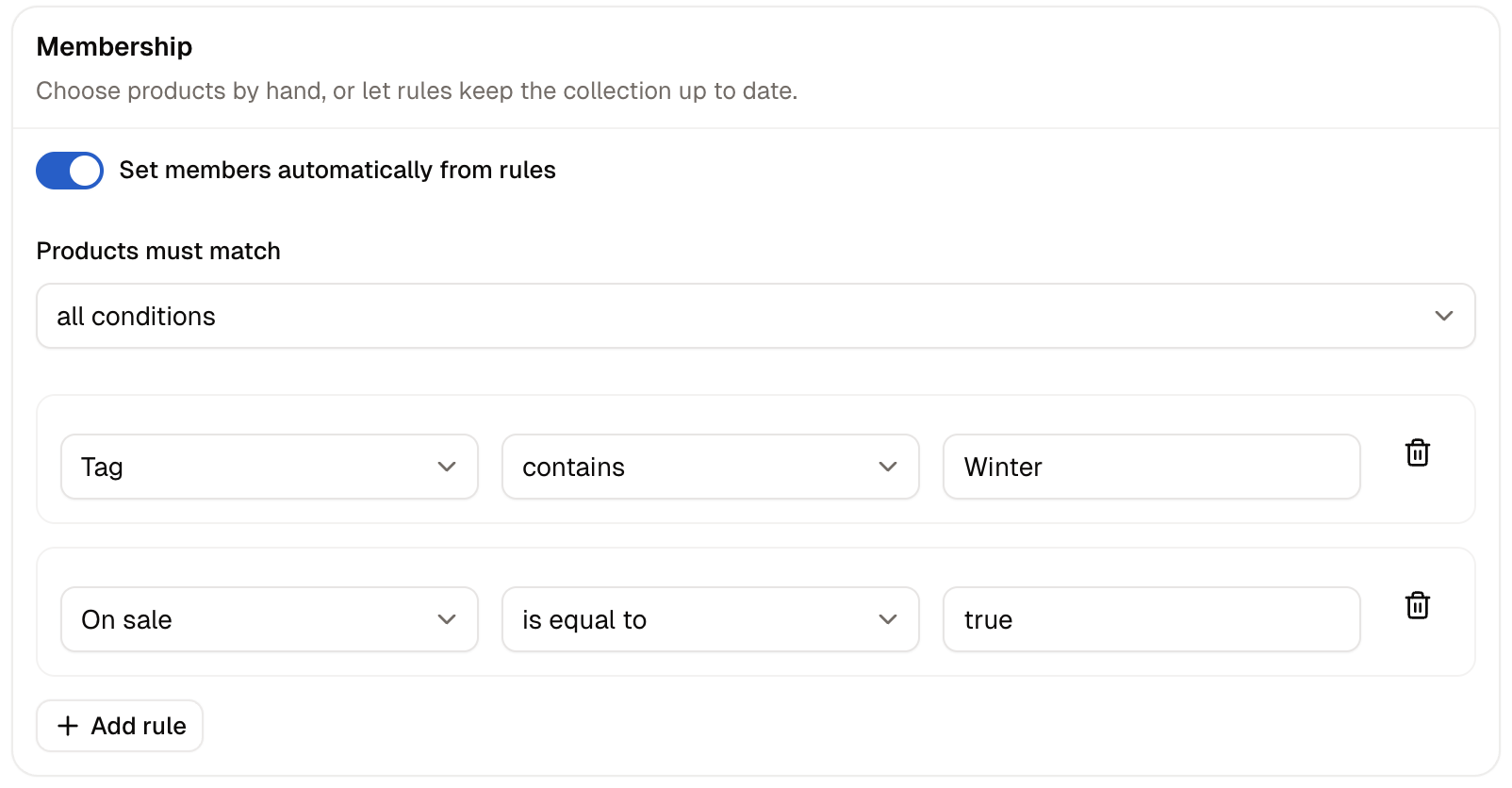
Three kinds of rule are available:
- Tag - Matches the tags on a product. The value is the tag, written exactly as it is on your products. Whole tags only, so
corddoes not match a product taggedcordless. - On sale - Matches whether a product is on sale. Use is equal to with
trueto gather what is on sale, or is not equal to withtruefor everything else. - Available on - Matches products that became available within a number of days, so a value of
30gathers what arrived in the last month. This is how a New Arrivals collection keeps itself current.
Matching All Conditions or Any Condition
With two or more rules, Products must match decides how they combine.- all conditions keeps only products passing every rule, so the collection narrows with each rule you add.
- any condition takes products passing at least one rule, so it widens.
compact tag rule and a fan tag rule gave one product on all conditions and six on any condition. Change the setting and save, and the product list updates straight away.
How to Add a Product to an Automatic Collection
Products are not added to an automatic collection directly. Give the product what the rules look for instead: for a tag collection, open the product, type the tag into its Tags box, and click Save product.Changing a collection’s own rules updates its products as soon as you save. Changing a product updates the collections it belongs to a short while later, so reload a collection you already have open to see the new count.
How to Delete a Collection
Choose Delete from the collection’s row menu and confirm. The products that were in it are untouched apart from no longer belonging to it, so deleting a collection is a safe way to retire a seasonal group.Further Reading
- Categories - The browsing tree customers navigate
- Adding Products - Where you add the tags automatic collections look for
- Products - Adding many products to a collection at once
- Media - The images a collection shows