

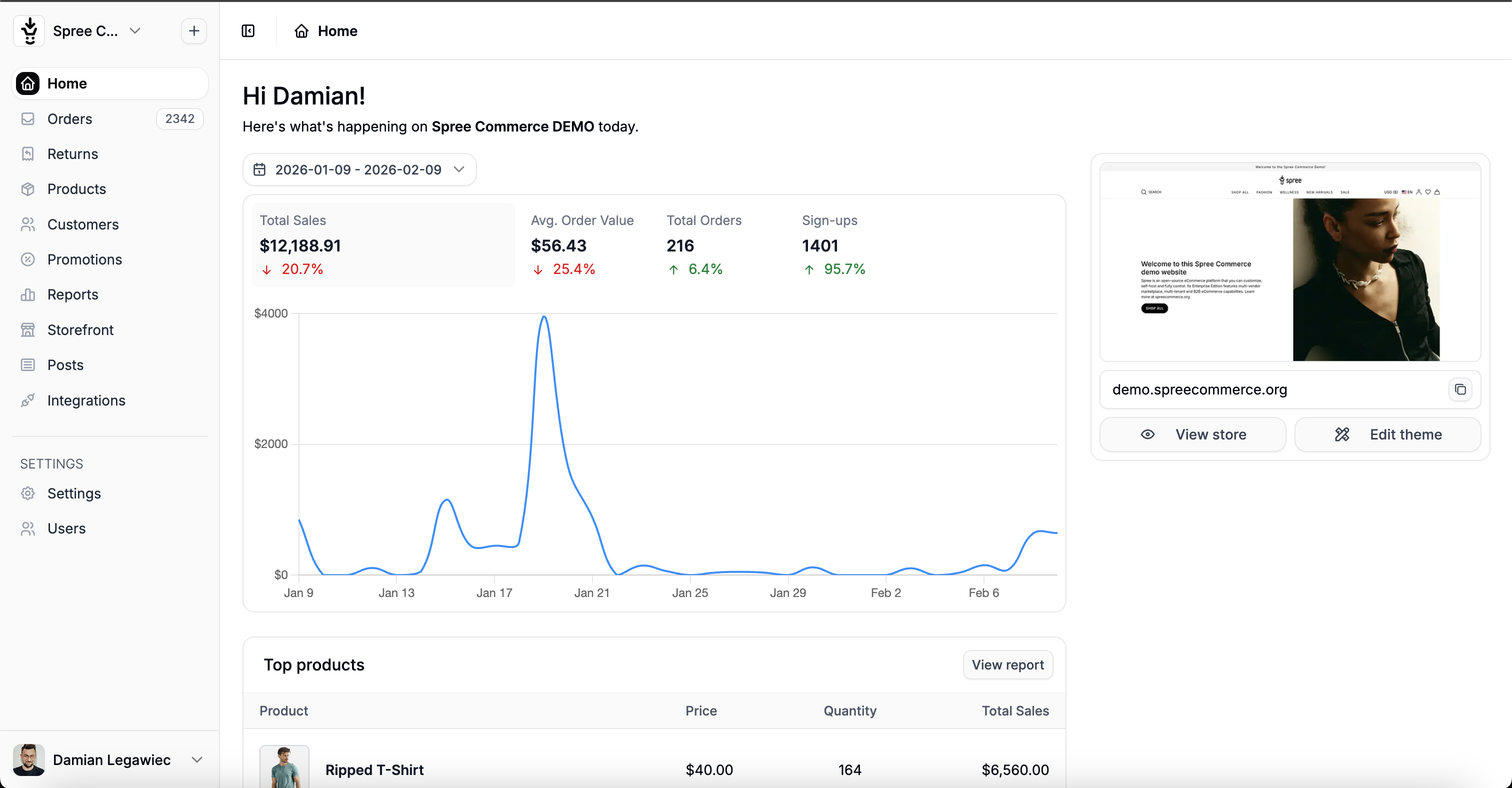
What You Can Do
The Admin Dashboard allows store administrators to manage:- Products - Create and manage products, variants, images, and inventory
- Orders - Process orders, refunds, and shipments
- Customers - View customer accounts and order history
- Promotions - Create discounts, coupon codes, and special offers
- Content - Manage pages, menus, and blog posts
- Settings - Configure store settings, shipping, taxes, and payments
Customization Options
As a developer, you can fully customize the Admin Dashboard:Add New Sections
Create entirely new admin pages for custom features like Brands, Vendors, or any custom model
Extend Existing UI
Inject custom fields, buttons, and sections into existing admin pages
Custom Navigation
Add menu items to the sidebar or create custom navigation structures
Custom Styling
Add your own CSS to match your brand or modify the look and feel
Architecture Overview
Spree Admin follows standard Rails conventions with some Spree-specific patterns:Key Concepts
Controllers
Admin controllers inherit fromSpree::Admin::ResourceController which provides:
- Full CRUD operations (index, new, create, edit, update, destroy)
- Automatic authorization checks
- Flash messages and redirects
- Search and filtering with Ransack
Learn more about creating admin sections in the Admin Dashboard Tutorial.
Views & Templates
Views use standard Rails ERB templates with Spree’s Form Builder and Components:JavaScript & Interactivity
Spree Admin uses Hotwire (Turbo + Stimulus) for interactivity:- Turbo Drive - Fast page navigation without full reloads
- Turbo Frames - Update parts of the page independently
- Turbo Streams - Real-time updates over WebSocket
- Stimulus - Lightweight JavaScript controllers
Add custom JavaScript using Stimulus controllers.
Styling
The Admin Dashboard uses Tailwind CSS v4 for styling. You can:- Use Tailwind utility classes directly in your views
- Override theme variables (colors, spacing, typography)
- Add custom components using
@layer components
Learn how to customize styles in Custom CSS.
Quick Reference
Available Tools
| Tool | Purpose | Documentation |
|---|---|---|
| Form Builder | Create consistent forms with validation | Form Builder |
| Components | Dropdowns, dialogs, icons, badges, etc. | Components |
| Helper Methods | Navigation, links, utilities | Helper Methods |
| UI Extensions | Inject content into existing pages | Extending UI |
Common Tasks
| Task | How To |
|---|---|
| Add a new admin page | Use the scaffold generator: bin/rails g spree:admin:scaffold Spree::Brand |
| Add sidebar navigation | Use Spree.admin.navigation.sidebar.add in an initializer |
| Add form fields | Use f.spree_text_field, f.spree_select, etc. |
| Show flash messages | They’re automatic with ResourceController |
| Check permissions | Use can?(:update, @product) in views |
Generator Commands
Authentication & Authorization
Authentication
Admin users must be authenticated to access the dashboard. Spree supports:- Built-in Devise authentication
- Custom authentication adapters
- SSO integration
See Authentication for setup details.
Authorization
Spree uses CanCanCan for authorization:See Permissions for defining custom abilities.
Next Steps
Tutorial: Build Admin UI
Step-by-step guide to creating a complete admin section
Form Builder
Learn all available form field helpers
Components
Explore UI components like dropdowns, dialogs, and icons
Extending UI
Add custom content to existing admin pages