

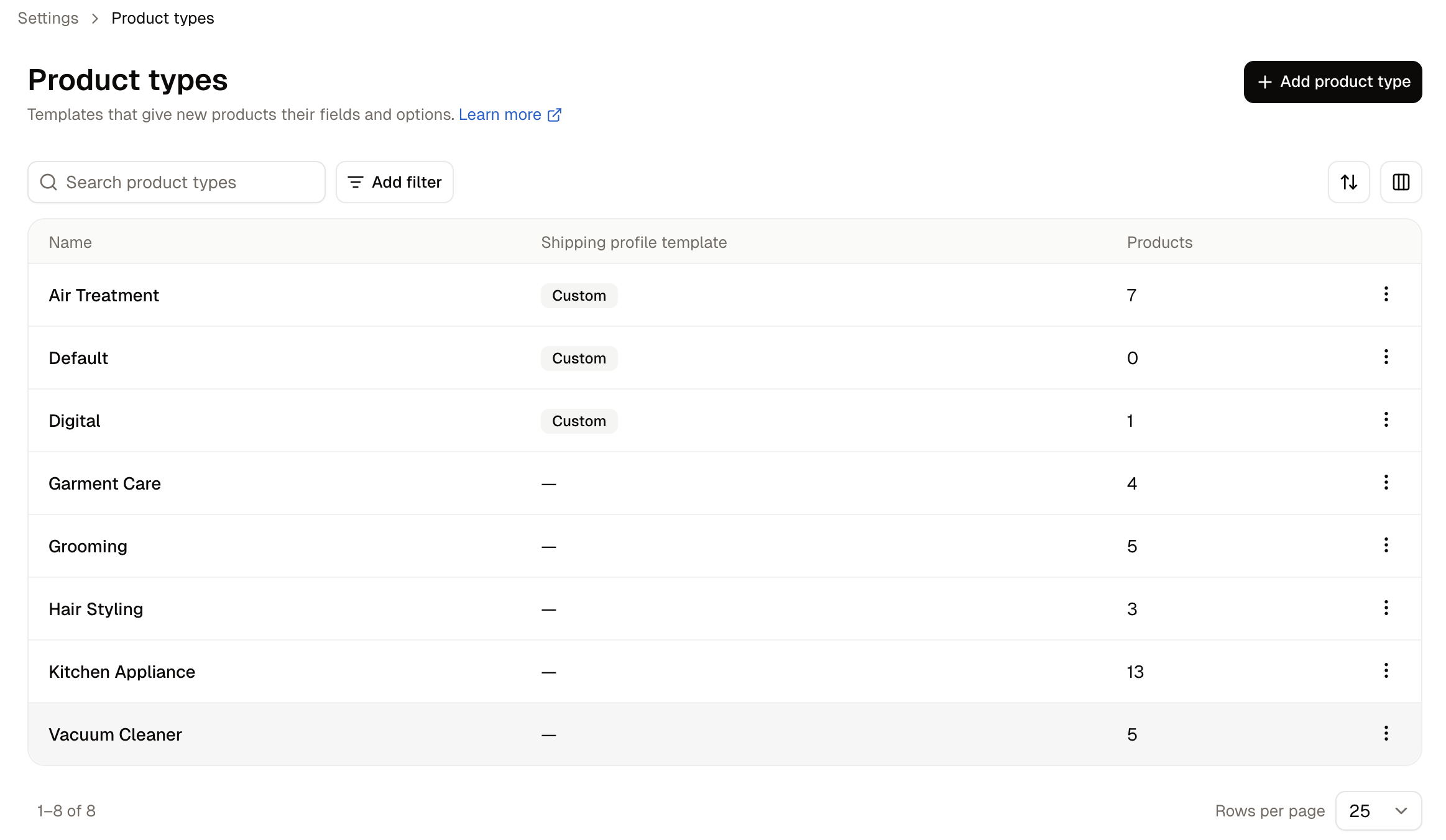
How to Create a Product Type
Click Add product type.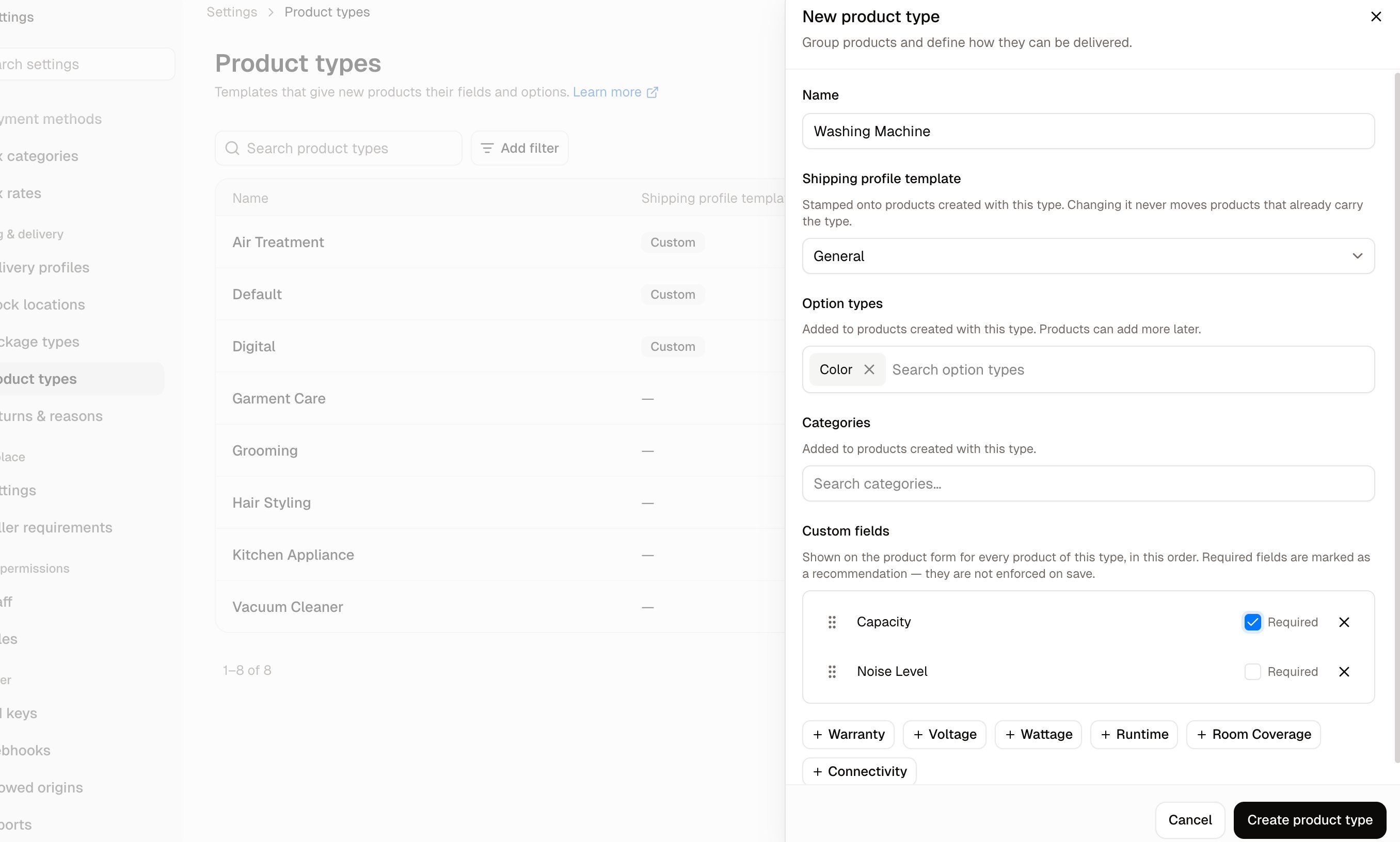
- Name - What the type is called, such as T-Shirt.
- Option types - Added to products created with this type. Used to create variants.
- Categories - Added to products created with this type.
- Delivery profile - Stamped onto products created with this type, and what decides the delivery options offered at checkout. Choose Store default profile, or a specific delivery profile for goods that ship differently.
Custom fields
At the foot of the panel you can attach custom fields to the template, so that every product of this type carries them. Each field you attach can be marked required, which means a product of this type cannot be saved until somebody fills it in. That is the difference between hoping a field gets filled and knowing it has been. Drag the fields into the order you want. That order is the order they appear on the product form, so group them in a way that makes sense rather than leaving them in the order you happened to add them.Only custom fields that already exist can be attached here. Create them first in Custom Fields, making sure to set Applies to to Products.
How to Edit a Product Type
Open the row menu and choose Edit to change the name, the option types, the categories, the delivery profile, or the custom fields.What reaches products that already exist
Editing a type does not rewrite the products already using it. What changes, and for whom, depends on what you edited:- Option types and categories shape products created from now on. Products that already carry the type keep what they have.
- The delivery profile is stamped on at creation, so changing it never moves products that already carry the type.
- Custom fields show on every product of that type immediately, including ones that already exist.
Applying changes to existing products
When you do want a change to reach products that already carry the type, use Apply to existing products. The button shows how many products it will affect. This adds the type’s missing option types and categories to those products. Nothing is removed, so a product that has drifted from the template keeps whatever it gained along the way.This is additive only. It cannot be used to strip option types or categories from products that should no longer have them.
How to Delete a Product Type
Open the row menu and choose Delete.Further Reading
- Delivery Profiles - The profiles a type can stamp onto products
- Custom Fields - Fields that show on every product of a type
- Options - The option types a product type carries