

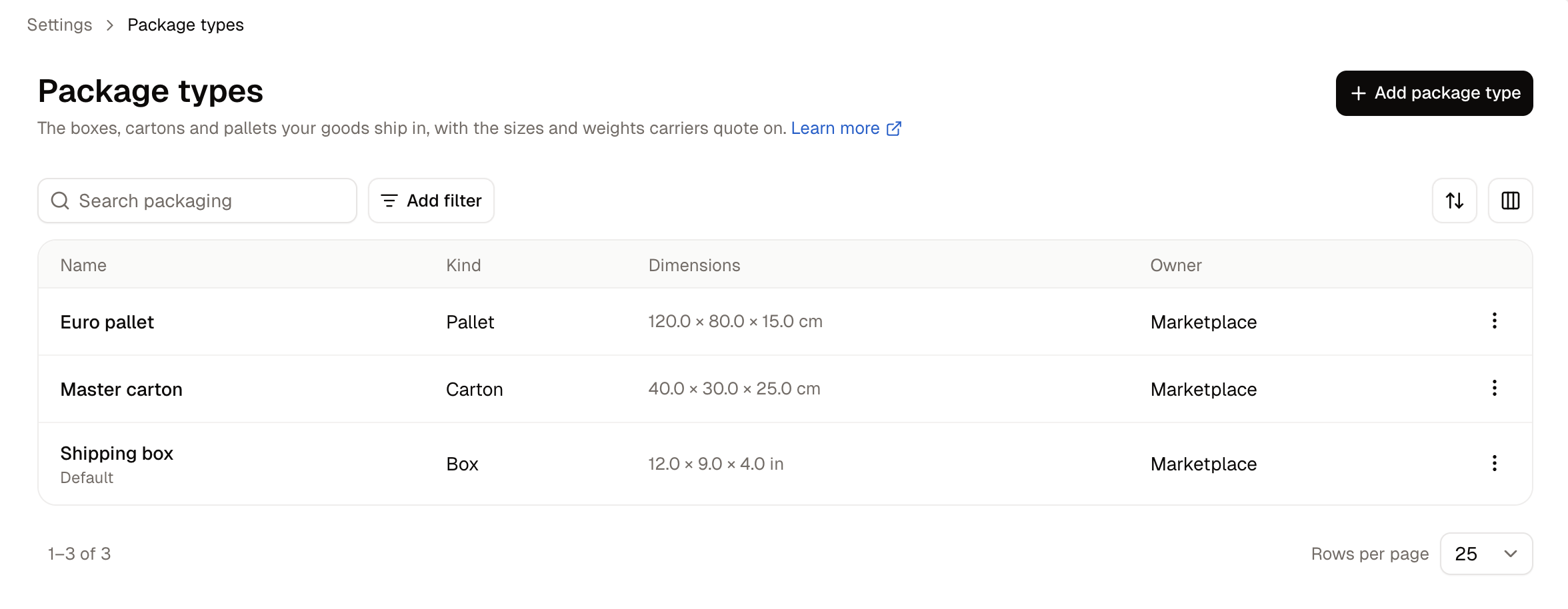
How to Add a Package Type
Click Add package type.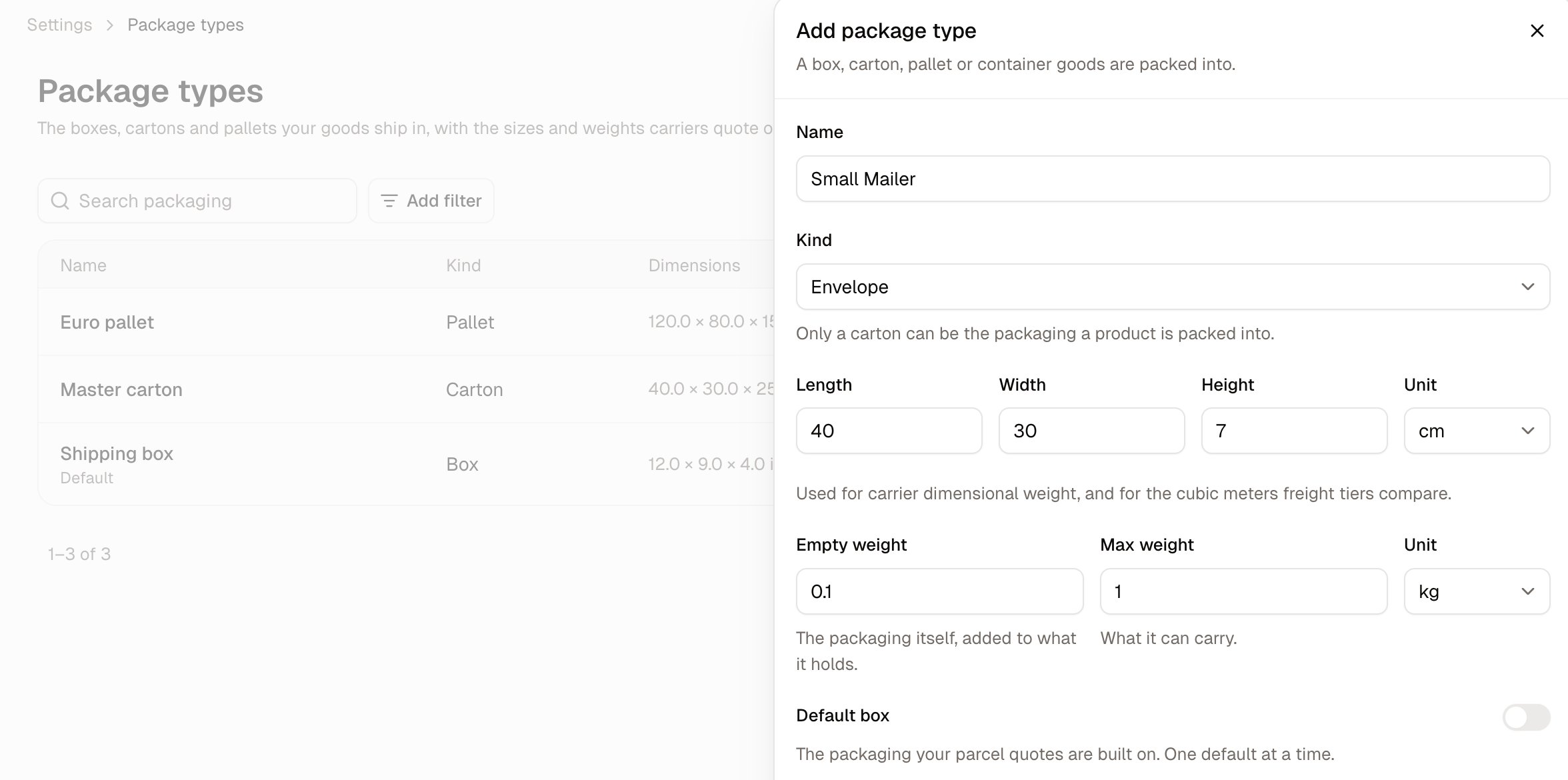
- Name - What your team calls it, such as Small mailer or Euro pallet.
- Kind - What sort of packaging it is. See the table below.
- Length, Width, Height and Unit - The outside measurements of the packaging itself.
- Empty weight and Unit - Weight of the packaging itself, added to whatever it holds.
- Max weight - What it can carry.
- Default box - Marks this as the store’s default packaging. One default at a time.
Package Kinds
Carton is the only kind a product points at directly. The rest are records of packaging you hold, named so your team can refer to the same thing by the same name.
Cartons
Cartons behave differently from other packaging types and are worth understanding separately. Every other kind describes the packaging a shipment travels in. A carton describes the case that holds multiple units of a single product, so it attaches to the product rather than to anything you send. That might be the case the product arrived in from your supplier, or it might be packaging you make up yourself when picking a bulk order. Either way, what makes it a carton is that it holds a known quantity of one product, which is what lets Spree work out the weight and volume of a bulk order from the number of units on it.Where the figures live
A carton is described in three places, and all three are needed before bulk orders behave properly.
The split exists because the same case can hold very different products. The box is shared; what goes in it, what it weighs full and how many fit on a pallet are not.
The Packing section lets you select package types whose kind is Carton. The B2B ordering section sets the purchase unit and, for carton purchases, the units per carton. Until you have defined at least one carton type, the Packing section on every product is greyed out, with a prompt to come back here and add one.
How many you need
One carton type per distinct case size, not one per product. A case of 24 lipsticks and a case of 12 hair dryers are different sizes, so they are two carton types, each pointed at by however many products share it. Suppliers tend to standardise, so most stores need far fewer carton types than they have products.Cartons are one part of selling wholesale, alongside minimum order quantities and order multiples. See Sell to Businesses for how they fit together.
Empty weight is the packaging on its own, before anything goes in it. It is worth entering, because what a packed case weighs is the goods plus the box, and leaving it out understates the total by the weight of the packaging.
Setting the Default
+Only one package type can be the default for a given marketplace or seller at a time. Turning it on for one takes it off any other default in that same scope. A marketplace default and a seller default can coexist, and the seller default takes precedence for that seller. Make it the packaging you use most, since it is what stands in when nothing more specific applies.How to Edit a Package Type
Open the row menu and choose Edit. Editing a carton corrects every product packed into it at once, so fixing a measurement in one place fixes it everywhere that carton is used.How to Delete a Package Type
Open the row menu and choose Delete.Further Reading
- Sell to Businesses - How cartons fit into wholesale ordering
- Adding Products - Where a product’s carton is set