

Every member of a company has the same standing. Roles, approval workflows and spending limits are part of Spree Enterprise rather than the edition documented here.
Reviewing Companies
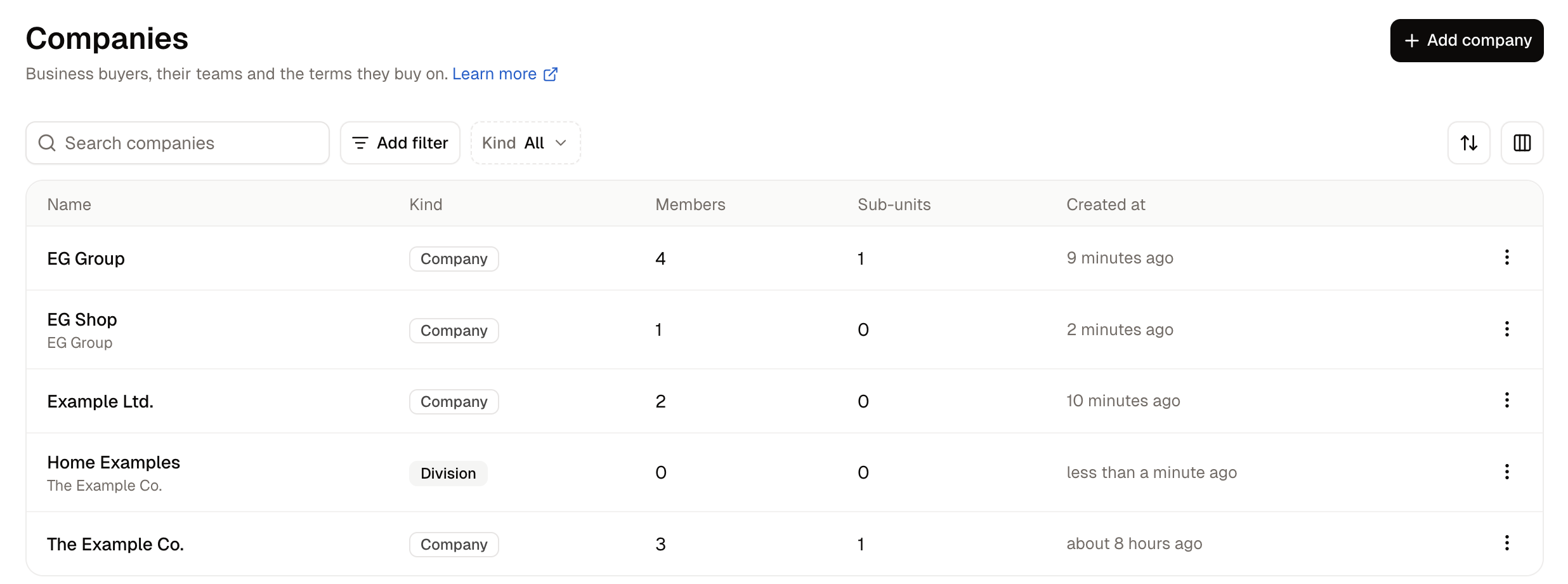
The search box matches names only. Add filter offers Created at and Updated at, Sort orders the list by name, kind or either date, and Columns chooses which columns are shown.
The Kind filter separates the legal entities from the divisions. Both kinds start ticked, so the first click removes the kind clicked rather than selecting it, and Clear all brings both back.
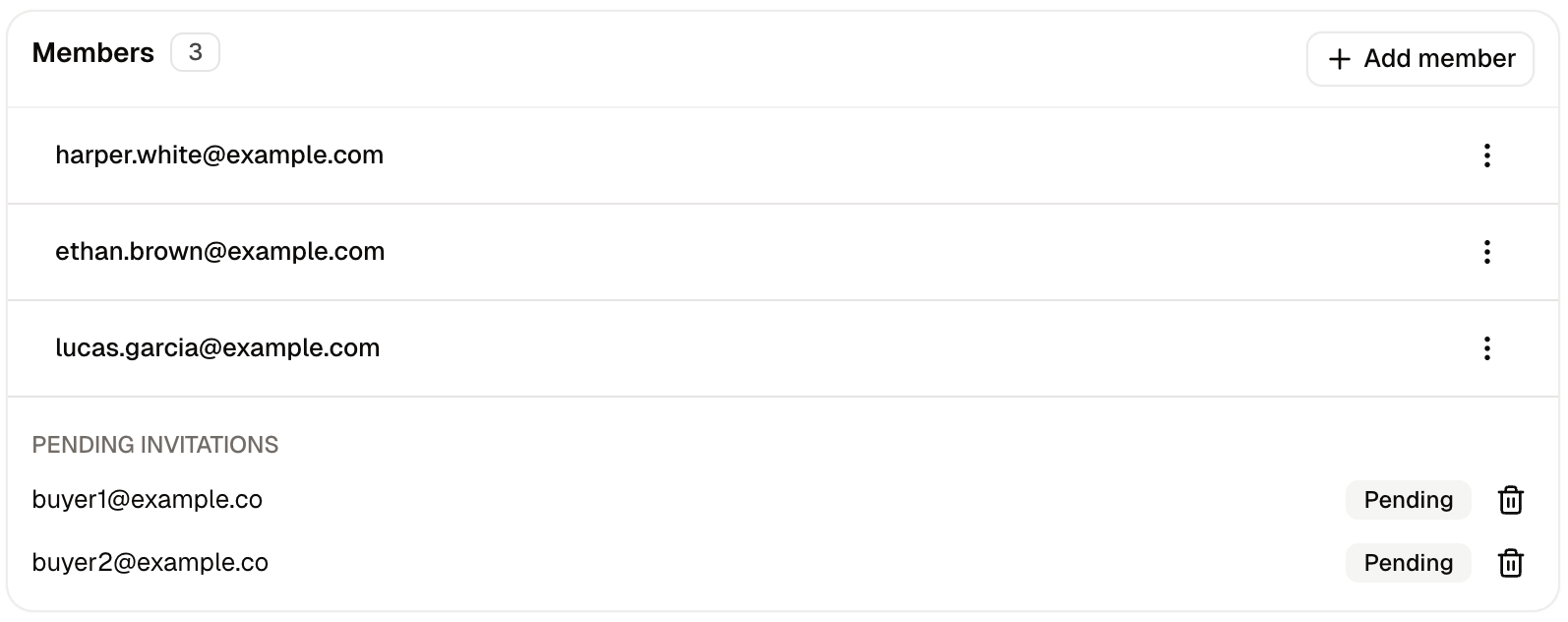
A company’s Members count covers its whole subtree. A company whose buyers all sit in its divisions shows them in this column while its own Members card reads No members yet.
How to Create a Company
A company is created with a name and nothing else. Everything the business needs is added from its page afterwards.- Click Add company.
- Enter the Name of the business, which is the legal entity you invoice.
- Click Create company.
Sub-units
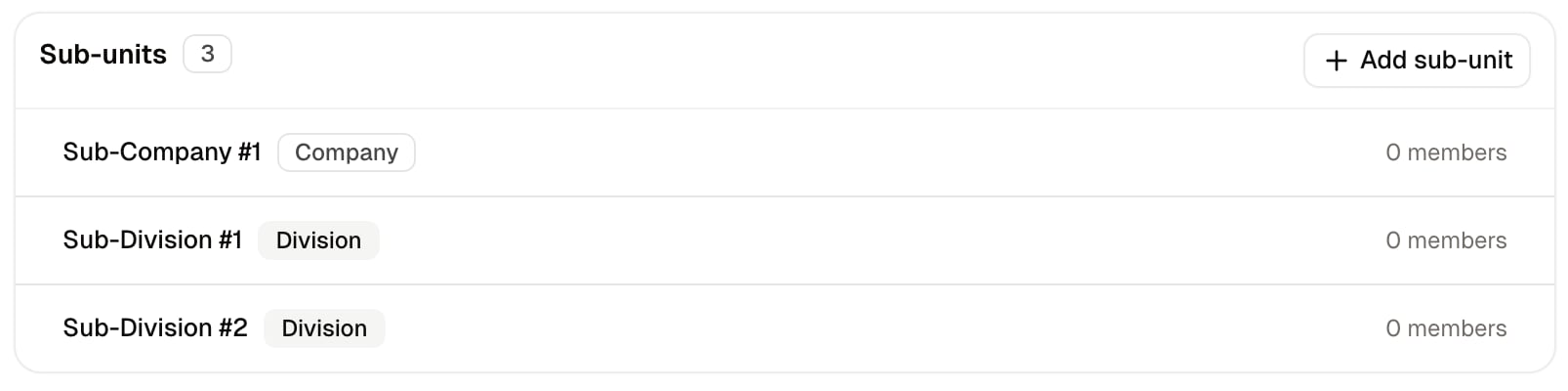
A division is the right choice for a branch, a region or a buying office that is part of the same registered business, because its purchases are taxed through the entity above it. A company is the right choice for a subsidiary that is registered separately and invoiced in its own name.
The top of every tree has to be a company, since a division with no company above it would have no tax identity to borrow. A tree can be five levels deep.
How to Add a Sub-unit
- On the company’s page, click Add sub-unit on the Sub-units card.
- Enter the Name.
- Choose the Kind, which starts on Division.
- Click Create.
How to Manage a Company
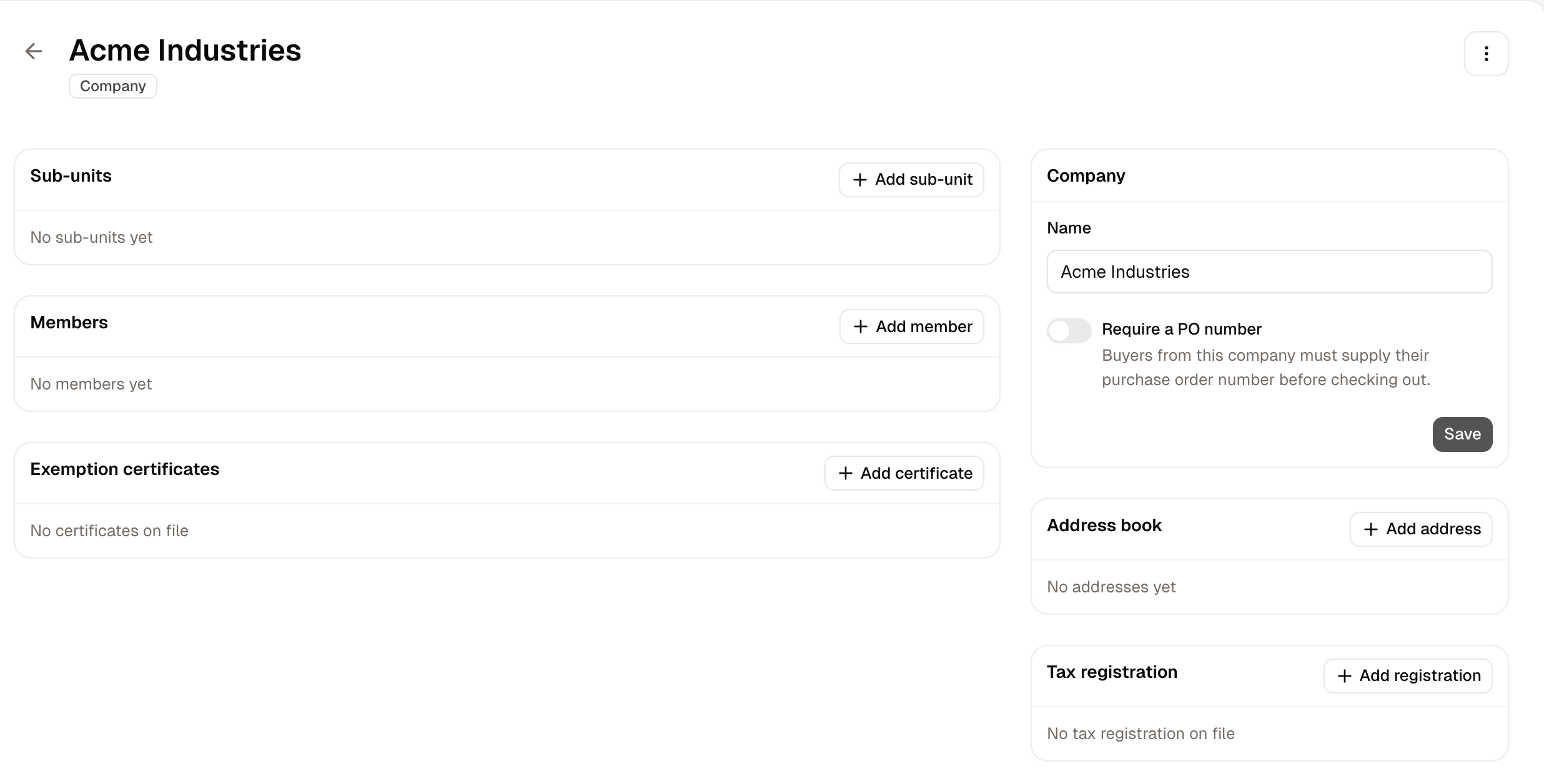
The page is laid out in cards, and a division carries the same ones apart from exemption certificates. The Sub-units card is covered above.Company
The card holds:- Name - What the business is called.
- Require a PO number - Whether buyers from this company must supply a purchase order number at checkout.
Members
Address Book
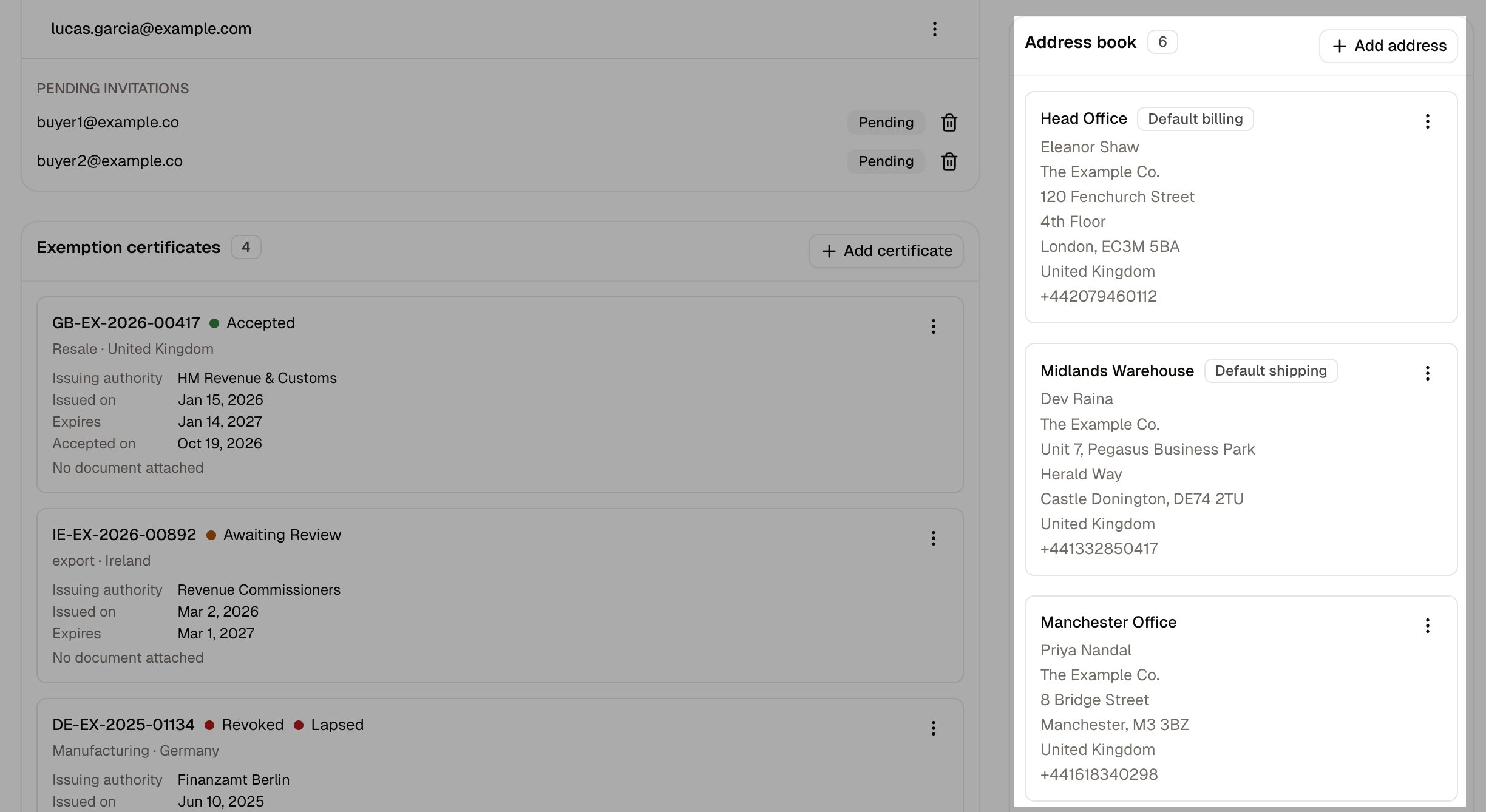
- Label - Your own name for the site, such as Head office or Warehouse.
- Company - Taken from the company the address belongs to, and not editable here.
- Address and Apartment, suite, etc. - The street address.
- Country, City, State / Province and Postal code - Where the site is.
- Phone - A contact number for the site.
- Default billing address and Default shipping address - Which purpose this address serves by default.
Tax Registration
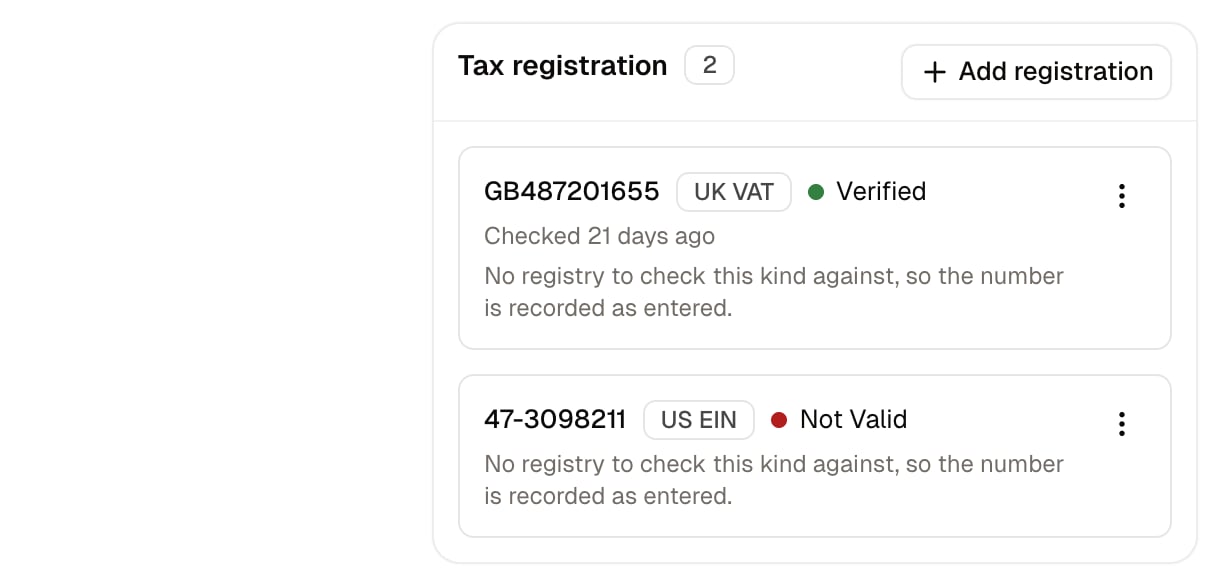
- Kind - Which registration this is: EU VAT, UK VAT, Swiss VAT, Australian Business Number or US EIN.
- Number - The registration number itself.
A number is only format-checked where the store has a checker for that kind of registration, and a stock Spree store ships one for EU VAT. A registration marked Not checked has not been confirmed against the tax authority’s own register, which is a separate step from the check made when it is saved.
Exemption Certificates
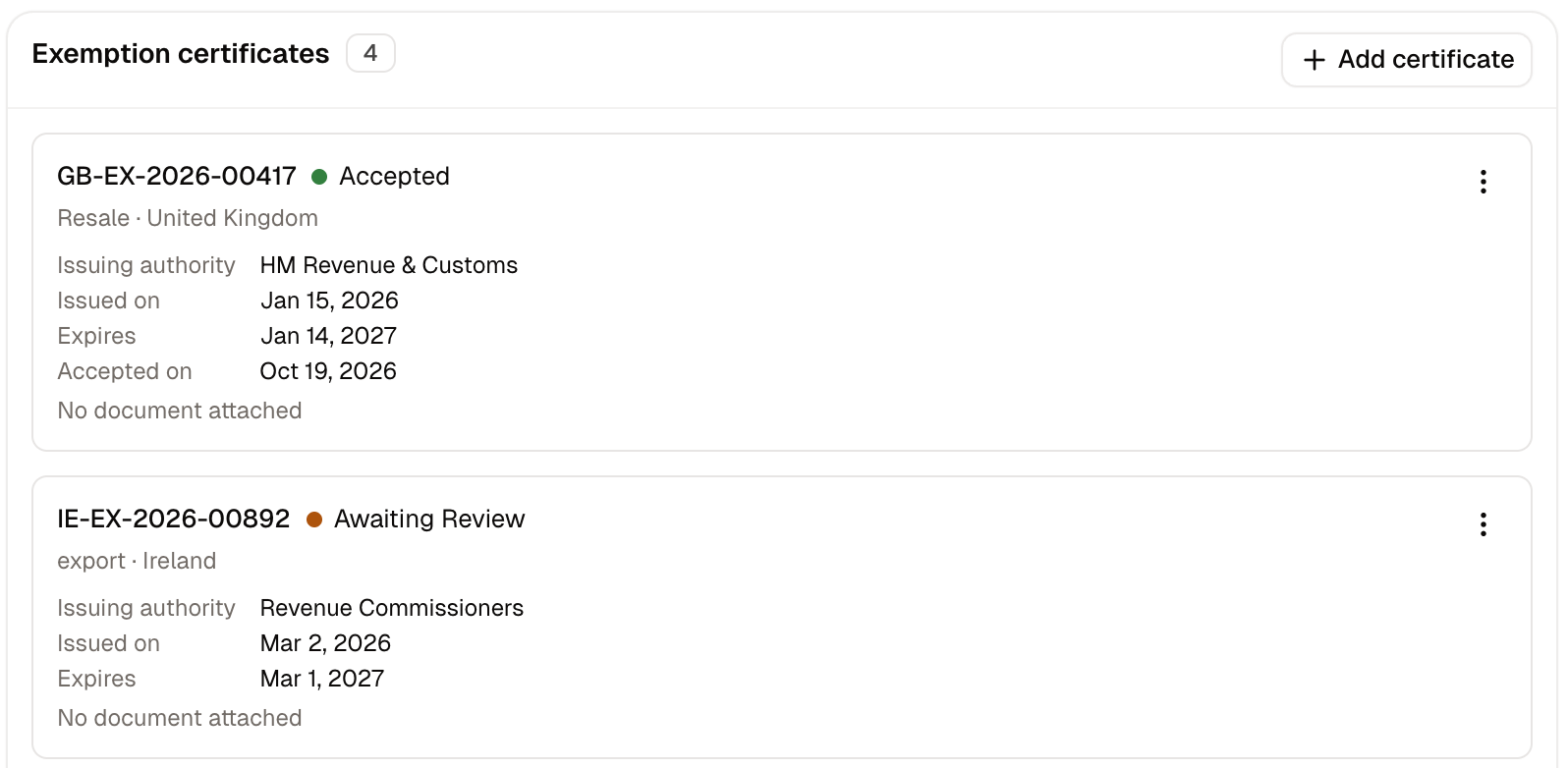
- Certificate number - The number printed on the certificate. Required.
- Reason - Why the business is exempt: Resale, Government, Charitable, Educational, Manufacturing or Agricultural. Required, and it becomes the tax engine’s entity use code.
- Country - Where the certificate holds. Leaving it empty means everywhere.
- Issued on and Expires - The dates on the certificate. Leaving Expires empty means one that does not run out.
- Issuing authority - Who issued it.
- Certificate document - A scan of the certificate, as a PDF or an image of up to 10 MB. Only staff can download it.
How to Delete a Company
Deleting is offered under More actions on the company’s page, and under the ⋮ button on its row in the list. A company that has orders against it, or whose sub-units have, cannot be deleted at all, because those orders are part of your trading record. Removing the people who buy for a business you no longer deal with is done by removing its members, which leaves the record and its history intact.What a Company Changes
A company decides three things about the orders its buyers place.- What they see and what they pay. A catalog assigned to a company covers that node and everything below it. See Catalogs.
- Which agreement answers. A company’s catalog beats a customer group’s. A buyer whose company, or any company above it, carries a catalog is served by that catalog, and their customer groups are not consulted at all. If no catalog is assigned to the company or to a company above it, the buyer’s customer groups apply as usual. When a company catalog exists, putting a company buyer in a group does not reach them with the group’s prices, so trade tiers belong on the companies themselves.
- Whether a PO number is demanded. Covered by the switch on the Company card above.
A company’s own tax registration and accepted exemption certificates are what decide the tax on its buyers’ orders, which is why both belong on the legal entity rather than on the people who order.
Further Reading
- Groups - Labeling arbitrary customers, and why a company’s catalog wins
- Customer Profiles - The buyers themselves, and their own tax registrations
- Sell to Businesses - Setting up a business buyer from start to finish
- Catalogs - What a catalog holds and who it reaches
- Tax Rates - How tax is set up for your store