> ## Documentation Index
> Fetch the complete documentation index at: https://spreecommerce.org/docs/llms.txt
> Use this file to discover all available pages before exploring further.
# Edit a Product
> Learn how to edit a product in Spree Commerce.
There are many reasons you might need to update a product - whether it’s to correct a mistake, respond to new inventory or pricing, or simply adjust how it appears on the storefront. Common examples include:
* Updating the price
* Editing the name or description
* Hiding the product from the storefront
* Adding new images
* Changing or adding categories and tags
Whatever the reason, editing a product is straightforward and can be done at any time.
## How to Edit a Product
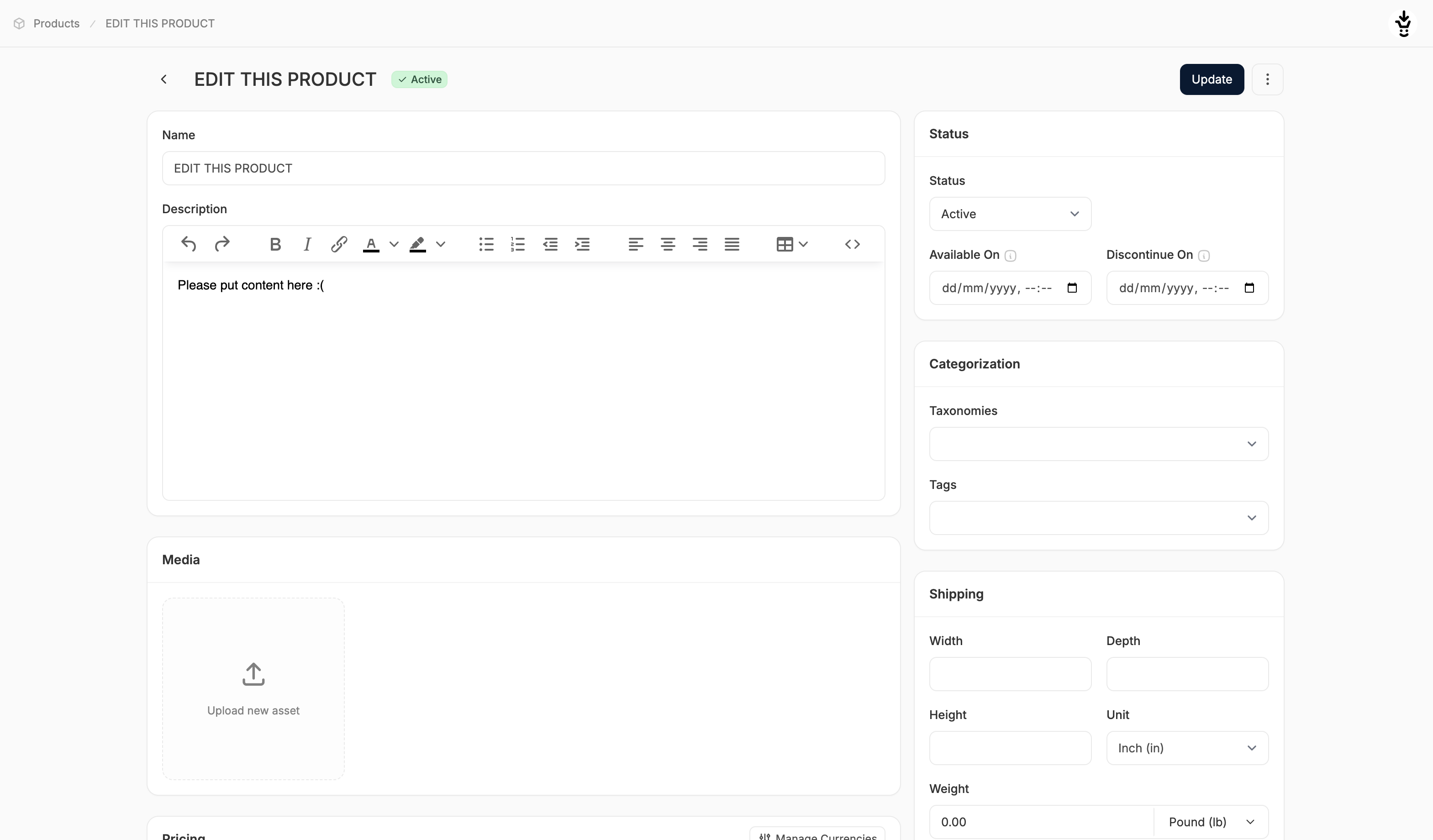 1. Go to the **Products** tab in the admin dashboard and click on the product you want to update.
2. This opens the product editor, where you can modify any existing field or fill in previously empty ones.
3. Make your changes as needed across the different sections (e.g., Pricing, Media, Inventory, etc.)
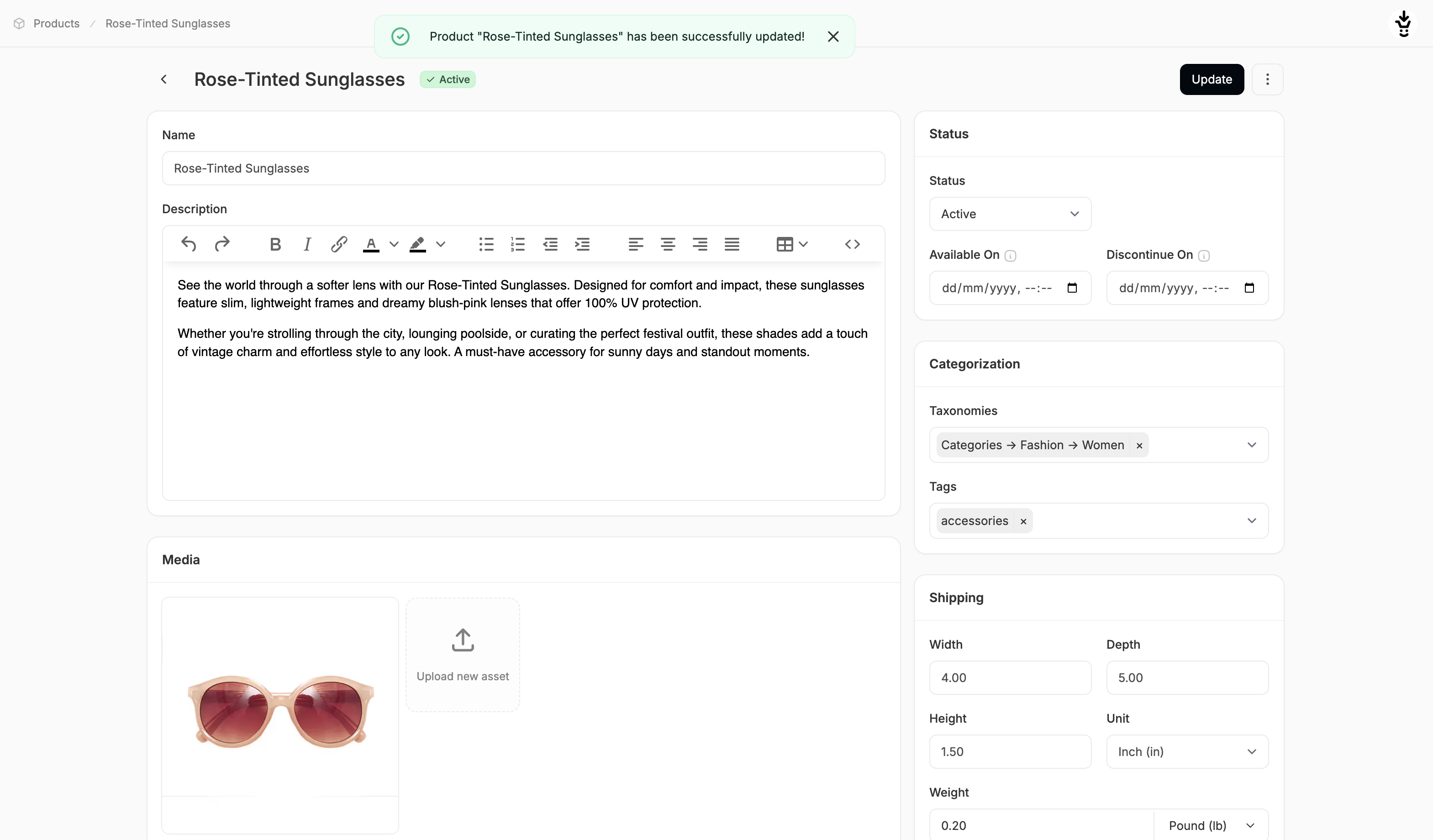
4. When finished, click **Update** at the top or bottom of the page.
You’ll see a confirmation message once the changes have been successfully saved.
1. Go to the **Products** tab in the admin dashboard and click on the product you want to update.
2. This opens the product editor, where you can modify any existing field or fill in previously empty ones.
3. Make your changes as needed across the different sections (e.g., Pricing, Media, Inventory, etc.)
4. When finished, click **Update** at the top or bottom of the page.
You’ll see a confirmation message once the changes have been successfully saved.
 To learn more about the product editor and how each section works, see: [Create a Product](https://spreecommerce.org/docs/user/products/creating-products)
To update variant-specific details for products with multiple options (e.g., size, color), see: [Edit a Multi-Variant Product](https://spreecommerce.org/docs/user/products/editing-multi-variant-products)
To learn more about the product editor and how each section works, see: [Create a Product](https://spreecommerce.org/docs/user/products/creating-products)
To update variant-specific details for products with multiple options (e.g., size, color), see: [Edit a Multi-Variant Product](https://spreecommerce.org/docs/user/products/editing-multi-variant-products)