> ## Documentation Index
> Fetch the complete documentation index at: https://spreecommerce.org/docs/llms.txt
> Use this file to discover all available pages before exploring further.
# Clone a Product
> Learn how to clone a product in Spree Commerce.
If you need to create multiple products with similar details - such as color variants, seasonal versions, or items with the same structure - cloning an existing product can save you a lot of time. This is especially helpful when working with multi-variant products.
## How to Clone a Product
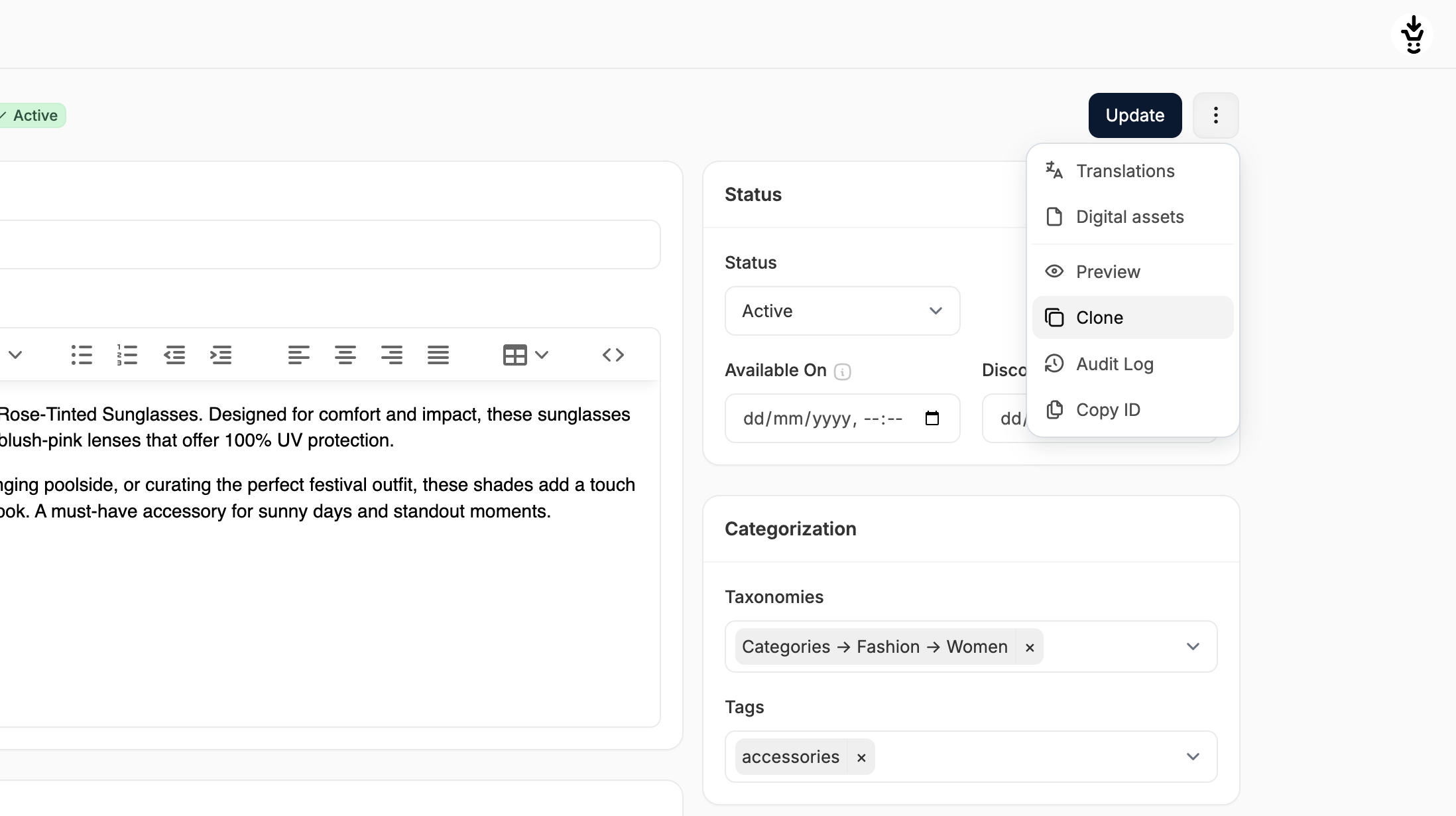 1. Go to the **Products** tab in the admin and open the product you want to clone.
2. Click the **three-dot menu** in the top-right corner.
3. Select **Clone** from the dropdown.
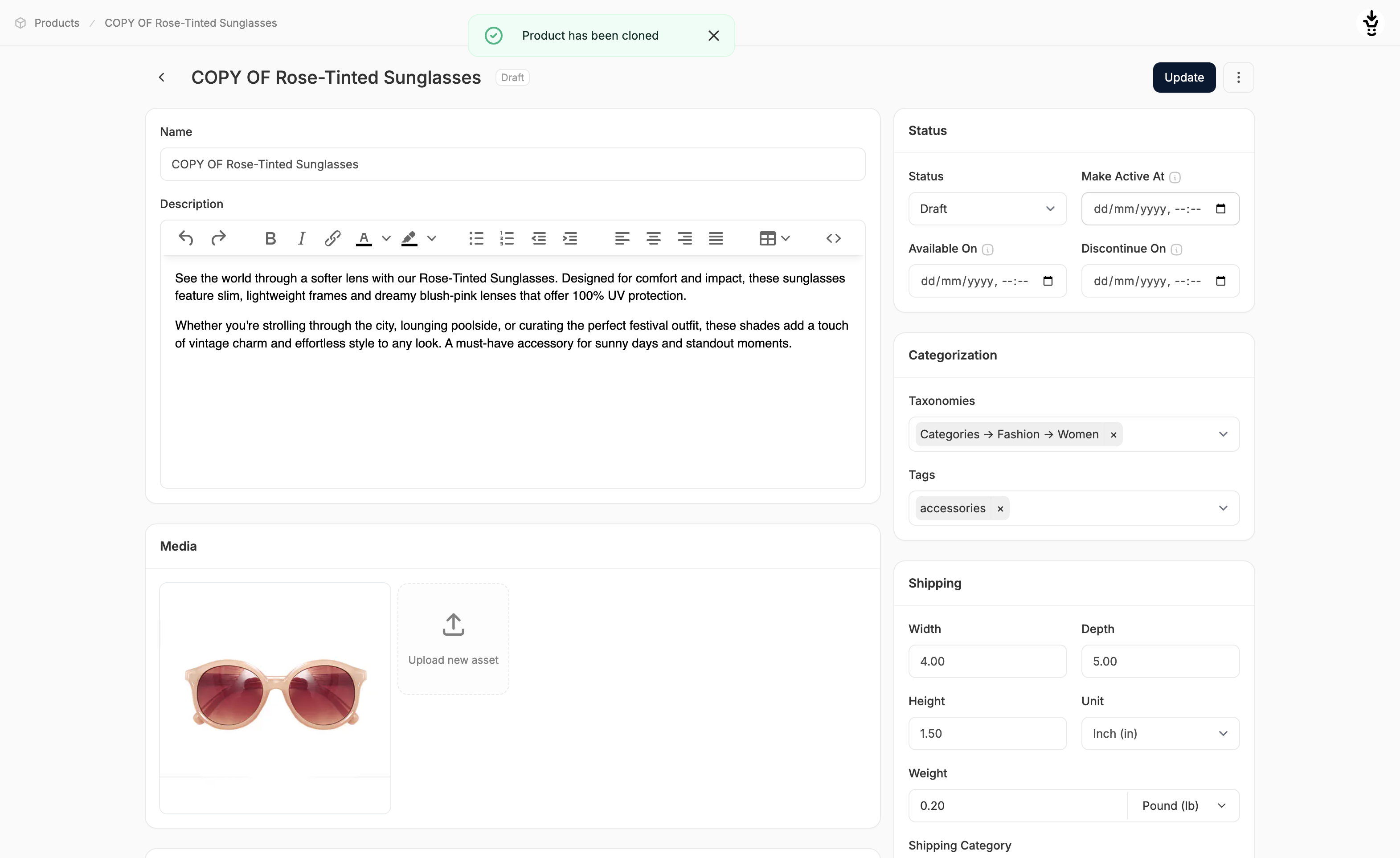
You’ll be redirected to the product editor for the newly cloned product.
1. Go to the **Products** tab in the admin and open the product you want to clone.
2. Click the **three-dot menu** in the top-right corner.
3. Select **Clone** from the dropdown.
You’ll be redirected to the product editor for the newly cloned product.
 ### Cloning Behaviour
When cloning a product, most of the product fields are copied over, with a few key differences:
* **Name** changes to **COPY OF Name**
* **Slug** changes to **/copy-of-name**
* **Status** is set to **Draft** by default
* **Stock** quantity is reset to **0**
## Update the New Product
Now that the product has been cloned, you'll need to update the product details as needed (e.g., name, media, price, stock levels) to reflect the new product.
Remember to click **Update** at the top or bottom of the page to save your changes.
\
For help understanding the fields in the product editor, see [Create a Product](https://spreecommerce.org/docs/user/products/creating-products)
For help updating variant-specific info, see [Edit a Multi-Variant Product](https://spreecommerce.org/docs/user/products/editing-multi-variant-products)
### Cloning Behaviour
When cloning a product, most of the product fields are copied over, with a few key differences:
* **Name** changes to **COPY OF Name**
* **Slug** changes to **/copy-of-name**
* **Status** is set to **Draft** by default
* **Stock** quantity is reset to **0**
## Update the New Product
Now that the product has been cloned, you'll need to update the product details as needed (e.g., name, media, price, stock levels) to reflect the new product.
Remember to click **Update** at the top or bottom of the page to save your changes.
\
For help understanding the fields in the product editor, see [Create a Product](https://spreecommerce.org/docs/user/products/creating-products)
For help updating variant-specific info, see [Edit a Multi-Variant Product](https://spreecommerce.org/docs/user/products/editing-multi-variant-products)