> ## Documentation Index
> Fetch the complete documentation index at: https://spreecommerce.org/docs/llms.txt
> Use this file to discover all available pages before exploring further.
# Cancelling Orders
> Learn how to cancel orders in Spree Commerce.
There may be times when you need to cancel an order, whether to accommodate a customer request, flag a fraudulent transaction, or resolve issues with inventory or payments.
Spree allows you to cancel orders directly from the admin dashboard in just a few steps.
## How to Cancel an Order
Navigate to the **Orders** tab of the admin dashboard.
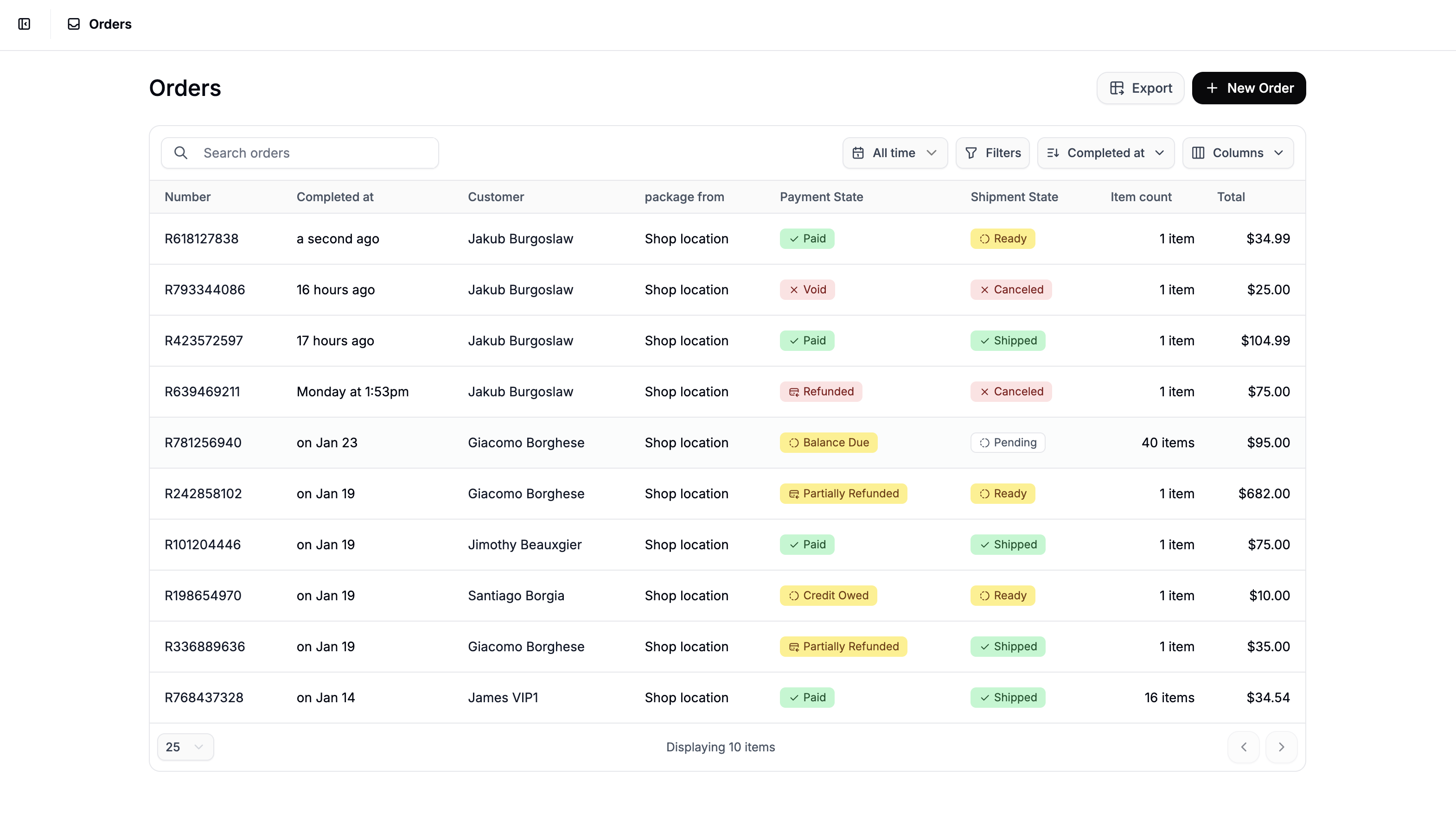 Find and click on the order you want to cancel to open its detail page.
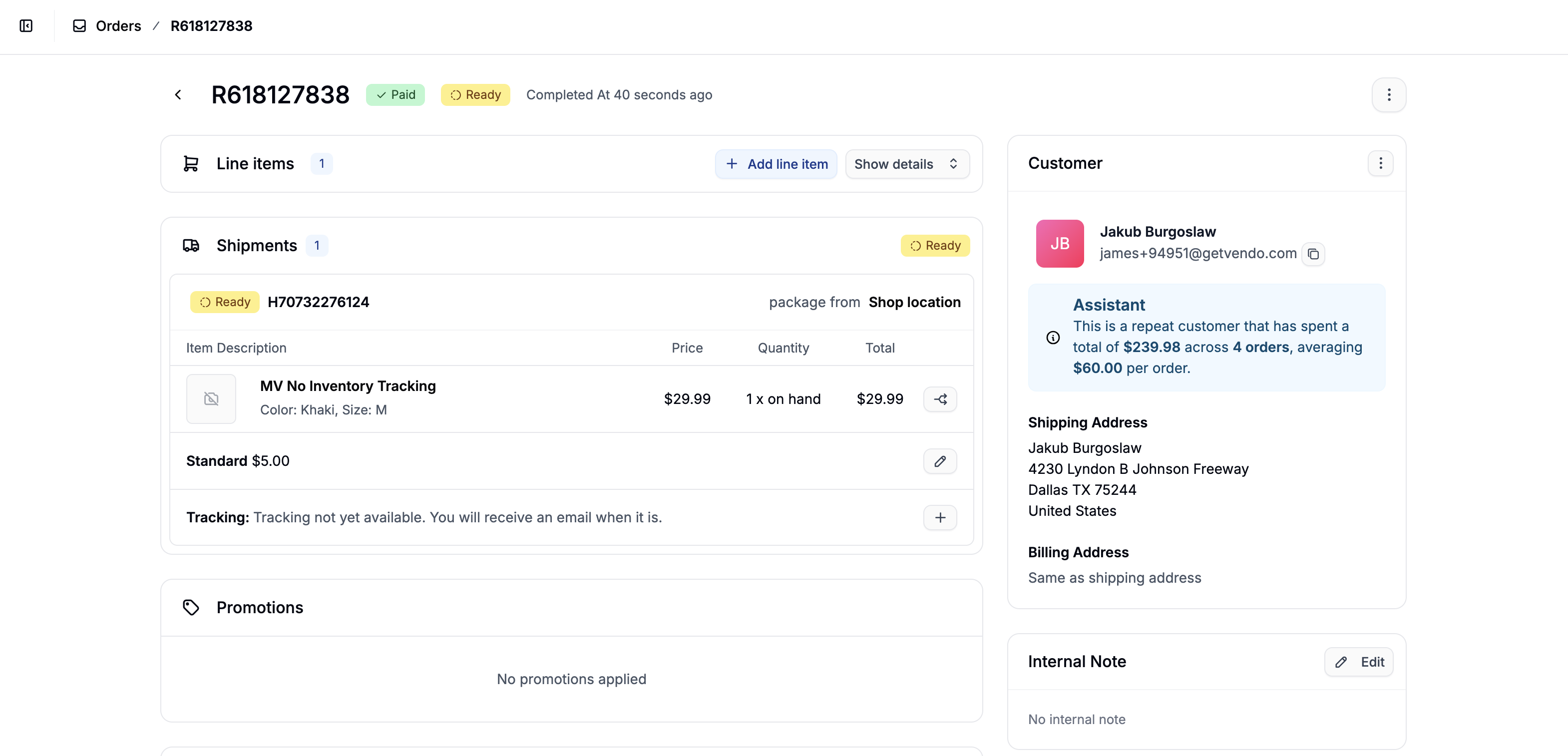 In the top-right corner, click the **three-dot menu**, then select **Cancel Order** from the dropdown.
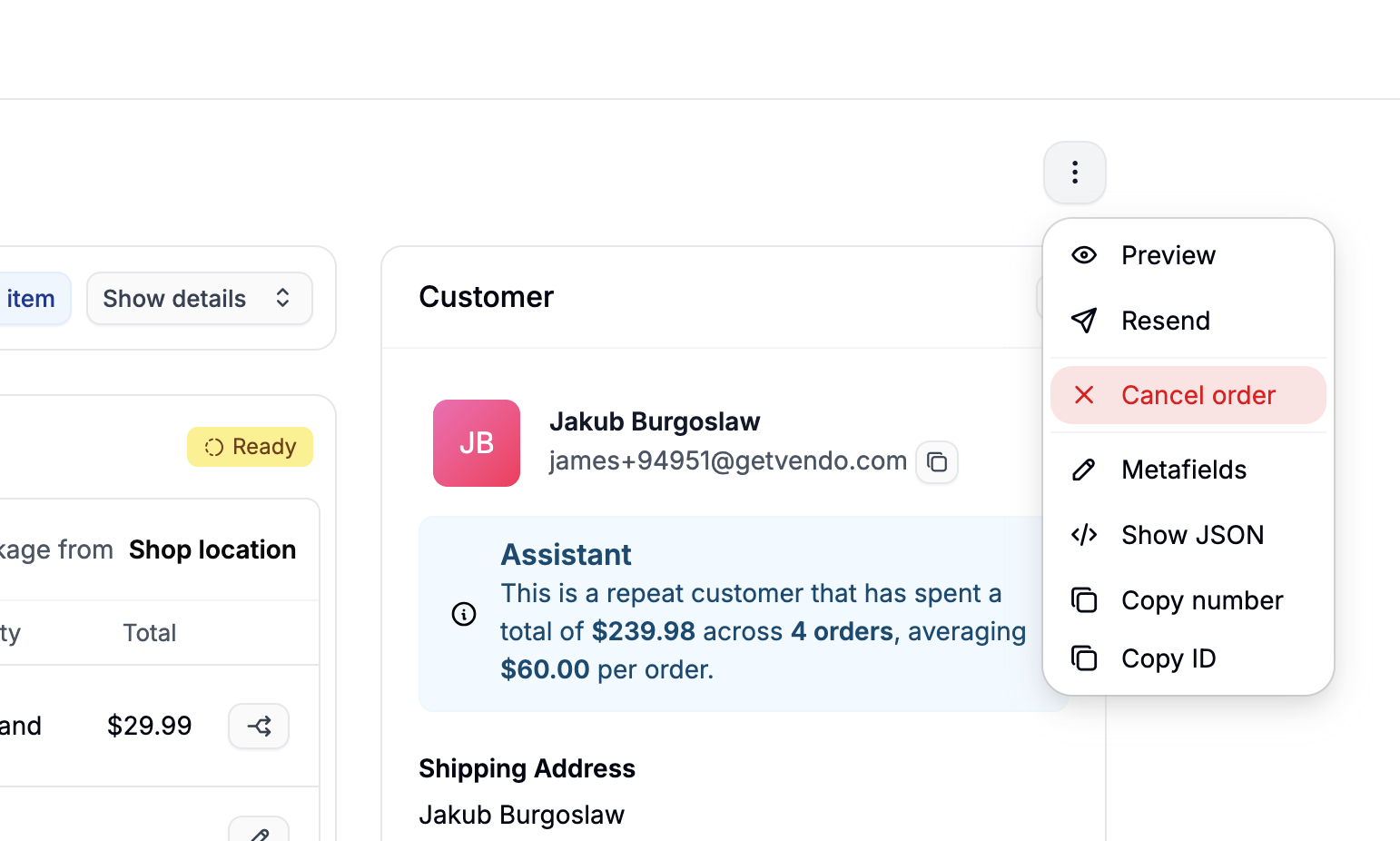 Once confirmed, the order will be cancelled and its status will be updated automatically.
Cancelling an order is irreversible.
## What Happens After Cancellation
### Order Status
* The order’s shipment state will be updated to Cancelled.
* The payment state may also change to Void or Refunded, depending on whether payment has already been captured.
### Payment Refunds
Refunds are not always automatic. Whether the payment is refunded depends on:
* Your payment service provider (PSP)
* The payment method used
* Whether the payment had already been captured
If the payment state does not change to Refunded, you'll need to issue a refund manually.
Learn more about refunds and returns here:
* [Refunding Orders](https://spreecommerce.org/docs/user/orders/refunding-orders)
* [Returns Processing](https://spreecommerce.org/docs/user/returns/returns-processing)
Once confirmed, the order will be cancelled and its status will be updated automatically.
Cancelling an order is irreversible.
## What Happens After Cancellation
### Order Status
* The order’s shipment state will be updated to Cancelled.
* The payment state may also change to Void or Refunded, depending on whether payment has already been captured.
### Payment Refunds
Refunds are not always automatic. Whether the payment is refunded depends on:
* Your payment service provider (PSP)
* The payment method used
* Whether the payment had already been captured
If the payment state does not change to Refunded, you'll need to issue a refund manually.
Learn more about refunds and returns here:
* [Refunding Orders](https://spreecommerce.org/docs/user/orders/refunding-orders)
* [Returns Processing](https://spreecommerce.org/docs/user/returns/returns-processing)