> ## Documentation Index
> Fetch the complete documentation index at: https://spreecommerce.org/docs/llms.txt
> Use this file to discover all available pages before exploring further.
# Searching Customers
> Learn how to search for customers in the Spree admin dashboard.
Quickly finding the right customer is essential for providing efficient support, reviewing order history, updating account details, or managing marketing preferences.
Spree’s updated table view makes it easy to search, sort, and filter customer records with precision.
## How to Search for Customers
To search for customers, navigate to **Customers** in the admin dashboard.
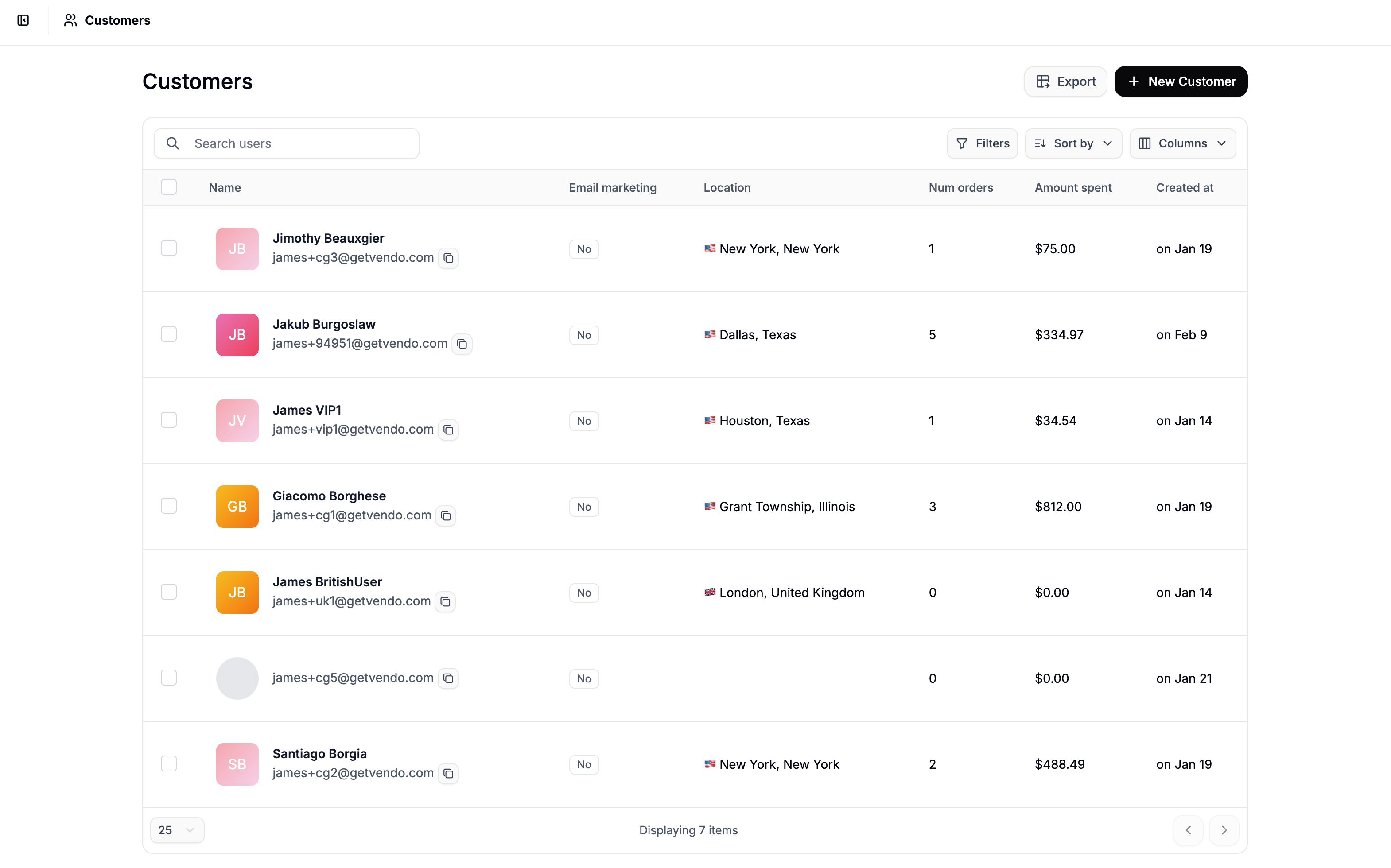 At the top of the page, you’ll find the search bar along with sorting, column, and filter controls.
## Search Bar
At the top of the page, you’ll find the search bar along with sorting, column, and filter controls.
## Search Bar
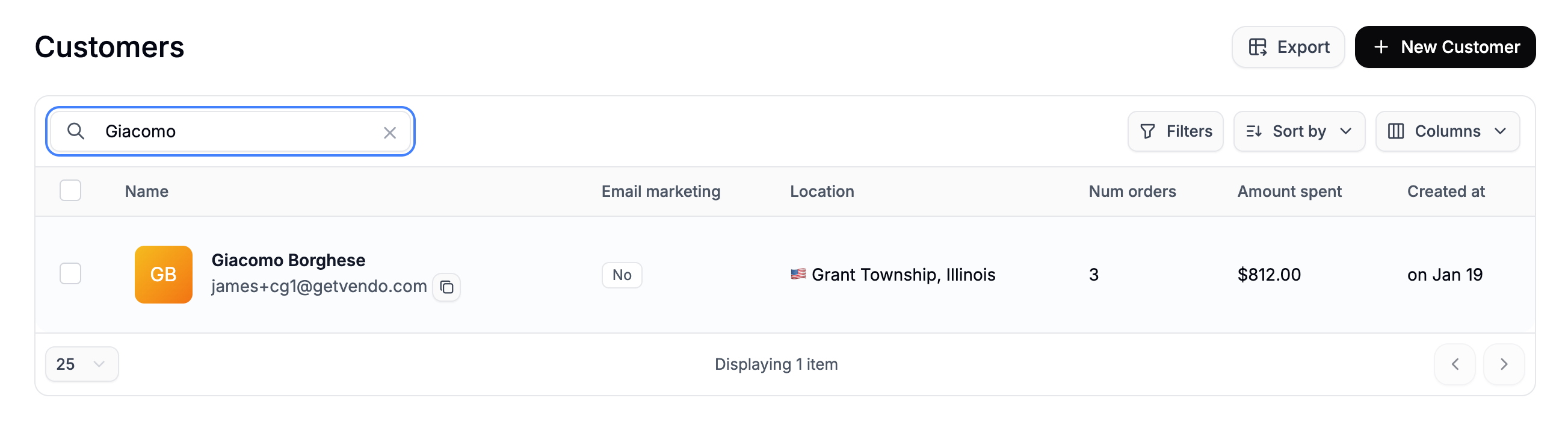 Use the search bar to quickly locate a customer by:
* Email address
* First name
* Last name
Results update based on your query, helping you find specific profiles instantly.
## Sorting & Columns
The new table interface allows you to customize how customer data is displayed.
### **Sort**
Use the search bar to quickly locate a customer by:
* Email address
* First name
* Last name
Results update based on your query, helping you find specific profiles instantly.
## Sorting & Columns
The new table interface allows you to customize how customer data is displayed.
### **Sort**
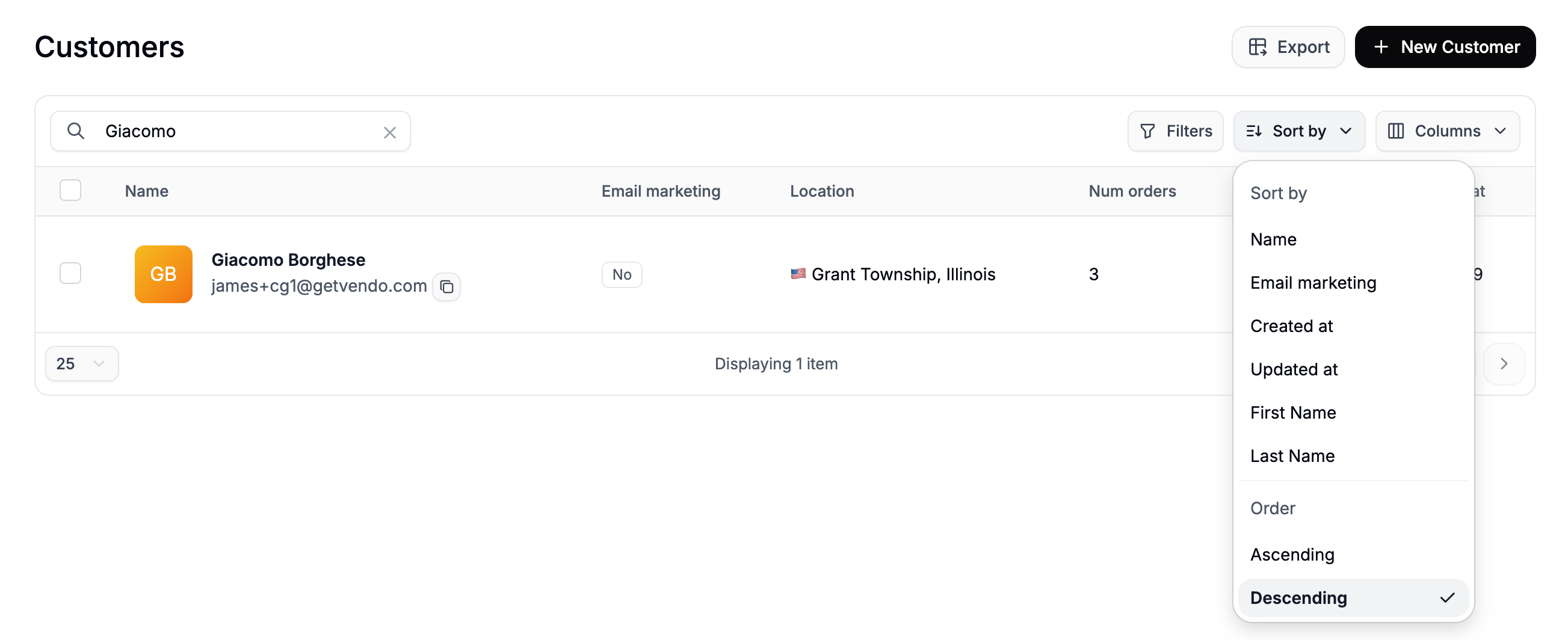 Click on the **Sort by** dropdown to select the field you like to sort by, and select whether you’d like the results to be in ascending or descending order.
### **Columns**
Click on the **Sort by** dropdown to select the field you like to sort by, and select whether you’d like the results to be in ascending or descending order.
### **Columns**
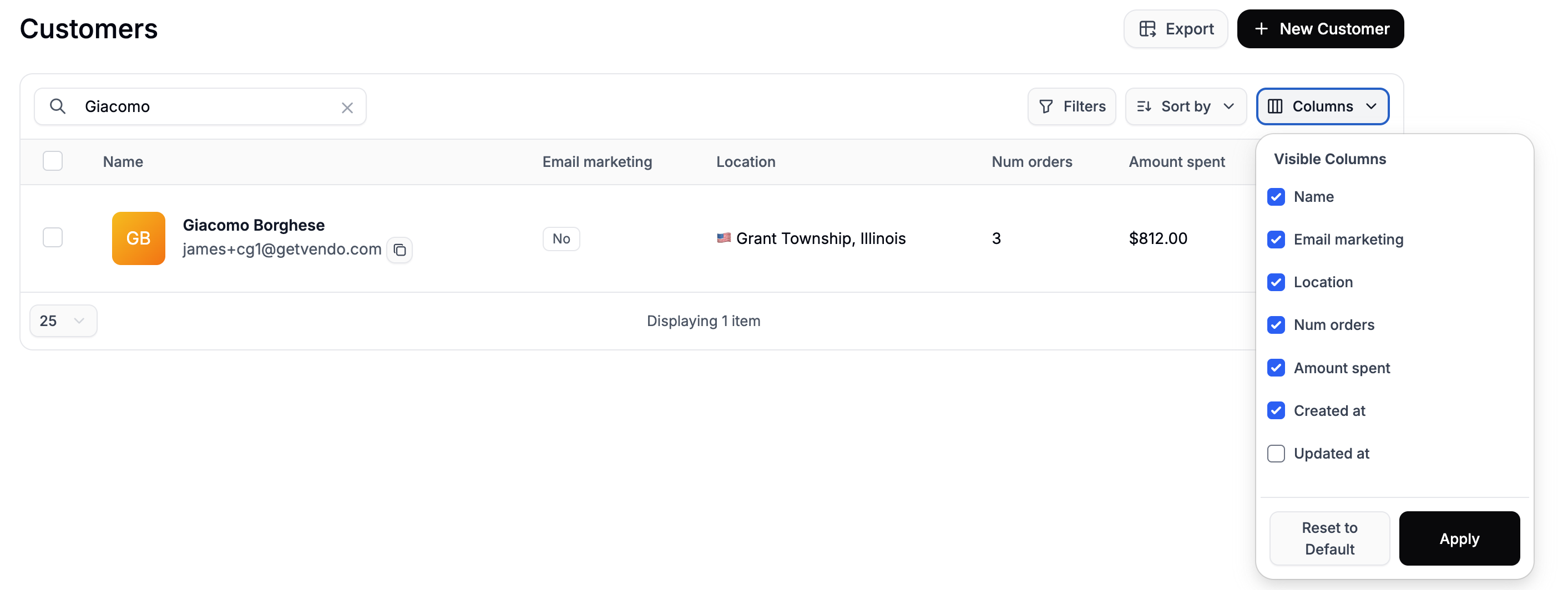 Use the column selector to choose which fields are visible in your table view. This allows you to tailor the layout based on what information is most relevant to your workflow.
## Filters
Use the column selector to choose which fields are visible in your table view. This allows you to tailor the layout based on what information is most relevant to your workflow.
## Filters
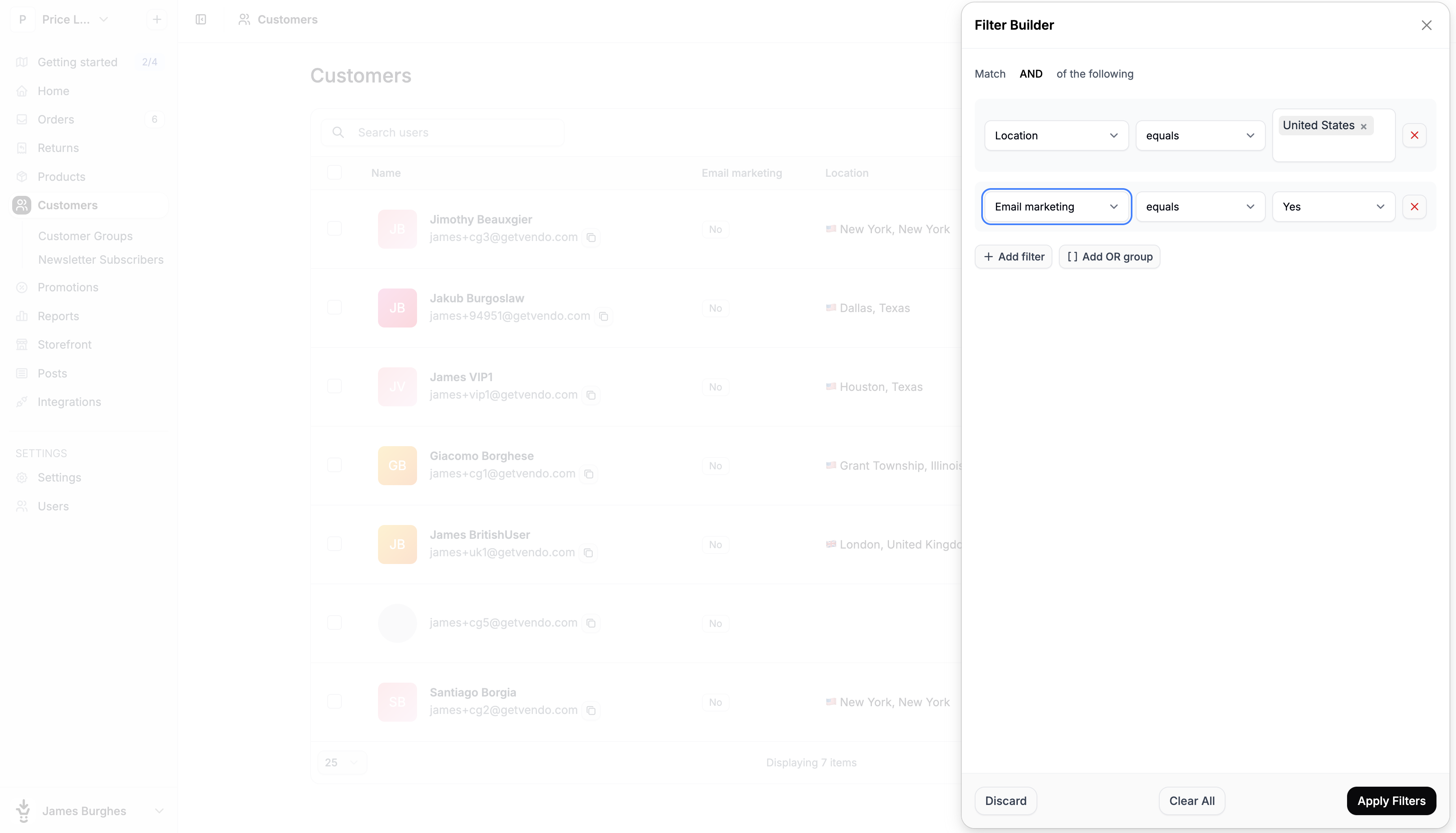 For more advanced searches, click **Filters** to build custom filter rules.
You can create filter groups using **AND** / **OR** logic and apply conditions using the following operators:
* equals
* does not equal
* greater than
* greater than or equal
* less than
* less than or equal
* is any of
* is none of
* is empty
* is not empty
### **Available Filter Fields**
You can filter customers by:
* Email marketing (opted in or not)
* Location
* Created at
* Updated at
* First Name
* Last Name
* Tags
Multiple filters can be combined to narrow down results - for example, finding customers who have opted into email marketing and were created within a specific timeframe.
For more advanced searches, click **Filters** to build custom filter rules.
You can create filter groups using **AND** / **OR** logic and apply conditions using the following operators:
* equals
* does not equal
* greater than
* greater than or equal
* less than
* less than or equal
* is any of
* is none of
* is empty
* is not empty
### **Available Filter Fields**
You can filter customers by:
* Email marketing (opted in or not)
* Location
* Created at
* Updated at
* First Name
* Last Name
* Tags
Multiple filters can be combined to narrow down results - for example, finding customers who have opted into email marketing and were created within a specific timeframe.