> ## Documentation Index
> Fetch the complete documentation index at: https://spreecommerce.org/docs/llms.txt
> Use this file to discover all available pages before exploring further.
# Storefront Pages
> Learn how to create and use pages in your Spree Rails storefront
## Built-in Pages
Spree Storefront comes with a full set of built-in pages that you can customize via page builder.
| Page | Description | Class | URL |
| --------------- | ------------------------------------------------------------ | ----------------------------------------------------------------------------------------------------------------------- | ------------------- |
| Home | The main landing page of your store | [Spree::Pages::Homepage](https://github.com/spree/spree/blob/main/core/app/models/spree/pages/homepage.rb) | `/` |
| Product Details | Individual product display page | [Spree::Pages::ProductDetails](https://github.com/spree/spree/blob/main/core/app/models/spree/pages/product_details.rb) | `/products/:id` |
| Taxon | Shows products filtered by taxon | [Spree::Pages::Taxon](https://github.com/spree/spree/blob/main/core/app/models/spree/pages/taxon.rb) | `/t/:permalink` |
| Search Results | Displays search results for products | [Spree::Pages::SearchResults](https://github.com/spree/spree/blob/main/core/app/models/spree/pages/search_results.rb) | `/search` |
| Shop All | Shows all products | [Spree::Pages::ShopAll](https://github.com/spree/spree/blob/main/core/app/models/spree/pages/shop_all.rb) | `/products` |
| Blog | Shows your store's blog posts and articles | [Spree::Pages::PostList](https://github.com/spree/spree/blob/main/core/app/models/spree/pages/post_list.rb) | `/posts` |
| Post | Individual blog post | [Spree::Pages::Post](https://github.com/spree/spree/blob/main/core/app/models/spree/pages/post.rb) | `/posts/:permalink` |
| Password | Password page, when password protected storefront is enabled | [Spree::Pages::Password](https://github.com/spree/spree/blob/main/core/app/models/spree/pages/password.rb) | `/` |
All of these page can be fully customized via page builder. You can add/remove sections, etc.
We're planning to add page builder support for the following pages in the next Spree releases:
* Cart
* Checkout
* Account
## Sections
Each page is made of [sections](/docs/developer/storefront/rails/sections). Sections are the building blocks of a page. They are used to create the page content.
You can fetch page sections using:
```ruby theme={"theme":"night-owl"}
current_page.sections
```
## Custom Landing Pages in the Admin
You can easily create your own landing pages by going to the `Admin -> Storefront -> Pages` and clicking on the `New Page` button. More on this in the [Create a Landing Page](/docs/user/storefront/create-page) guide. Each custom landing page can be customized via page builder.
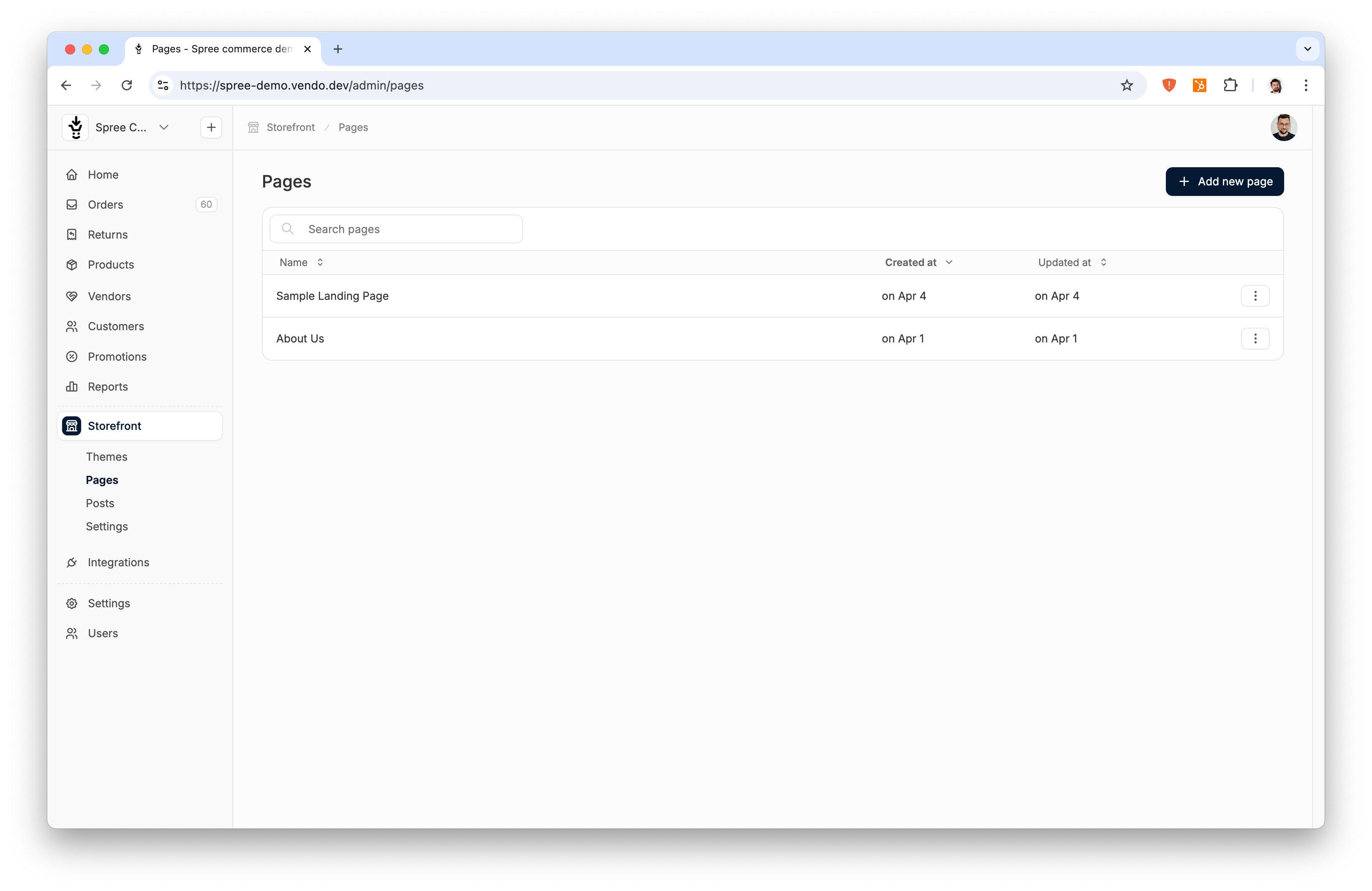 Under the hood they use [Spree::Pages::Custom](https://github.com/spree/spree/blob/main/core/app/models/spree/pages/custom.rb) class.
## Building a new Page from scratch
If you need to build a page that is not one of the built-in pages, you can create your own page class. This will allow you to create a dedicated page for your business needs and at the same time allow your non-technical team to manage the page content without bugging you :)
Let's assume you need to create a page that displays pickup locations. You already created a new model `Spree::PickupLocation` and added some data to the database. Now you want to create a page that displays these pickup locations.
First, let's add a route for the new page.
```ruby theme={"theme":"night-owl"}
# config/routes.rb
Spree::Core::Engine.add_routes do
scope '(:locale)', locale: /#{Spree.available_locales.join('|')}/, defaults: { locale: nil } do # this line will enable translations for the new page
resources :pickup_locations, only: [:index]
end
end
```
Now, create the new page class file:
```bash theme={"theme":"night-owl"}
mkdir -p app/models/spree/pages && touch app/models/spree/pages/pickup_locations.rb
```
Now, let's add the new page class:
```ruby theme={"theme":"night-owl"}
module Spree
module Pages
class PickupLocations < Spree::Page
# use https://tabler.io/icons to find the icon name
def icon_name
'map-marker-alt'
end
# This method is used to determine if the page is customizable via page builder
def customizable?
true
end
# this is the URL used to preview the page in the page builder UI
def page_builder_url
return unless page_builder_url_exists?(:pickup_locations_path)
Spree::Core::Engine.routes.url_helpers.pickup_locations_path
end
# this is the default sections that will be shown on the page
# in the later guide for sections you will learn how to add custom sections
def default_sections
[
Spree::PageSections::PageTitle.new
]
end
end
end
end
```
You will need to register the new page in the `config/initializers/spree.rb` file:
```ruby config/initializers/spree.rb theme={"theme":"night-owl"}
Rails.application.config.after_initialize do
Spree.page_builder.pages << Spree::Pages::PickupLocations
end
```
```ruby config/initializers/spree.rb theme={"theme":"night-owl"}
Rails.application.config.after_initialize do
Rails.application.config.spree.pages << Spree::Pages::PickupLocations
end
```
Now, the controller:
```bash theme={"theme":"night-owl"}
mkdir -p app/controllers/spree && touch app/controllers/spree/pickup_locations_controller.rb
```
```ruby theme={"theme":"night-owl"}
# app/controllers/spree/pickup_locations_controller.rb
module Spree
class PickupLocationsController < StoreController
def index
@current_page = current_theme.pages.find_by(type: 'Spree::Pages::PickupLocations') # this is very important, without this the page will not be found
@pickup_locations = current_store.pickup_locations
end
end
end
```
Lastly we need to add a view file for the page:
```bash theme={"theme":"night-owl"}
mkdir -p app/views/spree/pickup_locations && touch app/views/spree/pickup_locations/index.html.erb
```
And add the following code to the view file:
```erb theme={"theme":"night-owl"}
<%= render_page(current_page, pickup_locations: @pickup_locations) %>
```
`render_page` is a helper method defined in the [Spree::PageHelper](https://github.com/spree/spree/blob/main/storefront/app/helpers/spree/page_helper.rb) module that renders the page. It fetches all page sections and renders them one by one in the order they are set in the page builder by store staff.
Passing `pickup_locations` variable to the `render_page` method allows you to use it in the page sections templates, eg.
```erb theme={"theme":"night-owl"}
<%= pickup_locations.each do |pickup_location| %>
<%= pickup_location.name %>
<% end %>
```
Under the hood they use [Spree::Pages::Custom](https://github.com/spree/spree/blob/main/core/app/models/spree/pages/custom.rb) class.
## Building a new Page from scratch
If you need to build a page that is not one of the built-in pages, you can create your own page class. This will allow you to create a dedicated page for your business needs and at the same time allow your non-technical team to manage the page content without bugging you :)
Let's assume you need to create a page that displays pickup locations. You already created a new model `Spree::PickupLocation` and added some data to the database. Now you want to create a page that displays these pickup locations.
First, let's add a route for the new page.
```ruby theme={"theme":"night-owl"}
# config/routes.rb
Spree::Core::Engine.add_routes do
scope '(:locale)', locale: /#{Spree.available_locales.join('|')}/, defaults: { locale: nil } do # this line will enable translations for the new page
resources :pickup_locations, only: [:index]
end
end
```
Now, create the new page class file:
```bash theme={"theme":"night-owl"}
mkdir -p app/models/spree/pages && touch app/models/spree/pages/pickup_locations.rb
```
Now, let's add the new page class:
```ruby theme={"theme":"night-owl"}
module Spree
module Pages
class PickupLocations < Spree::Page
# use https://tabler.io/icons to find the icon name
def icon_name
'map-marker-alt'
end
# This method is used to determine if the page is customizable via page builder
def customizable?
true
end
# this is the URL used to preview the page in the page builder UI
def page_builder_url
return unless page_builder_url_exists?(:pickup_locations_path)
Spree::Core::Engine.routes.url_helpers.pickup_locations_path
end
# this is the default sections that will be shown on the page
# in the later guide for sections you will learn how to add custom sections
def default_sections
[
Spree::PageSections::PageTitle.new
]
end
end
end
end
```
You will need to register the new page in the `config/initializers/spree.rb` file:
```ruby config/initializers/spree.rb theme={"theme":"night-owl"}
Rails.application.config.after_initialize do
Spree.page_builder.pages << Spree::Pages::PickupLocations
end
```
```ruby config/initializers/spree.rb theme={"theme":"night-owl"}
Rails.application.config.after_initialize do
Rails.application.config.spree.pages << Spree::Pages::PickupLocations
end
```
Now, the controller:
```bash theme={"theme":"night-owl"}
mkdir -p app/controllers/spree && touch app/controllers/spree/pickup_locations_controller.rb
```
```ruby theme={"theme":"night-owl"}
# app/controllers/spree/pickup_locations_controller.rb
module Spree
class PickupLocationsController < StoreController
def index
@current_page = current_theme.pages.find_by(type: 'Spree::Pages::PickupLocations') # this is very important, without this the page will not be found
@pickup_locations = current_store.pickup_locations
end
end
end
```
Lastly we need to add a view file for the page:
```bash theme={"theme":"night-owl"}
mkdir -p app/views/spree/pickup_locations && touch app/views/spree/pickup_locations/index.html.erb
```
And add the following code to the view file:
```erb theme={"theme":"night-owl"}
<%= render_page(current_page, pickup_locations: @pickup_locations) %>
```
`render_page` is a helper method defined in the [Spree::PageHelper](https://github.com/spree/spree/blob/main/storefront/app/helpers/spree/page_helper.rb) module that renders the page. It fetches all page sections and renders them one by one in the order they are set in the page builder by store staff.
Passing `pickup_locations` variable to the `render_page` method allows you to use it in the page sections templates, eg.
```erb theme={"theme":"night-owl"}
<%= pickup_locations.each do |pickup_location| %>
<%= pickup_location.name %>
<% end %>
```