> ## Documentation Index
> Fetch the complete documentation index at: https://spreecommerce.org/docs/llms.txt
> Use this file to discover all available pages before exploring further.
# CDN
> Learn how to improve performance of your Spree application by using a CDN (Content Delivery Network).
To improve performance of your Spree application, we recommend using a CDN (Content Delivery Network) to cache images and static files.
We recommend using [Cloudflare](https://www.cloudflare.com/) as your CDN provider. It's free and simple to set up.
After setting up your Cloudflare account and adding your domain name to Cloudflare, you will need to set your cache settings.
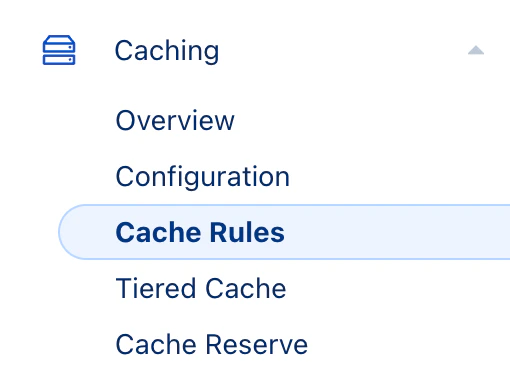
Go to your domain name in Cloudflare and click on "Caching" tab and select "Cache Rules".
 Click on "Create Rule" and set up the rule as below:
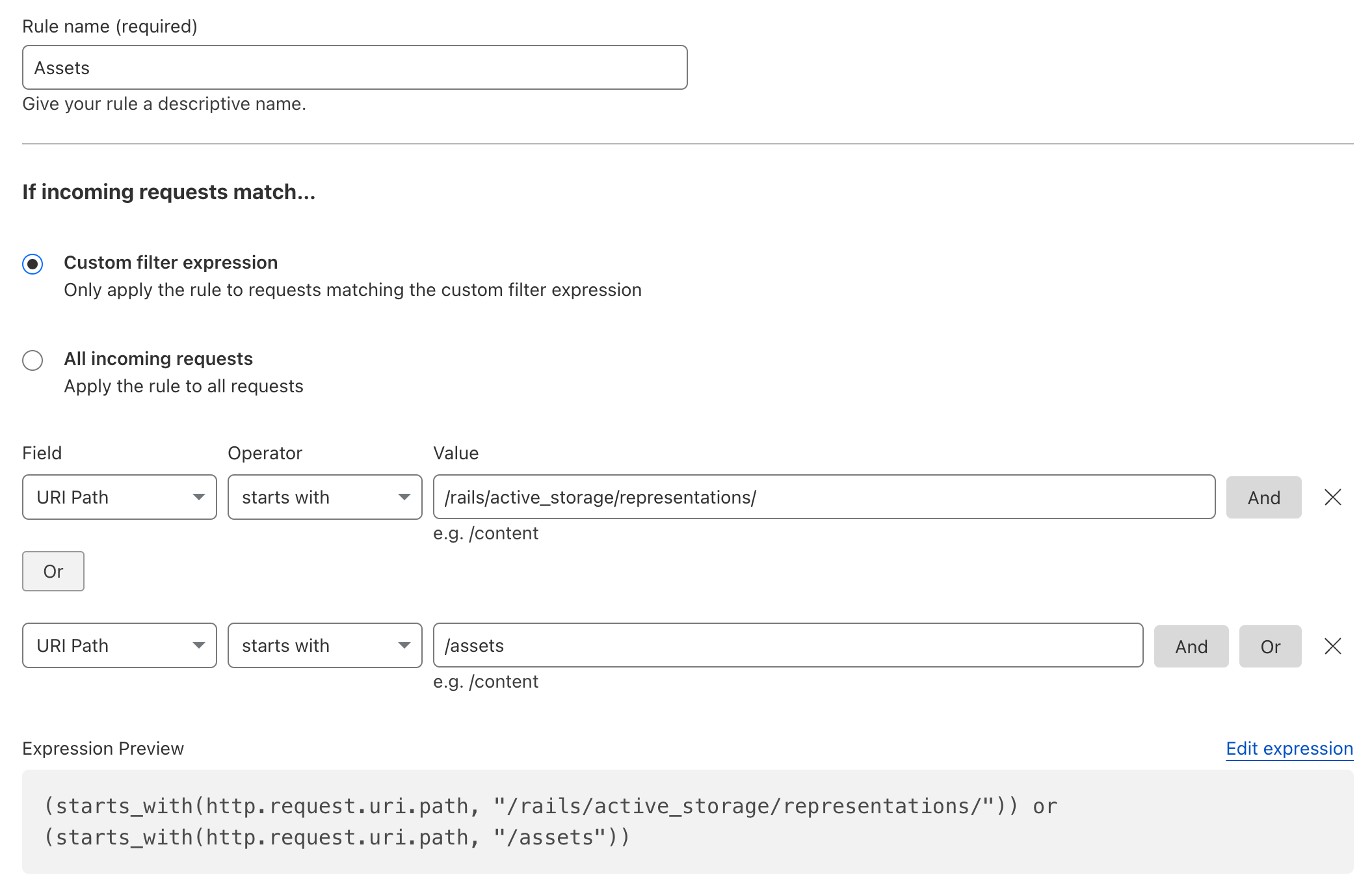 Supply the first value with
```url theme={"theme":"night-owl"}
/rails/active_storage/representations/
```
and the second value with
```url theme={"theme":"night-owl"}
/assets
```
This will handle caching of both images and static files such as JavaScript and CSS files.
Now scroll down and set the settings as below:
Supply the first value with
```url theme={"theme":"night-owl"}
/rails/active_storage/representations/
```
and the second value with
```url theme={"theme":"night-owl"}
/assets
```
This will handle caching of both images and static files such as JavaScript and CSS files.
Now scroll down and set the settings as below:
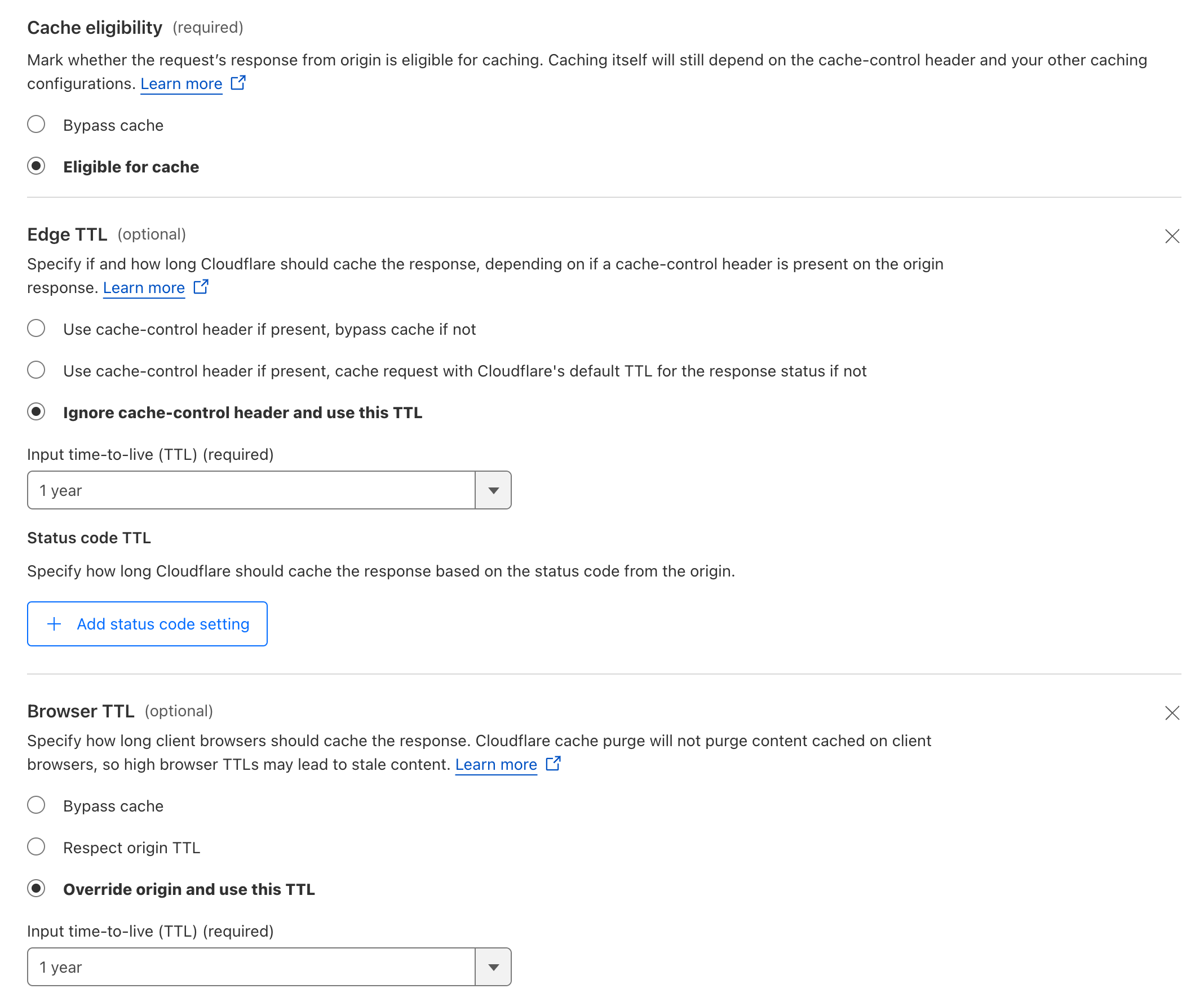 Finally, click on "Deploy" and you are done!